OpenClaw 多 Bot 团队协作实战:三种架构模式深度对比
你有没有想过,让多个 Telegram Bot 组成一个"复仇者联盟"?有的负责coding,有的负责调研,有的专门写文案,各显神通。这不是科幻,OpenClaw 就能帮你实现。
今天聊聊怎么把一群"各怀绝技"的 Bot 捏合成一个高效协作的 Agent 团队。我会对比三种架构模式,并送上完整的配置指南。
一、三种协作模式对比
先上一张对比表,看看三种模式的特点:
| 模式 A:主脑 + 专才 | 模式 B:独立共享 | 模式 C:混合(推荐) | |
|---|---|---|---|
| 用户入口 | 只找主脑 | 找对应专才 | 通常找主脑,可 bypass |
| 协调方式 | 主脑调度派发 | 共享记忆感知 | 主脑调度 + 共享记忆 |
| 单点故障 | 主脑挂则全瘫 | 无单点 | 主脑挂则无调度,专才仍可独立工作 |
| 复杂任务 | 强(主脑拆解) | 弱(各干各的) | 最强 |
| 配置复杂度 | 中 | 低 | 中高 |
| 适合场景 | 流水线、需要汇总 | 并行独立任务 | 生产级团队 |
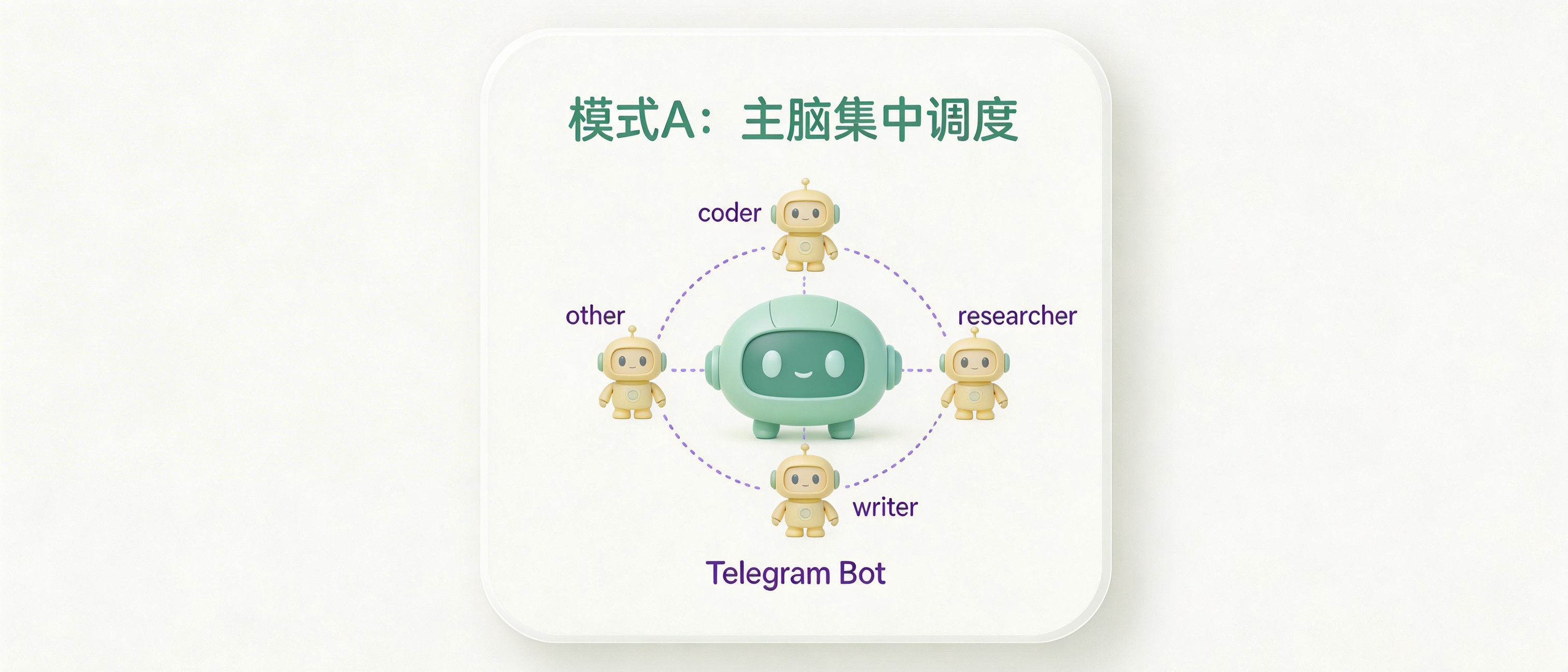
模式 A:主脑 + 专才
这种模式的结构大概是这样的:
你
 └─ 主脑(唯一入口,负责调度)
      ├─ 派发任务 → coder
      ├─ 派发任务 → researcher
      └─ 汇总结果 → 回复你
特点:
- 主脑是唯一对话入口,你只和主脑说话
- 主脑用
sessions_send把任务派给专才,等结果,整合后回复 - 专才各自独立 workspace,互不感知
- 适合需要严格流程控制的场景
缺点:
- 主脑是瓶颈,出问题全队停摆
- 多跳传递增加延迟
- 主脑 token 消耗大(要理解任务 + 整合结果)
模式 B:独立共享
你
 ├─ 直接找 coder
 ├─ 直接找 researcher
 └─ 直接找 writer
    (三者共享同一份记忆文件)
特点:
- 没有主脑,每个 bot 直接面向你
- 专才共享同一个 workspace,能读到彼此的记忆和工作记录
- 你需要自己判断找哪个专才
- 适合任务边界清晰、你知道该找谁的场景
缺点:
- 没有协调者,复杂任务容易各干各的
- 你需要手动在多个 bot 间切换
模式 C:混合(推荐)
你
 └─ 主脑(协调者,常规入口)
      ├─ coder ──┐
      ├─ researcher ──┤ 共享同一个 workspace/记忆
      └─ writer ──┘
          ↑
         你也可以直接联系专才(bypass 主脑)
特点:
- 主脑负责调度,专才之间共享记忆
- 专才能感知彼此的工作,避免重复劳动
- 主脑挂了,你仍可直接联系专才继续工作
- 这是生产级推荐方案,兼顾了 A 和 B 的优点
二、前置准备
每个 Bot 需要:
- 在 BotFather 创建 Telegram Bot,运行
/newbot,保存botToken - 确定角色(主脑 / coder / researcher / writer 等)
获取你的 Telegram 数字 ID:
# 方法一:DM 你的 bot,然后查日志
openclaw logs --follow
# 看 from.id 字段

# 方法二:Bot API
curl "https://api.telegram.org/bot/getUpdates"
三、目录结构规划
~/.openclaw/
├── workspace-main/           # 主脑独立 workspace
├── workspace-team-a/         # 团队 A 专才共享 workspace(模式 B/C)
├── agents/
│   ├── main/
│   │   ├── agent/            # 主脑 agentDir(auth、配置)
│   │   └── sessions/
│   ├── coder/
│   │   ├── agent/
│   │   └── sessions/
│   ├── researcher/
│   │   ├── agent/
│   │   └── sessions/
│   └── writer/
│       ├── agent/
│       └── sessions/
└── openclaw.json
关键: 专才们的 workspace 指向同一个目录,agentDir 各自独立。
共享 workspace = 共享记忆文件;独立 agentDir = 独立 auth、session、身份。
四、创建 Agent
openclaw agents add main
openclaw agents add coder
openclaw agents add researcher
openclaw agents add writer
或直接在 openclaw.json 里手动配置(见下节)。
五、完整配置
模式 A 配置
专才各自独立 workspace,不共享记忆,由主脑统一调度。
{
  "agents": {
    "list": [
      {
        "id": "main",
        "workspace": "~/.openclaw/workspace-main",
        "agentDir": "~/.openclaw/agents/main/agent"
      },
      {
        "id": "coder",
        "workspace": "~/.openclaw/workspace-coder",
        "agentDir": "~/.openclaw/agents/coder/agent",
        "tools": { "deny": ["browser", "nodes"] }
      },
      {
        "id": "researcher",
        "workspace": "~/.openclaw/workspace-researcher",
        "agentDir": "~/.openclaw/agents/researcher/agent",
        "tools": { "deny": ["exec", "write", "edit"] }
      },
      {
        "id": "writer",
        "workspace": "~/.openclaw/workspace-writer",
        "agentDir": "~/.openclaw/agents/writer/agent",
        "tools": { "deny": ["exec", "browser", "nodes"] }
      }
    ]
  },

  "session": { "dmScope": "main" },

  "tools": {
    "agentToAgent": {
      "enabled": true,
      "allow": ["main", "coder", "researcher", "writer"]
    }
  },

  "bindings": [
    { "agentId": "main", "match": { "channel": "telegram", "accountId": "main" } },
    { "agentId": "coder", "match": { "channel": "telegram", "accountId": "coder" } },
    { "agentId": "researcher", "match": { "channel": "telegram", "accountId": "researcher" } },
    { "agentId": "writer", "match": { "channel": "telegram", "accountId": "writer" } }
  ],

  "channels": {
    "telegram": {
      "accounts": {
        "main": { "botToken": "111111:TOKEN_MAIN", "dmPolicy": "pairing" },
        "coder": { "botToken": "222222:TOKEN_CODER", "dmPolicy": "disabled" },
        "researcher": { "botToken": "333333:TOKEN_RESEARCHER", "dmPolicy": "disabled" },
        "writer": { "botToken": "444444:TOKEN_WRITER", "dmPolicy": "disabled" }
      }
    }
  }
}
模式 B 配置
专才共享 workspace,无主脑,无 agentToAgent。
{
  "agents": {
    "list": [
      {
        "id": "coder",
        "workspace": "~/.openclaw/workspace-team-a",
        "agentDir": "~/.openclaw/agents/coder/agent",
        "tools": { "deny": ["browser", "nodes"] }
      },
      {
        "id": "researcher",
        "workspace": "~/.openclaw/workspace-team-a",
        "agentDir": "~/.openclaw/agents/researcher/agent",
        "tools": { "deny": ["exec", "write", "edit"] }
      },
      {
        "id": "writer",
        "workspace": "~/.openclaw/workspace-team-a",
        "agentDir": "~/.openclaw/agents/writer/agent",
        "tools": { "deny": ["exec", "browser", "nodes"] }
      }
    ]
  },

  "session": { "dmScope": "main" },

  "bindings": [
    { "agentId": "coder", "match": { "channel": "telegram", "accountId": "coder" } },
    { "agentId": "researcher", "match": { "channel": "telegram", "accountId": "researcher" } },
    { "agentId": "writer", "match": { "channel": "telegram", "accountId": "writer" } }
  ],

  "channels": {
    "telegram": {
      "accounts": {
        "coder": { "botToken": "222222:TOKEN_CODER", "dmPolicy": "pairing" },
        "researcher": { "botToken": "333333:TOKEN_RESEARCHER", "dmPolicy": "pairing" },
        "writer": { "botToken": "444444:TOKEN_WRITER", "dmPolicy": "pairing" }
      }
    }
  }
}
模式 C 配置(推荐)
主脑独立 workspace,专才共享 workspace,agentToAgent 开启,专才也允许你直接联系。
{
  "agents": {
    "list": [
      {
        "id": "main",
        "workspace": "~/.openclaw/workspace-main",
        "agentDir": "~/.openclaw/agents/main/agent"
      },
      {
        "id": "coder",
        "workspace": "~/.openclaw/workspace-team-a",
        "agentDir": "~/.openclaw/agents/coder/agent",
        "tools": { "deny": ["browser", "nodes"] }
      },
      {
        "id": "researcher",
        "workspace": "~/.openclaw/workspace-team-a",
        "agentDir": "~/.openclaw/agents/researcher/agent",
        "tools": { "deny": ["exec", "write", "edit"] }
      },
      {
        "id": "writer",
        "workspace": "~/.openclaw/workspace-team-a",
        "agentDir": "~/.openclaw/agents/writer/agent",
        "tools": { "deny": ["exec", "browser", "nodes"] }
      }
    ]
  },

  "session": { "dmScope": "main" },

  "tools": {
    "agentToAgent": {
      "enabled": true,
      "allow": ["main", "coder", "researcher", "writer"]
    }
  },

  "bindings": [
    { "agentId": "main", "match": { "channel": "telegram", "accountId": "main" } },
    { "agentId": "coder", "match": { "channel": "telegram", "accountId": "coder" } },
    { "agentId": "researcher", "match": { "channel": "telegram", "accountId": "researcher" } },
    { "agentId": "writer", "match": { "channel": "telegram", "accountId": "writer" } }
  ],

  "channels": {
    "telegram": {
      "accounts": {
        "main": {
          "botToken": "111111:TOKEN_MAIN",
          "dmPolicy": "pairing"
        },
        "coder": {
          "botToken": "222222:TOKEN_CODER",
          "dmPolicy": "allowlist",
          "allowFrom": ["tg:你的数字ID"]
        },
        "researcher": {
          "botToken": "333333:TOKEN_RESEARCHER",
          "dmPolicy": "allowlist",
          "allowFrom": ["tg:你的数字ID"]
        },
        "writer": {
          "botToken": "444444:TOKEN_WRITER",
          "dmPolicy": "allowlist",
          "allowFrom": ["tg:你的数字ID"]
        }
      }
    }
  }
}
六、配置各 Agent 的 SOUL.md
主脑 SOUL.md(workspace-main/SOUL.md)
# SOUL.md - 主脑

你是团队的协调者和对外入口。

## 职责
- 理解用户意图,判断任务复杂度
- 简单任务直接自己处理,不必每次派发
- 编码类 → 派给 coder(sessions_send)
- 调研/搜索类 → 派给 researcher
- 写作/文案类 → 派给 writer
- 收集专才结果,整合后回复用户(不是简单转发)

## 原则
- 派发任务时说清楚背景和期望输出格式
- 等专才完成后再整合,不要催
- 汇总时做真正的整合,给用户一个完整的答案
专才 SOUL.md(workspace-team-a/SOUL.md)
# SOUL.md - 专才

你是团队的专业成员,可能被主脑派发任务,也可能被用户直接联系。

## 共享记忆规范
- 读 MEMORY.md 了解团队整体上下文
- 写记忆时标明身份,格式:`[coder] 今天完成了...`
- 不要覆盖其他 agent 写的记忆条目

## 原则
- 专注自己的领域
- 任务完成后,清晰地返回结果
- 感知到其他专才已经做过的工作,避免重复
注意: 如果不同专才需要不同人格/指令,可以在各自 agentDir 下单独维护 SOUL.md,不放在共享 workspace 里。
七、共享记忆写法规范
专才共享 workspace 时,写记忆文件建议加 agent 标识,避免混淆:
# memory/2026-03-03.md

## [coder] 今天完成的事
- 修复了支付模块 bug,PR 已合并

## [researcher] 今天的发现
- 竞品新发布了 v2.0,功能差异已整理到 research-notes.md

## [writer] 今天输出
- 完成官网首页文案初稿,待主脑审核
八、多团队隔离
有多个团队时,agentToAgent.allow 只写本团队成员,不同团队天然隔离:
团队 A:main-a, coder-a, researcher-a  → allow 列表只含这三个
团队 B:main-b, sales-b, writer-b      → allow 列表只含这三个
如果需要彻底物理隔离(团队 B 完全无法感知团队 A 的存在),推荐两个独立 gateway 实例,各自跑各自的进程,互不干扰。代价是资源消耗翻倍。
九、启动与验证
# 重启 gateway 使配置生效
openclaw gateway restart

# 验证 agent 列表和 bindings
openclaw agents list --bindings

# 验证各 channel 状态
openclaw channels status --probe

# 查看所有 session
openclaw sessions --json

# 实时日志(调试用)
openclaw logs --follow
十、选型建议
刚开始玩,Bot 少(2-3 个),直接上模式 B,简单快速省心。任务复杂,需要流程控制,那就模式 A 或者模式 C。生产环境长期运营,模式 C 混合模式是首选。多个独立团队互不干扰,各团队用模式 C,网关物理隔离。
十一、常见问题
Q:模式 C 里专才并发写记忆会冲突吗?
A:偶发,但实际影响小,一般不会同时写同一行。写记忆时加 agent 标识可以有效减少混淆。
Q:我能绕过主脑直接联系专才吗?
A:模式 C 中可以,专才的 dmPolicy: "allowlist" 允许你直接 DM。模式 A 中专才设置为 dmPolicy: "disabled",强制通过主脑。
Q:agentToAgent 开了之后专才能主动联系主脑吗?
A:能,allow 列表是双向的。专才也可以用 sessions_send 主动给主脑发消息。
Q:专才共享 workspace,SOUL.md 不就一样了吗?
A:是的,共享 workspace 意味着 SOUL.md 也共享。如果需要不同人格,把 SOUL.md 放在各自 agentDir 下,或在 agent 配置里用 systemPrompt 字段单独定义。
总结: 三种模式各有适用场景。模式 C 兼顾了灵活性和稳定性,是生产环境的首选。但如果你刚起步,从模式 B 开始也未尝不可。先跑通,再优化。