OpenClaw Multi-Bot Team Collaboration: Three Architecture Patterns Compared
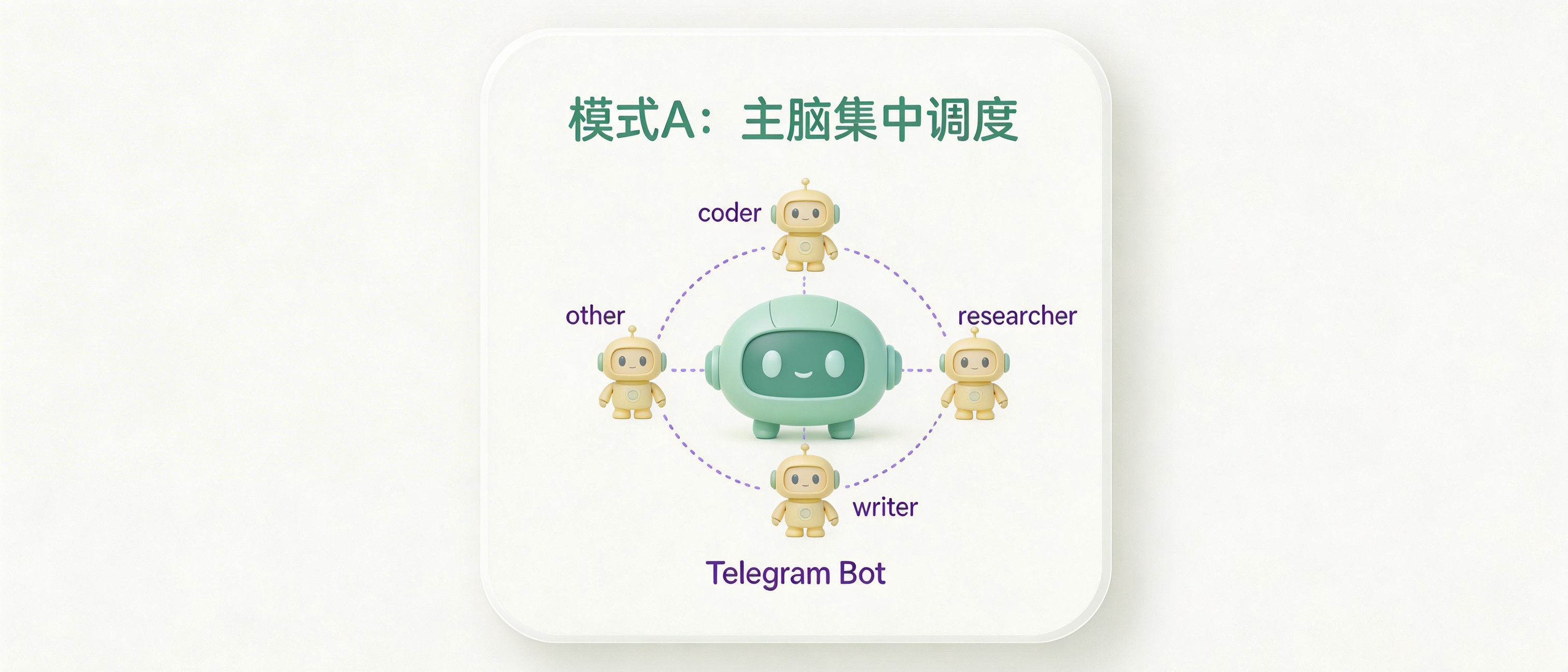
Ever thought about building a team of Telegram Bots like the Avengers? One handles coding, another does research, and a third writes copy. Each with its own specialty. No science fiction—OpenClaw makes it happen.
Today we’re talking about how to turn a group of bots with different skills into an efficient collaborative Agent team. I’ll compare three architecture patterns and give you the full configuration guide.
1. Three Collaboration Patterns Compared
Here’s a comparison table showing the characteristics of each pattern:
| Pattern A: Main Brain + Specialists | Pattern B: Independent Shared | Pattern C: Hybrid (Recommended) | |
|---|---|---|---|
| User Entry | Talk to main brain only | Talk to relevant specialist | Usually main brain, can bypass |
| Coordination | Main brain dispatches tasks | Shared memory awareness | Main brain dispatch + shared memory |
| Single Point of Failure | Main brain down = all down | No single point | No dispatch if main brain down, specialists can still work independently |
| Complex Tasks | Strong (main brain breaks down) | Weak (each does own thing) | Strongest |
| Config Complexity | Medium | Low | Medium-High |
| Best For | Pipeline, need aggregation | Parallel independent tasks | Production-grade teams |
Pattern A: Main Brain + Specialists
The structure looks roughly like this:
You
 └─ Main Brain (only entry point, handles dispatch)
      ├─ Dispatch task → coder
      ├─ Dispatch task → researcher
      └─ Aggregate results → Reply to you
Characteristics:
- Main brain is the only conversation entry point—you only talk to it
- Main brain uses
sessions_sendto dispatch tasks to specialists, waits for results, integrates them, then replies - Each specialist has their own independent workspace, unaware of each other
- Suitable for scenarios requiring strict process control
Drawbacks:
- Main brain is the bottleneck—if it fails, the whole team stops
- Multi-hop passing increases latency
- Main brain burns more tokens (needs to understand tasks + integrate results)
Pattern B: Independent Shared
You
 ├─ Directly contact coder
 ├─ Directly contact researcher
 └─ Directly contact writer
    (all three share the same memory file)
Characteristics:
- No main brain—each bot directly faces you
- Specialists share the same workspace, can read each other’s memory and work records
- You need to decide which specialist to contact
- Suitable for clearly defined task boundaries where you know who to ask
Drawbacks:
- No coordinator—complex tasks tend to split into independent efforts
- You need to manually switch between multiple bots
Pattern C: Hybrid (Recommended)
You
 └─ Main Brain (coordinator, normal entry point)
      ├─ coder ──┐
      ├─ researcher ──┤ Shared workspace/memory
      └─ writer ──┘
          ↑
         You can also directly contact specialists (bypass main brain)
Characteristics:
- Main brain handles dispatch, specialists share memory with each other
- Specialists can sense each other’s work, avoiding duplicate effort
- If main brain goes down, you can still directly contact specialists to continue
- Production-recommended solution that combines the best of A and B
2. Prerequisites
Each Bot needs:
- Create a Telegram Bot in BotFather, run
/newbot, save thebotToken - Determine roles (main brain / coder / researcher / writer, etc.)
Get your Telegram numeric ID:
# Method 1: DM your bot, then check logs
openclaw logs --follow
# Look for from.id field

# Method 2: Bot API
curl "https://api.telegram.org/bot/getUpdates"
3. Directory Structure Planning
~/.openclaw/
├── workspace-main/           # Main brain independent workspace
├── workspace-team-a/         # Team A specialists shared workspace (Pattern B/C)
├── agents/
│   ├── main/
│   │   ├── agent/            # Main brain agentDir (auth, config)
│   │   └── sessions/
│   ├── coder/
│   │   ├── agent/
│   │   └── sessions/
│   ├── researcher/
│   │   ├── agent/
│   │   └── sessions/
│   └── writer/
│       ├── agent/
│       └── sessions/
└── openclaw.json
Key point: Specialists’ workspace points to the same directory, while agentDir is independent for each.
Shared workspace = shared memory files; Independent agentDir = independent auth, session, identity.
4. Creating Agents
openclaw agents add main
openclaw agents add coder
openclaw agents add researcher
openclaw agents add writer
Or manually configure directly in openclaw.json (see next section).
5. Complete Configuration
Pattern A Configuration
Specialists each have independent workspaces, no memory sharing, dispatched by main brain.
{
  "agents": {
    "list": [
      {
        "id": "main",
        "workspace": "~/.openclaw/workspace-main",
        "agentDir": "~/.openclaw/agents/main/agent"
      },
      {
        "id": "coder",
        "workspace": "~/.openclaw/workspace-coder",
        "agentDir": "~/.openclaw/agents/coder/agent",
        "tools": { "deny": ["browser", "nodes"] }
      },
      {
        "id": "researcher",
        "workspace": "~/.openclaw/workspace-researcher",
        "agentDir": "~/.openclaw/agents/researcher/agent",
        "tools": { "deny": ["exec", "write", "edit"] }
      },
      {
        "id": "writer",
        "workspace": "~/.openclaw/workspace-writer",
        "agentDir": "~/.openclaw/agents/writer/agent",
        "tools": { "deny": ["exec", "browser", "nodes"] }
      }
    ]
  },

  "session": { "dmScope": "main" },

  "tools": {
    "agentToAgent": {
      "enabled": true,
      "allow": ["main", "coder", "researcher", "writer"]
    }
  },

  "bindings": [
    { "agentId": "main", "match": { "channel": "telegram", "accountId": "main" } },
    { "agentId": "coder", "match": { "channel": "telegram", "accountId": "coder" } },
    { "agentId": "researcher", "match": { "channel": "telegram", "accountId": "researcher" } },
    { "agentId": "writer", "match": { "channel": "telegram", "accountId": "writer" } }
  ],

  "channels": {
    "telegram": {
      "accounts": {
        "main": { "botToken": "111111:TOKEN_MAIN", "dmPolicy": "pairing" },
        "coder": { "botToken": "222222:TOKEN_CODER", "dmPolicy": "disabled" },
        "researcher": { "botToken": "333333:TOKEN_RESEARCHER", "dmPolicy": "disabled" },
        "writer": { "botToken": "444444:TOKEN_WRITER", "dmPolicy": "disabled" }
      }
    }
  }
}
Pattern B Configuration
Specialists share workspace, no main brain, no agentToAgent.
{
  "agents": {
    "list": [
      {
        "id": "coder",
        "workspace": "~/.openclaw/workspace-team-a",
        "agentDir": "~/.openclaw/agents/coder/agent",
        "tools": { "deny": ["browser", "nodes"] }
      },
      {
        "id": "researcher",
        "workspace": "~/.openclaw/workspace-team-a",
        "agentDir": "~/.openclaw/agents/researcher/agent",
        "tools": { "deny": ["exec", "write", "edit"] }
      },
      {
        "id": "writer",
        "workspace": "~/.openclaw/workspace-team-a",
        "agentDir": "~/.openclaw/agents/writer/agent",
        "tools": { "deny": ["exec", "browser", "nodes"] }
      }
    ]
  },

  "session": { "dmScope": "main" },

  "bindings": [
    { "agentId": "coder", "match": { "channel": "telegram", "accountId": "coder" } },
    { "agentId": "researcher", "match": { "channel": "telegram", "accountId": "researcher" } },
    { "agentId": "writer", "match": { "channel": "telegram", "accountId": "writer" } }
  ],

  "channels": {
    "telegram": {
      "accounts": {
        "coder": { "botToken": "222222:TOKEN_CODER", "dmPolicy": "pairing" },
        "researcher": { "botToken": "333333:TOKEN_RESEARCHER", "dmPolicy": "pairing" },
        "writer": { "botToken": "444444:TOKEN_WRITER", "dmPolicy": "pairing" }
      }
    }
  }
}
Pattern C Configuration (Recommended)
Main brain has independent workspace, specialists share workspace, agentToAgent enabled, specialists also allow direct contact from you.
{
  "agents": {
    "list": [
      {
        "id": "main",
        "workspace": "~/.openclaw/workspace-main",
        "agentDir": "~/.openclaw/agents/main/agent"
      },
      {
        "id": "coder",
        "workspace": "~/.openclaw/workspace-team-a",
        "agentDir": "~/.openclaw/agents/coder/agent",
        "tools": { "deny": ["browser", "nodes"] }
      },
      {
        "id": "researcher",
        "workspace": "~/.openclaw/workspace-team-a",
        "agentDir": "~/.openclaw/agents/researcher/agent",
        "tools": { "deny": ["exec", "write", "edit"] }
      },
      {
        "id": "writer",
        "workspace": "~/.openclaw/workspace-team-a",
        "agentDir": "~/.openclaw/agents/writer/agent",
        "tools": { "deny": ["exec", "browser", "nodes"] }
      }
    ]
  },

  "session": { "dmScope": "main" },

  "tools": {
    "agentToAgent": {
      "enabled": true,
      "allow": ["main", "coder", "researcher", "writer"]
    }
  },

  "bindings": [
    { "agentId": "main", "match": { "channel": "telegram", "accountId": "main" } },
    { "agentId": "coder", "match": { "channel": "telegram", "accountId": "coder" } },
    { "agentId": "researcher", "match": { "channel": "telegram", "accountId": "researcher" } },
    { "agentId": "writer", "match": { "channel": "telegram", "accountId": "writer" } }
  ],

  "channels": {
    "telegram": {
      "accounts": {
        "main": {
          "botToken": "111111:TOKEN_MAIN",
          "dmPolicy": "pairing"
        },
        "coder": {
          "botToken": "222222:TOKEN_CODER",
          "dmPolicy": "allowlist",
          "allowFrom": ["tg:your_numeric_id"]
        },
        "researcher": {
          "botToken": "333333:TOKEN_RESEARCHER",
          "dmPolicy": "allowlist",
          "allowFrom": ["tg:your_numeric_id"]
        },
        "writer": {
          "botToken": "444444:TOKEN_WRITER",
          "dmPolicy": "allowlist",
          "allowFrom": ["tg:your_numeric_id"]
        }
      }
    }
  }
}
6. Configuring SOUL.md for Each Agent
Main Brain SOUL.md (workspace-main/SOUL.md)
# SOUL.md - Main Brain

You are the team's coordinator and external entry point.

## Responsibilities
- Understand user intent, judge task complexity
- Handle simple tasks directly, don't dispatch every time
- Coding tasks → dispatch to coder (sessions_send)
- Research/search tasks → dispatch to researcher
- Writing/copy tasks → dispatch to writer
- Collect specialist results, integrate and reply to user (not just forward)

## Principles
- When dispatching tasks, explain background and expected output format clearly
- Wait for specialists to complete before integrating, don't rush
- When aggregating, do real integration—give users a complete answer
Specialist SOUL.md (workspace-team-a/SOUL.md)
# SOUL.md - Specialist

You are a professional member of the team, may be dispatched tasks by main brain or contacted directly by users.

## Shared Memory Guidelines
- Read MEMORY.md to understand team's overall context
- When writing to memory, mark your identity: format like `[coder] completed today...`
- Don't overwrite memory entries written by other agents

## Principles
- Focus on your specialty area
- After task completion, return results clearly
- Be aware of work already done by other specialists to avoid duplication
Note: If different specialists need different personalities/instructions, you can maintain separate SOUL.md under each agentDir, not in the shared workspace.
7. Shared Memory Writing Guidelines
When specialists share a workspace, add agent identifiers to memory files to avoid confusion:
# memory/2026-03-03.md

## [coder] Today's Work
- Fixed payment module bug, PR merged

## [researcher] Today's Findings
- Competitor released v2.0, feature differences compiled to research-notes.md

## [writer] Today's Output
- Completed homepage copy draft, pending main brain review
8. Multi-Team Isolation
When you have multiple teams, agentToAgent.allow should only include team members—different teams are naturally isolated:
Team A: main-a, coder-a, researcher-a  → allow list only contains these three
Team B: main-b, sales-b, writer-b      → allow list only contains these three
If you need complete physical isolation (Team B completely unaware of Team A’s existence), running two independent gateway instances is recommended, each running its own process without interference. The cost is doubled resource consumption.
9. Startup and Verification
# Restart gateway to apply configuration
openclaw gateway restart

# Verify agent list and bindings
openclaw agents list --bindings

# Verify channel status
openclaw channels status --probe

# View all sessions
openclaw sessions --json

# Real-time logs (for debugging)
openclaw logs --follow
10. Selection Guide
Just starting out with few bots (2-3)? Go with Pattern B—simple and quick. Complex tasks needing process control? Pattern A or C. Production-grade long-term operation? Pattern C hybrid is the choice. Multiple independent teams needing isolation? Each team uses Pattern C with gateway physical isolation.
11. FAQ
Q: Will specialists conflict when concurrently writing to shared memory in Pattern C?
A: Occasional conflicts happen, but practical impact is small—generally won’t write to the same line simultaneously. Adding agent identifiers when writing memory effectively reduces confusion.
Q: Can I bypass main brain to directly contact specialists?
A: Yes, in Pattern C, specialists’ dmPolicy: "allowlist" allows you to DM directly. In Pattern A, specialists are set to dmPolicy: "disabled", forcing communication through main brain.
Q: With agentToAgent enabled, can specialists proactively contact main brain?
A: Yes, the allow list is bidirectional. Specialists can also use sessions_send to actively message main brain.
Q: If specialists share workspace, won’t SOUL.md be the same?
A: Yes, sharing workspace means SOUL.md is shared too. If you need different personalities, place SOUL.md under each agentDir, or use the systemPrompt field in agent configuration to define separately.
Summary: Each of the three patterns has its use cases. Pattern C balances flexibility and stability—it’s the top choice for production. But if you’re just starting, Pattern B works fine too. Get it running first, then optimize.