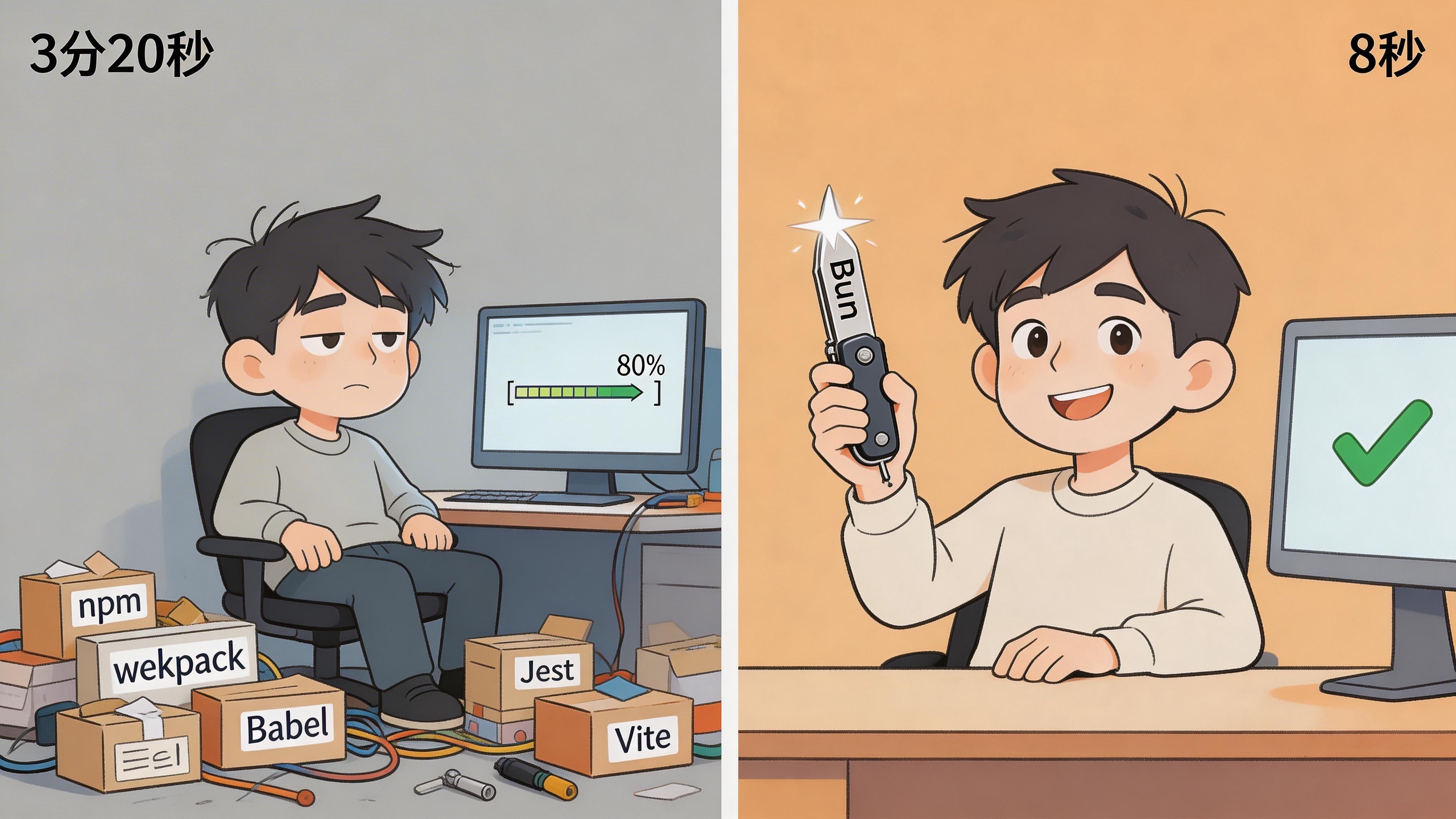
How Much Time Do You Spend Waiting for npm install Every Day
There’s a particular kind of pain in frontend development: your code is written, your mind is in the zone, but you have to wait. Wait for npm install to finish, wait for webpack to compile, wait for the TypeScript compiler to crawl through type checking, then wait for Babel to transpile everything. Bun 1.3 claims it can cut 90% of that waiting time. I tried it, and it wasn’t bluffing.
It’s like driving 75 mph on the highway and suddenly hitting a toll booth. You’ll get to your destination eventually – you just have to stop and wait for that barrier to lift.
I timed it on a Remix project: npm install took 3 minutes and 20 seconds. Three minutes and twenty seconds – enough time to grab a coffee, scroll through Twitter, and come back to find the progress bar stuck at 80%.
In October 2025, Bun released version 1.3. Same Remix project, bun install took 8 seconds.
That’s not a typo. 8 seconds. From 3 minutes 20 seconds to 8 seconds – 25x faster.
What Bun Actually Is (Because Nothing Else Makes Sense Without This)
Most people hear about Bun for the first time and think: “Another JavaScript runtime? Isn’t Node.js enough?”
Fair reaction. The JavaScript ecosystem spawns new tools every other week, and most don’t survive six months. But Bun is different. It’s not here to replace one piece of Node.js – it’s here to replace half your toolbox.
Think of it this way: Node.js is like a knife blade from a Swiss Army knife, and you still need to add your own bottle opener (npm), screwdriver (webpack), scissors (Jest), and saw (Babel). Bun hands you the complete Swiss Army knife, ready to go.
Specifically, Bun 1.3 packs all of this into a single executable:
- Runtime – runs JavaScript and TypeScript directly
- Package manager – replaces npm, yarn, pnpm
- Bundler – replaces webpack, Vite, esbuild
- Test runner – Jest-compatible, but 10x faster
- Transpiler – TypeScript runs with zero configuration
- Dev server – hot reload out of the box
The dev environment that used to require six or seven separate tools? One command.
Bun Performance Benchmarks: How Big Is the Gap
Performance claims without data are just hot air. Here are some real test results.
Cold start times:
| Runtime | Cold Start |
|---|---|
| Bun 1.3 | ~8ms |
| Deno 2.5 | ~35ms |
| Node.js 24 | ~42ms |
Bun’s cold start is over 5x faster than Node.js. For serverless workloads, that gap directly affects your bill.
HTTP throughput (requests per second):
| Runtime | req/s |
|---|---|
| Bun | 145,000 |
| Deno | 85,000 |
| Node.js | 65,000 |
On the same hardware, Bun handles 80,000 more requests per second. In production, that translates to fewer servers and a smaller cloud bill every month.
Package install speed (large Remix project):
| Tool | Install Time |
|---|---|
| Bun | 8 seconds |
| npm | 3 min 20 sec |
This gap is especially noticeable in CI/CD pipelines. Your pipeline runs dozens of times a day, saving 3 minutes each time – over a month, that adds up to enough time to ship a few extra features.
Why Bun Is Fast: JavaScriptCore and Zig Under the Hood
Bun’s speed isn’t magic. It comes down to a few key technical decisions.
First, a different engine. Node.js uses Chrome’s V8 engine. Bun uses Apple’s JavaScriptCore (the same engine that runs JavaScript in Safari). JavaScriptCore has a natural advantage in startup speed and memory usage. The tradeoff is slightly lower peak computation performance compared to V8, but for most web applications, faster startup and lower memory usage are what actually save money.
Second, built with Zig instead of C++. Node.js is built on C++. Bun chose Zig, a younger systems programming language that gives developers finer-grained control over memory management. C++ is like driving automatic – Zig is manual transmission, with more room to maneuver in the tight corners.
Third, monolithic design. Node.js tools (npm, webpack, Jest) are separate processes that communicate with overhead. Bun puts everything in a single process where data passes directly through memory – no serialization, no inter-process communication. It’s the difference between a package going through two warehouses before reaching you versus shipping straight from the warehouse to your door.
Killer Features in Bun 1.3
Zero-Config Frontend Development
This one caught my attention immediately. All you need is:
bun index.html
That’s it. No webpack config file, no vite.config.ts. No babel.config.js either. Bun handles everything automatically:
- Hot Module Replacement (HMR)
- React Fast Refresh
- Automatic TypeScript transpilation
- CSS import handling
- Production builds (
bun build --production)
Think about the last time you configured webpack. Those hours tweaking loader and plugin settings in webpack.config.js, those Stack Overflow rabbit holes trying to resolve config conflicts. Gone.
Built-in SQL Client: Bun.SQL
Bun 1.3 ships with a unified database client supporting MySQL, MariaDB, PostgreSQL, and SQLite – zero third-party dependencies required.
import { sql } from "bun";

// Query users
const users = await sql`
  SELECT * FROM users
  WHERE age > ${18}
  ORDER BY created_at DESC
`;

// Insert with object syntax
const newUser = await sql`
  INSERT INTO users ${sql({
    name: "Sarah Chen",
    email: "sarah@example.com",
    role: "developer"
  })}
  RETURNING *
`;

// Transactions
await sql.transaction(async tx => {
  await tx`UPDATE accounts SET balance = balance - ${amount} WHERE id = ${fromId}`;
  await tx`UPDATE accounts SET balance = balance + ${amount} WHERE id = ${toId}`;
});
Notice the sql tagged template. Parameters are automatically protected against SQL injection – no manual string concatenation needed. Before this, writing a database query meant installing pg or mysql2, setting up a connection pool, handling connection strings – now you just import from "bun" and you’re done.
Built-in Redis Client
Caching is fundamental infrastructure for modern web apps. Bun 1.3 includes a Redis client out of the box:
import { Redis } from "bun";

const redis = new Redis({
  url: process.env.REDIS_URL || "redis://localhost:6379"
});

// Set cache
await redis.set("session:abc123", JSON.stringify(sessionData));

// Read cache
const session = JSON.parse(await redis.get("session:abc123"));

// Cache with expiration
await redis.setex("otp:user123", 300, "987654"); // expires in 5 minutes
That’s one less node-redis or ioredis dependency to worry about.
Full-Stack Routes API
This is Bun’s most ambitious feature. It wants you to write frontend and backend in a single file:
import { serve, sql } from "bun";
import App from "./frontend.html";

serve({
  port: 3000,
  routes: {
    // Frontend
    "/*": App,

    // API endpoints
    "/api/users": {
      GET: async () => {
        const users = await sql`SELECT * FROM users LIMIT 50`;
        return Response.json(users);
      },

      POST: async (req) => {
        const data = await req.json();
        const [user] = await sql`
          INSERT INTO users ${sql(data)}
          RETURNING *
        `;
        return Response.json(user, { status: 201 });
      }
    },

    // Dynamic routes
    "/api/users/:id": async (req) => {
      const { id } = req.params;
      const [user] = await sql`
        SELECT * FROM users WHERE id = ${id}
      `;

      return user
        ? Response.json(user)
        : new Response("Not Found", { status: 404 });
    },

    // Health check
    "/health": Response.json({ status: "healthy" })
  }
});
One file. Frontend, backend, database queries – all running in a single highly optimized process. For rapid prototyping, this is incredibly comfortable to work with.
Hands-On: Build a Task API in 30 Seconds
Enough theory. Let’s see how fast you can go from zero to a running API with Bun.
# Install Bun (macOS/Linux)
curl -fsSL https://bun.sh/install | bash

# Create project
mkdir task-api && cd task-api
bun init -y
Then write an app.ts:
import { serve, sql } from "bun";

// Create table (Bun has built-in SQLite support)
await sql`
  CREATE TABLE IF NOT EXISTS tasks (
    id INTEGER PRIMARY KEY AUTOINCREMENT,
    title TEXT NOT NULL,
    completed BOOLEAN DEFAULT 0,
    created_at DATETIME DEFAULT CURRENT_TIMESTAMP
  )
`;

serve({
  port: 3000,
  routes: {
    "/api/tasks": {
      GET: async () => {
        const tasks = await sql`SELECT * FROM tasks ORDER BY created_at DESC`;
        return Response.json(tasks);
      },

      POST: async (req) => {
        const { title } = await req.json();
        if (!title) {
          return Response.json({ error: "Title is required" }, { status: 400 });
        }
        const [task] = await sql`
          INSERT INTO tasks ${sql({ title })}
          RETURNING *
        `;
        return Response.json(task, { status: 201 });
      }
    },

    "/api/tasks/:id/toggle": {
      PATCH: async (req) => {
        const { id } = req.params;
        const [task] = await sql`
          UPDATE tasks SET completed = NOT completed
          WHERE id = ${id}
          RETURNING *
        `;
        return task
          ? Response.json(task)
          : new Response("Task not found", { status: 404 });
      }
    }
  }
});

console.log("Task API running: http://localhost:3000");
Start it:
bun run app.ts
No long list of dependencies in package.json, no ORM configuration, no database driver installation. Write the code, run it.
Bun’s Built-in Test Runner: 10x Faster Than Jest
Bun’s built-in test runner uses Jest-compatible syntax but runs much faster:
import { expect, test, describe } from "bun:test";

describe("Task API", () => {
  test("create task", async () => {
    const res = await fetch("http://localhost:3000/api/tasks", {
      method: "POST",
      headers: { "Content-Type": "application/json" },
      body: JSON.stringify({ title: "Learn Bun" })
    });

    expect(res.status).toBe(201);
    const task = await res.json();
    expect(task.title).toBe("Learn Bun");
  });

  test("get task list", async () => {
    const res = await fetch("http://localhost:3000/api/tasks");
    const tasks = await res.json();
    expect(Array.isArray(tasks)).toBe(true);
  });
});
Run tests:
bun test
A test suite that takes 30 seconds in Jest finishes in about 3 seconds with Bun. That makes a real difference in a TDD workflow – you change a line, save, and know in 3 seconds whether your tests pass. Instead of waiting half a minute and forgetting what you just changed.
Migrating from Node.js: Is It Hard
Honestly, easier than I expected. Most modern npm packages run on Bun without changes.
Step 1: Install dependencies with Bun
bun install # Automatically reads package-lock.json, generates bun.lockb
Step 2: Update your scripts
{
  "scripts": {
    "dev": "bun --watch src/index.ts",
    "start": "bun src/index.ts",
    "test": "bun test",
    "build": "bun build src/index.ts --outdir dist --minify"
  }
}
Step 3: Run your tests
bun test
Express.js, Fastify, Hono – all major frameworks work out of the box. Native TypeScript support, ES Modules and CommonJS both compatible.
The real pitfall is packages that depend on C++ native modules. If your project uses packages like sharp or bcrypt, test compatibility separately. Bun provides bun pm trust to handle native module trust issues.
What the Anthropic Acquisition Means
In December 2025, Anthropic (the company behind Claude AI) acquired Bun. The developer community had a lot to say about it.
Why would an AI company buy a JavaScript runtime?
Because Claude Code (Anthropic’s AI coding tool) is itself packaged and distributed using Bun. After launching publicly in May 2025, Claude Code hit $1 billion in annualized revenue within six months. Bun is Claude Code’s infrastructure, and Anthropic needed to ensure its long-term stability.
For regular developers, this means two things:
- Bun isn’t going anywhere. With major backing, long-term maintenance is secured.
- Deeper AI tooling integration is coming. Expect native AI-assisted development features in Bun’s future.
Bun remains open source under the MIT license, developed publicly on GitHub. Jarred Sumner (Bun’s creator) has revealed that Claude AI is now the largest contributor to Bun’s codebase.
When to Use Bun (and When Not To)
After all the praise, let’s talk about limitations.
Good fit for Bun:
- New projects where you want to move fast
- Performance-sensitive, high-concurrency APIs
- Serverless functions (faster cold starts mean lower costs)
- CLI tool development (Bun can compile to single-file executables)
- Full-stack prototyping
Maybe hold off for now:
- Legacy projects with heavy C++ native module dependencies
- Production environments with strict stability requirements where your team hasn’t had time to test thoroughly
- Deployment platforms that don’t support Bun yet (though Vercel already does)
Node.js has 15 years of ecosystem behind it. The community size and package count are still in a different league. Bun is the aggressive newcomer with serious speed – the veteran still has depth.
Practical Bun Development Tips
1. No more dotenv
// Before
import dotenv from "dotenv";
dotenv.config();

// Bun loads .env files automatically
console.log(process.env.DATABASE_URL);
2. Dedicated file I/O APIs
// Write files
await Bun.write("output.json", JSON.stringify(data));

// Read files with auto-parsing
const file = Bun.file("data.json");
const data = await file.json();
3. Compile to standalone executables
bun build ./cli.ts --compile --outfile mycli
./mycli --help
This is a game changer for distributing CLI tools. Users don’t need Node.js or Bun installed – just send them the executable.
4. Watch mode for development
bun --watch index.ts # Auto-restart on file changes
Final Thoughts
JavaScript tooling has been the most complained-about part of frontend development for years. The joke about a “hello world” project’s node_modules being hundreds of times larger than the project itself is almost a decade old at this point.
What Bun 1.3 does is consolidate functionality scattered across a dozen tools into one place. It doesn’t do everything the absolute best, but in real-world engineering, “good enough and fast” tends to beat “perfect but complicated.”
Give it a try:
curl -fsSL https://bun.sh/install | bash
Run it on your existing project. See the install speed and startup time for yourself.
FAQ
Can Bun fully replace Node.js?
Not in the short term. Node.js has 15 years of ecosystem, over 2 million packages on npm, and most production ops expertise is built around Node.js. Bun’s advantage is strongest for new projects and performance-sensitive use cases. The two will coexist for a long time – like having both Slack and Teams installed on your computer.
Which databases does Bun.SQL support?
MySQL, MariaDB, PostgreSQL, and SQLite, with zero third-party drivers needed. SQL queries use tagged template syntax with automatic injection prevention. Worth noting: this built-in SQL client is well-suited for small to mid-scale applications. For heavy ORM scenarios, you’ll probably still want tools like Prisma or Drizzle.
Can I migrate my Express project to Bun?
Most likely yes. Express.js is one of the frameworks Bun officially supports. The most common issues come from npm packages with C++ native module dependencies (like bcrypt or sharp). Run your test suite in a dev environment first, and push to production only after confirming everything works.