The Trouble with JavaScript Streams: What Web Streams API Got Wrong
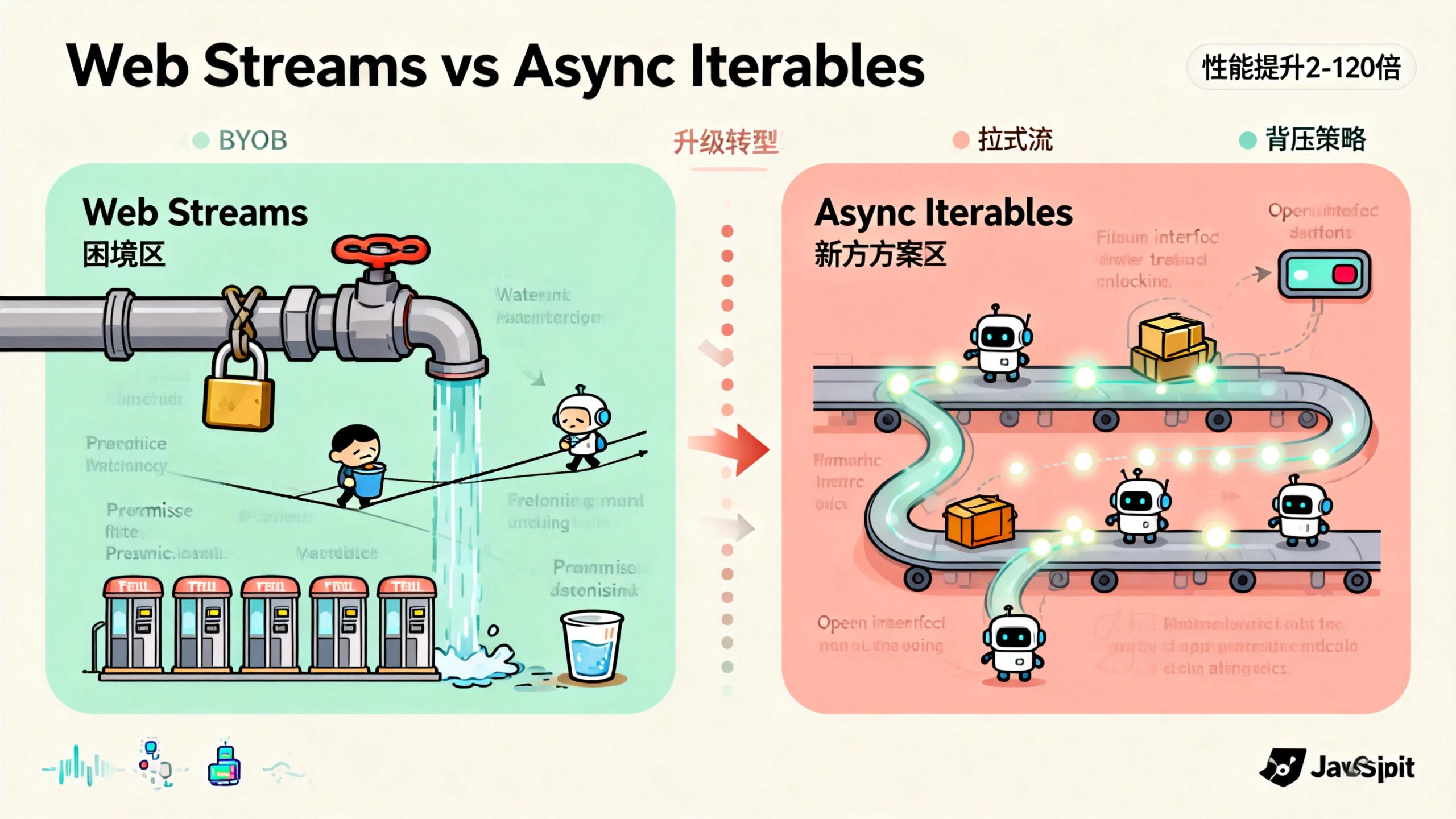
Ever used ReadableStream for large file uploads? Written a transformer? Did it feel awkward, like the docs were written in riddles and your code ended up a mess?
The problem isn’t you. It’s the API itself. James Snell, a member of the Node.js Technical Steering Committee and core contributor to Cloudflare Workers, recently wrote a deep-dive article exposing the problems with Web Streams API and proposing an alternative.
The alternative uses async iterables as the foundation, and benchmarks show 2x to 120x performance improvements.
What Exactly Is a Stream?
Let’s clear up the concept first. A stream is just data, but instead of giving it to you all at once, it comes out bit by bit.
Imagine you’re at a coffee shop. A stream is like the barista making your drink: grinding beans, pulling the shot, steaming milk, pouring latte art—step by step. You don’t have to wait for the barista to grind every coffee bean in the world before getting your first sip. One cup at a time.
Data too big for memory? No problem, process it chunk by chunk. Slow network? Handle whatever comes through.
In JavaScript, stream processing is mainly used for file I/O, network requests, and data processing pipelines. The common thread: large data volumes, long processing times, and the need for chunked processing.
Four Major Problems with Web Streams API
The current Web Streams API is a WHATWG standard, implemented in both browsers and Node.js. On the surface, it looks complete: ReadableStream, WritableStream, TransformStream—the whole trio. But when you actually use it, the pitfalls pile up.
Problem 1: The Lock Mechanism Is Paranoid
Web Streams has this weird “lock” concept. Once you call reader = stream.getReader(), that stream is locked. Someone else wants to read? Too bad, they have to wait for you to release it.
const stream = new ReadableStream({...});
const reader = stream.getReader();

// Now the stream is locked
const anotherReader = stream.getReader(); // Error!
The design intent was to prevent data corruption when multiple consumers read the same stream. But this locking mechanism makes stream composition extremely difficult.
Want to pass one stream to two processors? Sorry, you have to use tee() to split it into two first. It’s like installing two water coolers in the office just because the boss said “one person at a time.”
Even worse, lock release isn’t intuitive. You have to remember to call reader.releaseLock(), or the stream becomes useless. Forgot to release? Stream stays locked forever. Wrap it in try-finally? Sure, that’s best practice, but who actually remembers?
Problem 2: BYOB Mode Is Like Doing Math Homework
BYOB stands for “Bring Your Own Buffer”—you provide a buffer, and the stream fills it with data.
Sounds reasonable, but using it feels like solving olympiad math problems.
const reader = stream.getReader({ mode: 'byob' });
const buffer = new ArrayBuffer(1024);

// Read operation
const { value, done } = await reader.read(buffer);
// value might be a view into part of buffer
// or it might be a completely new buffer
// depends on the stream implementation
Here’s the problem: you pass in a buffer, but the returned value might not be the one you passed. It could be a view into it, or a brand new buffer entirely. You have to check value’s type, length, and offset to figure out where your data actually is.
This design makes code fragile. You wanted to reuse buffers to reduce GC pressure, but the API forces you to write defensive code everywhere.
Problem 3: Backpressure Handling Is a Tightrope Walk
Backpressure is a classic streaming problem. The downstream processor is slow, but upstream keeps sending data—memory explodes. Web Streams API provides backpressure mechanisms, but using them feels like walking a tightrope.
You need to implement an underlyingSource and control data production pace in the pull method. When does pull get called? When the internal queue isn’t full. When is the queue full? Depends on highWaterMark configuration. What should highWaterMark be? Depends on your use case.
The mechanism theoretically works, but debugging is a nightmare. Data backed up? No idea which link in the chain is the problem. Upstream sending too fast? Downstream processing too slow? Or maybe a transform in the middle is clogged?
Problem 4: Promise Overhead Is Like Toll Booths
Web Streams is built on Promises. Every read() returns a Promise. Every chunk involves Promise creation and resolution.
What’s the problem? A single Promise’s overhead is tiny—microseconds. But streaming often processes millions of chunks. Those microseconds add up.
James Snell ran benchmarks. When processing large numbers of small data chunks, Promise overhead can account for over 30% of total time. It’s like driving to your neighbor’s house but stopping to pay a toll at every speed bump—50 cents each, 100 speed bumps, that’s 50 bucks.
The Alternative: Async Iterables
Snell’s proposed alternative is simple: use async iterables as the foundational stream abstraction.
What Is an Async Iterable?
ES2018 introduced asynchronous iterators, allowing you to traverse async data sources using for await...of syntax.
async function* generateData() {
  for (let i = 0; i < 100; i++) {
    yield await fetchData(i);
  }
}

for await (const chunk of generateData()) {
  console.log(chunk);
}
Async iterables are fundamentally pull-based. The consumer actively requests data, and only then does the producer produce. This contrasts with Web Streams’ push-based model.
In a push model, the producer actively pushes data to a passive consumer. Sounds efficient, but backpressure handling is complex because the producer doesn’t know the consumer’s processing speed.
In a pull model, the consumer actively pulls data. Process one chunk, then request the next. Natural backpressure control: if the consumer can’t keep up, it simply doesn’t request the next one, and the producer naturally stops.
Why Pull Is Better
Think about ordering boba tea.
Push model: The shop keeps making drinks regardless of whether you can finish them. You’re holding one cup, still drinking, and the staff hands you another, then another. You can’t keep up, cups pile up in your hands, and eventually spill everywhere.
Pull model: You finish one cup, then order another. The shop makes one, you drink one. No cup pile-up problem.
Web Streams is push-based but uses various mechanisms to simulate pull behavior (like the pull method, backpressure signals). Async iterables are naturally pull-based—no extra machinery needed.
Flexible Backpressure Strategies
Snell’s proposal also offers multiple backpressure strategies:
- strict: Strictly wait for consumer requests. Safest, but potentially not fastest.
- block: Block the producer when the queue is full. Simple and direct.
- drop-oldest: Drop the oldest data when the queue is full. Good for real-time data.
- drop-newest: Drop the newest data when the queue is full. Good for certain monitoring scenarios.
Different strategies for different scenarios. Web Streams has a relatively single backpressure strategy. Want to switch? Too bad.
Web Streams vs Async Iterables: Performance Comparison
James Snell ran detailed benchmarks comparing Web Streams API with his proposed alternative.
Test scenarios included: simple passthrough, transform operations, multiplexing, large data processing, and more. Results showed the alternative was faster in almost every scenario.
In the most extreme case, the alternative was 120x faster than Web Streams. Even the most conservative estimate showed 2x improvement.
Why such a big gap?
Promise overhead is dramatically reduced. Async iterables still use Promises, but the implementation is more efficient, avoiding lots of unnecessary Promise creation. Data copying is also reduced—the BYOB complexity is thrown out, making the data processing path more direct.
Locking mechanism? Gone. No need to maintain lock state, no need to handle lock conflicts—code paths are much shorter.
Of course, these are implementation-level differences. Theoretically, Web Streams could be optimized to similar levels. But the API design complexity (locks, BYOB, backpressure signals) limits optimization potential.
The Future of Web Streams API and Developer Choices
First, Web Streams API isn’t going away anytime soon. It’s a browser standard with massive amounts of code depending on it. But understanding its limitations helps you avoid pitfalls.
Second, if you’re writing Node.js server-side code, consider using async iterables instead of Web Streams. Node.js has excellent async iterables support with better performance.
Third, keep an eye on this proposal’s progress. James Snell’s approach is currently an experimental reference implementation, but it’s sparked community discussion. If it eventually becomes a standard, your code might need adjustments.
Finally, understanding the difference between push and pull models is valuable for designing data processing systems. Not every scenario needs streams, and not every stream needs Web Streams API.
Practical Tips for Web Streams API
If your project is currently using Web Streams API, consider these optimizations:
Minimize lock holding time: Finish reading quickly after getting a reader, release promptly.
Avoid unnecessary BYOB: If performance requirements aren’t extreme, the regular read mode is simpler.
Set highWaterMark appropriately: Adjust buffer size based on your data processing speed.
Consider async iterables wrapper: In many scenarios, converting Web Streams to async iterables makes code cleaner.
// Web Streams to Async Iterable
async function* streamToAsyncIterable(stream) {
  const reader = stream.getReader();
  try {
    while (true) {
      const { done, value } = await reader.read();
      if (done) return;
      yield value;
    }
  } finally {
    reader.releaseLock();
  }
}
This wrapper handles lock acquisition and release for you, letting you iterate over stream data with for await...of syntax.
A New Direction for Stream Processing
The problem with Web Streams API isn’t implementation—it’s design philosophy. It tries to implement stream processing with a push model, then adds complex mechanisms to simulate pull behavior. It’s like forcing a sedan to go off-road and then bolting on a bunch of modifications.
Async iterables represent a cleaner approach: embrace the pull model, let the consumer control the pace. Not a silver bullet, but genuinely better in many scenarios.
Whether James Snell’s proposal becomes a standard depends on many factors: browser vendor attitudes, community feedback, backward compatibility considerations. But as a technical reference, it proves at least one thing: JavaScript stream processing can be done better.
FAQ
Q: Will Web Streams API be deprecated?
Unlikely. It’s a browser standard with massive adoption. The more probable evolution is better async iterables support, giving developers a choice.
Q: Should I replace Web Streams with async iterables now?
Depends on your scenario. For Node.js server-side, consider it. For browsers, Web Streams is still more stable. You can use a wrapper function to support both modes.
Q: What exactly is backpressure? Why does it matter?
Backpressure is the mechanism for downstream to tell upstream “slow down.” Without it, upstream sends data faster than downstream can process, and memory explodes. Think of a funnel—pour too fast and it overflows.
Q: When should I use BYOB mode?
When you need maximum performance and want to reduce GC pressure. For example, processing binary data streams, audio/video encoding. Regular business code can stick with the default mode.
Q: Where’s James Snell’s reference implementation?
On GitHub: https://github.com/jasnell/new-streams . It’s experimental—not recommended for production, but great for learning.