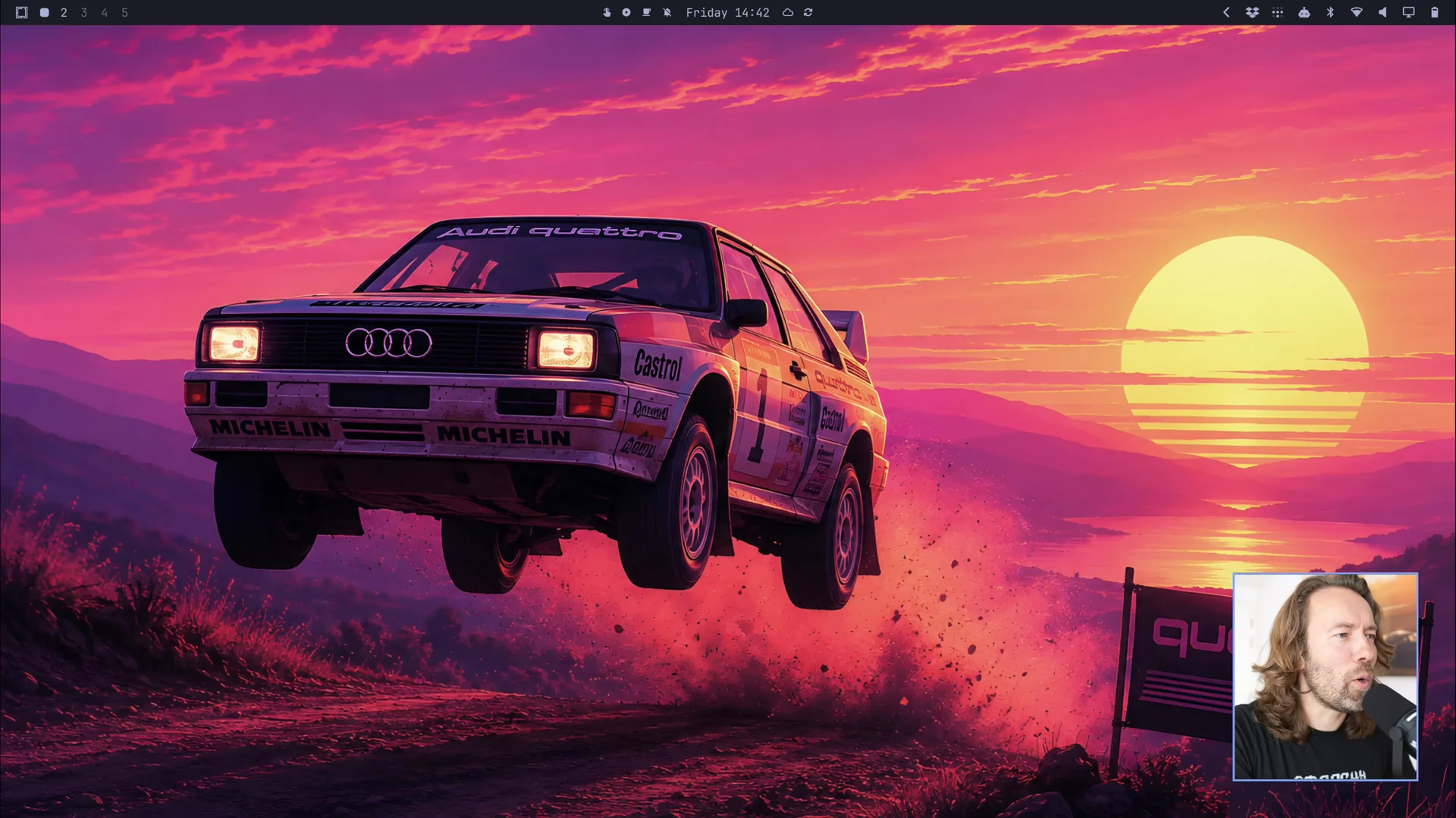
Omarchy 4, codenamed Quattro, shipped on August 14, 2026. It’s the biggest release yet for the Linux distribution led by DHH (David Heinemeier Hansson, creator of Ruby on Rails and Basecamp).
For years, the Linux desktop community has been chasing one question: Is there a distro that gives you the freshness of Arch and the efficiency of a tiling window manager without forcing you to spend your weekend editing config files first? Omarchy is DHH’s answer. And with Quattro, that answer feels less like a dotfiles collection and more like an actual product.
This review focuses on what it’s like to actually use Omarchy Quattro.
It’s Not Just Another Arch Spin
Omarchy is built on Arch, Hyprland, and Quickshell, but its real selling point isn’t “Arch-based.” It’s opinionated.
DHH is upfront about this in the manual: Omarchy isn’t Windows or macOS, and it isn’t trying to feel familiar. It ships with the tools he actually uses — Neovim, Chromium, Obsidian, LibreOffice, Kdenlive, OBS, even a retro Winamp-style music player. The idea is: stop choosing, start working.
That “I eat my own cooking” approach sounds authoritarian, but for anyone tired of distro-hopping and dotfile-tweaking, it’s a relief. You don’t pick a terminal, an editor, a screenshot tool. You turn the machine on and everything is already there.
Installation: Faster Than Expected
The Quattro install experience left one big impression: it’s fast.
The ISO is now under 6GB, and the team claims install times are 30% faster — under a minute on modern hardware. In my VM test it didn’t hit sub-minute, but it was clearly faster than a typical Linux install.
The installer is simple: full-disk install or free-space dual-boot (remember to disable BitLocker for Windows dual-boot). Full-disk encryption is the default. You pick language, keyboard, disk, account, timezone, and watch the progress bar.
A genuinely useful addition is deferred first-boot provisioning. You can install the machine for someone else, hand it over, and the actual owner sets up their account, password, and timezone on first boot. That’s a real win for OEMs, IT admins, or anyone setting up a machine for family.
The Shell: One Actual Thing
The biggest architectural change in Quattro is the desktop shell being rewritten in Quickshell .
Previously, Omarchy’s top bar, launcher, notifications, lock screen, and OSDs were handled by separate programs: Waybar, Walker, Mako, SwayOSD, hyprlock, hypridle, swaybg, polkit-gnome. In Quattro, all of that lives in one long-running Quickshell process with a plugin architecture.
For the user, the payoff is coherence.
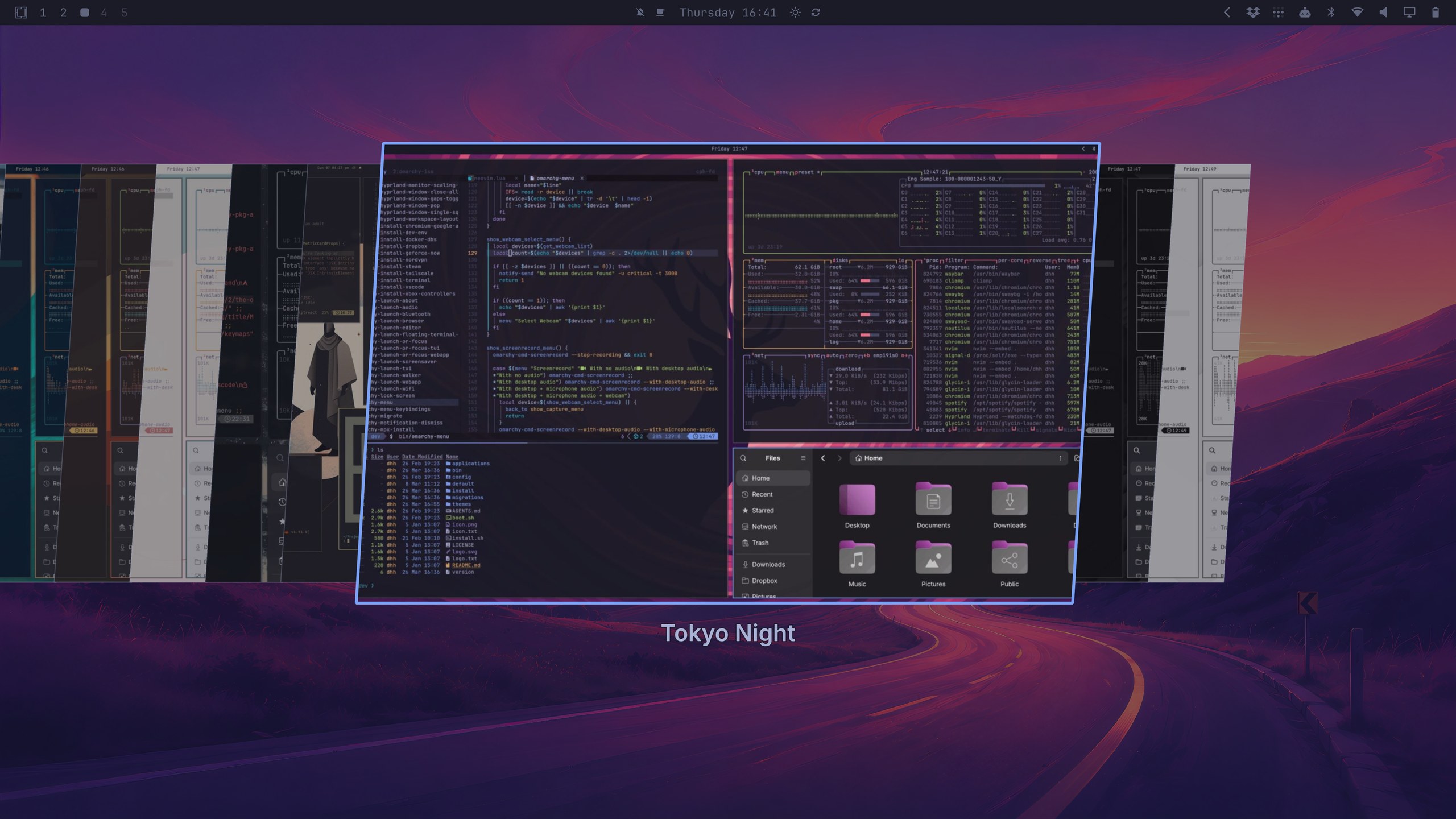
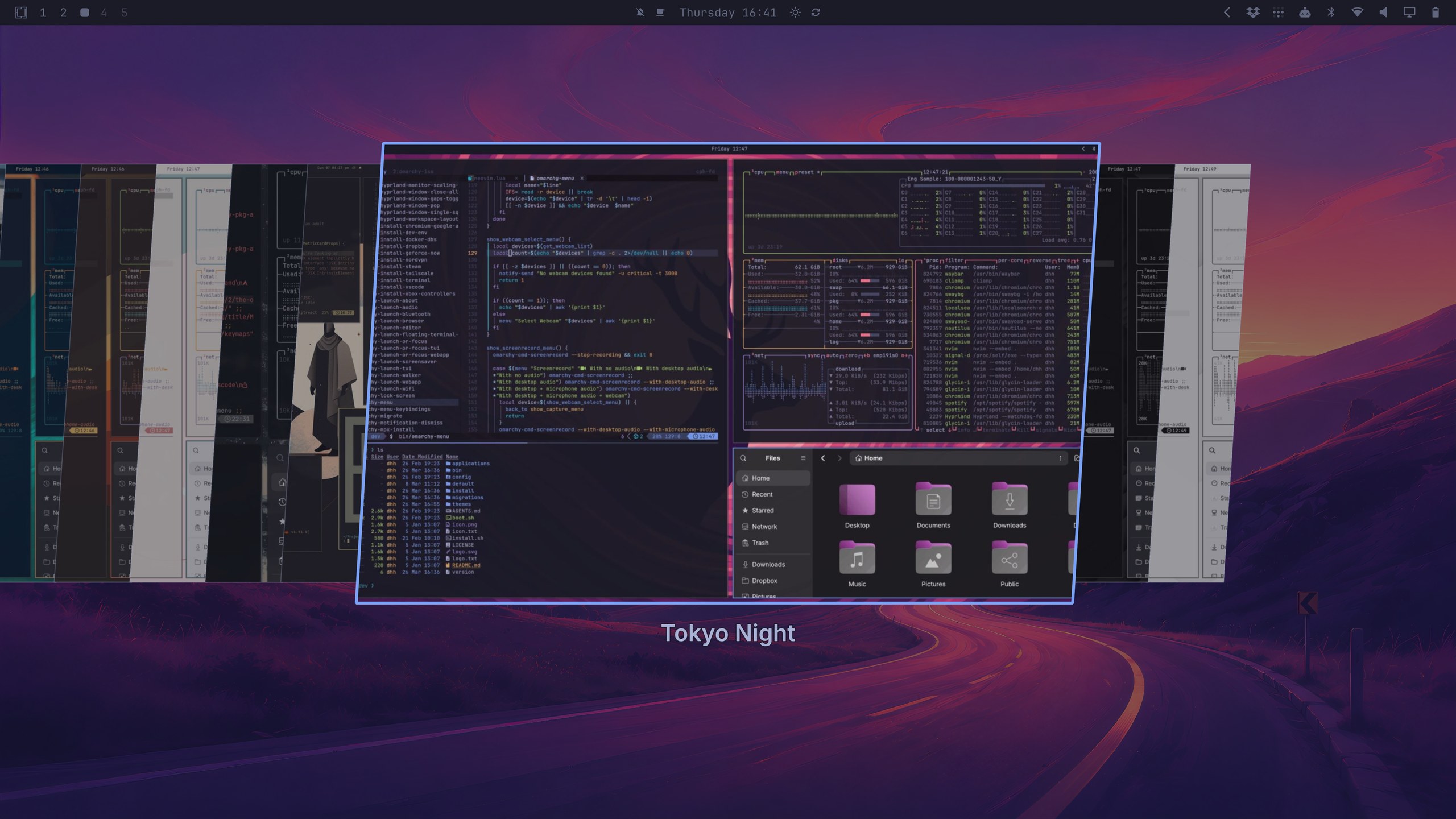
When you switch themes, the change applies everywhere — Hyprland, GTK, Neovim, VS Code:, btop, the menu, notifications, OSDs, and the lock screen. The theme switcher gives you live previews, so you don’t install a theme only to discover one component looks off.
Launcher and Menu, Together
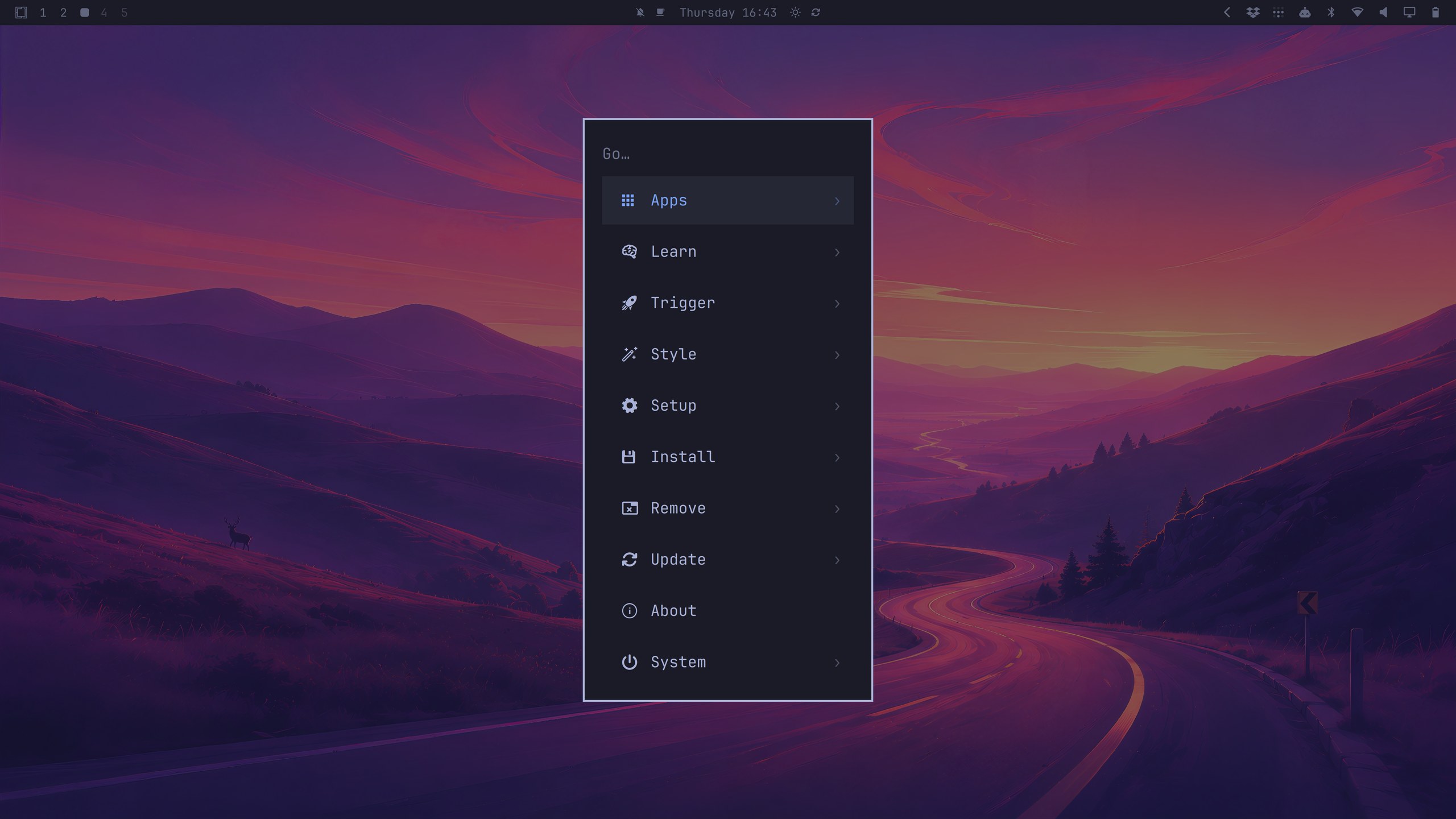
Quattro merges the launcher into the Omarchy menu. Super + Space now searches apps, settings, and commands from one surface.
In practice, it’s fast, supports fuzzy and acronym matching, and newly installed apps show up immediately with their icons. Super + Alt + Space narrows the search to apps only. The only thing some users miss from the old Walker days is the “search the web on no match” fallback, which is already being discussed in GitHub issues.

Control Panels: No More Memorizing Commands
Volume, brightness, network, Bluetooth — on a tiling WM these used to be command-line tools or standalone utilities. Quattro gives each one a native control panel:
Super + Ctrl + A: AudioSuper + Ctrl + W: NetworkSuper + Ctrl + B: BluetoothSuper + Ctrl + D: DisplaySuper + Ctrl + P: Power
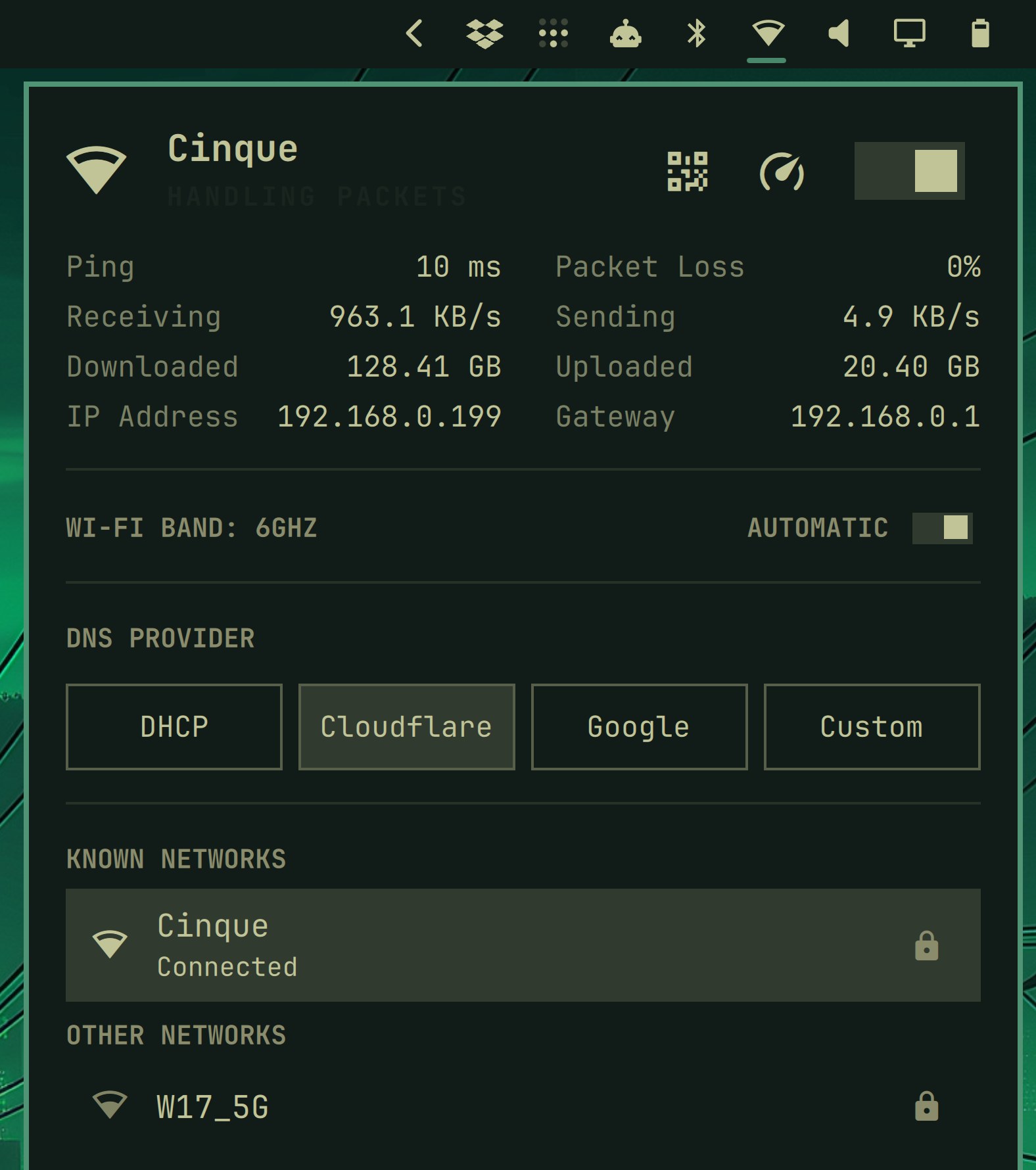
The network panel is particularly thorough: live throughput, ping, packet loss, speed test, DNS selection, Wi-Fi QR sharing, nearby networks. The audio panel switches outputs and inputs quickly and preserves playback continuity when you do.
By embedding this stuff directly into the shell, Omarchy feels less like a toolkit assembly and more like a complete desktop system.
Themes and Visuals: Actually Good-Looking
Quattro expands the theme palette from 8 base colors to 24 semantic colors and adds three new themes: Solitude, Last Horizon, and Lupine.
More practically, ~/.config/omarchy/shell.toml acts as a machine-level override for font, spacing, and bar tweaks — and edits apply live. That means you can switch themes without losing your personal adjustments.
The bar can be dragged to any screen edge, and double-clicking empty bar space toggles transparency. These details make the desktop feel designed, not merely functional.
Default Apps and AI Agents
Quattro adds three new default small apps:
- Omawrite: a Markdown writing app, replacing Typora (
Super + Shift + W) - Omacut: a simple ffmpeg-based video trimmer
- Omacalc: a calculator replacing GNOME Calculator
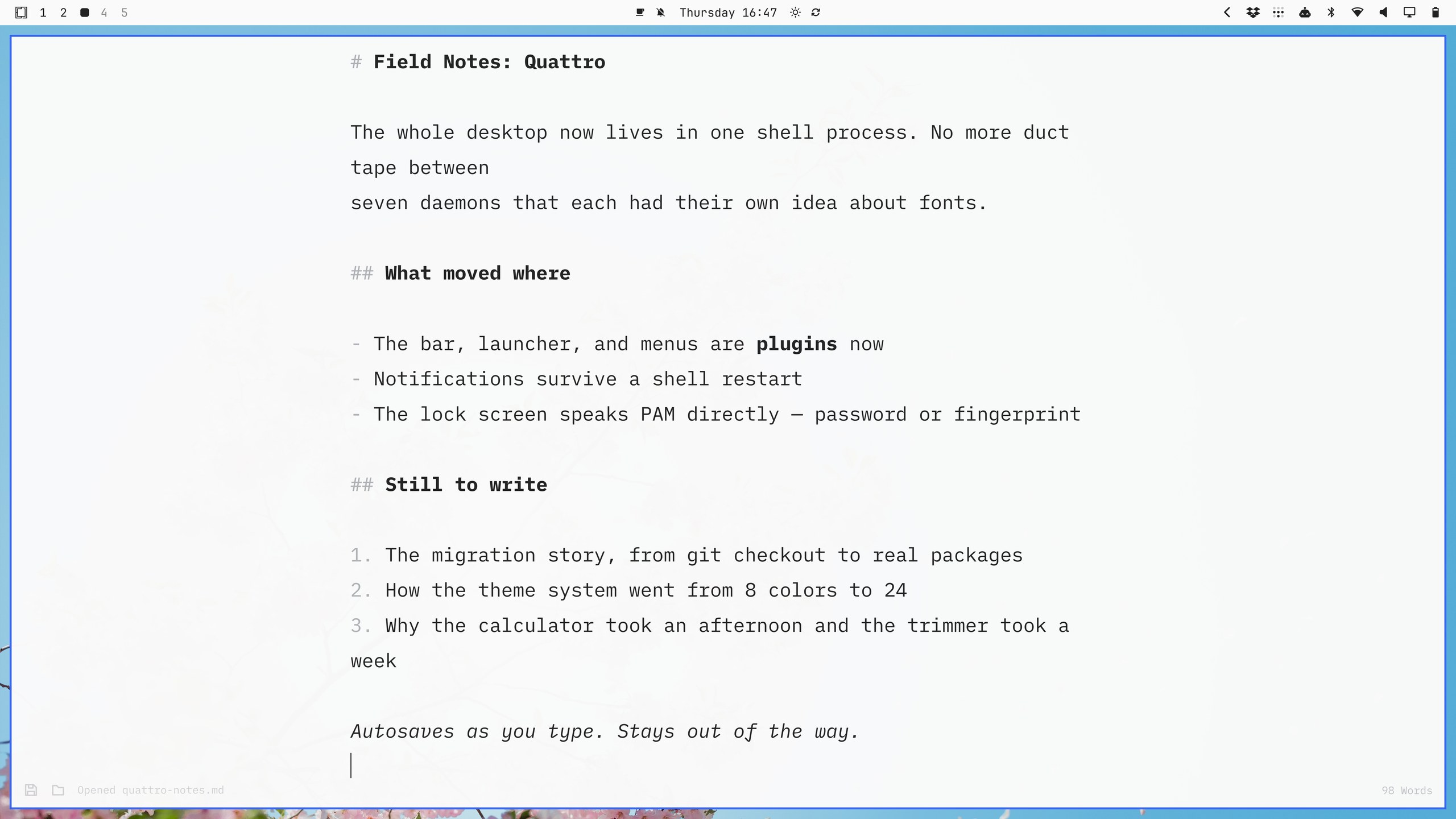
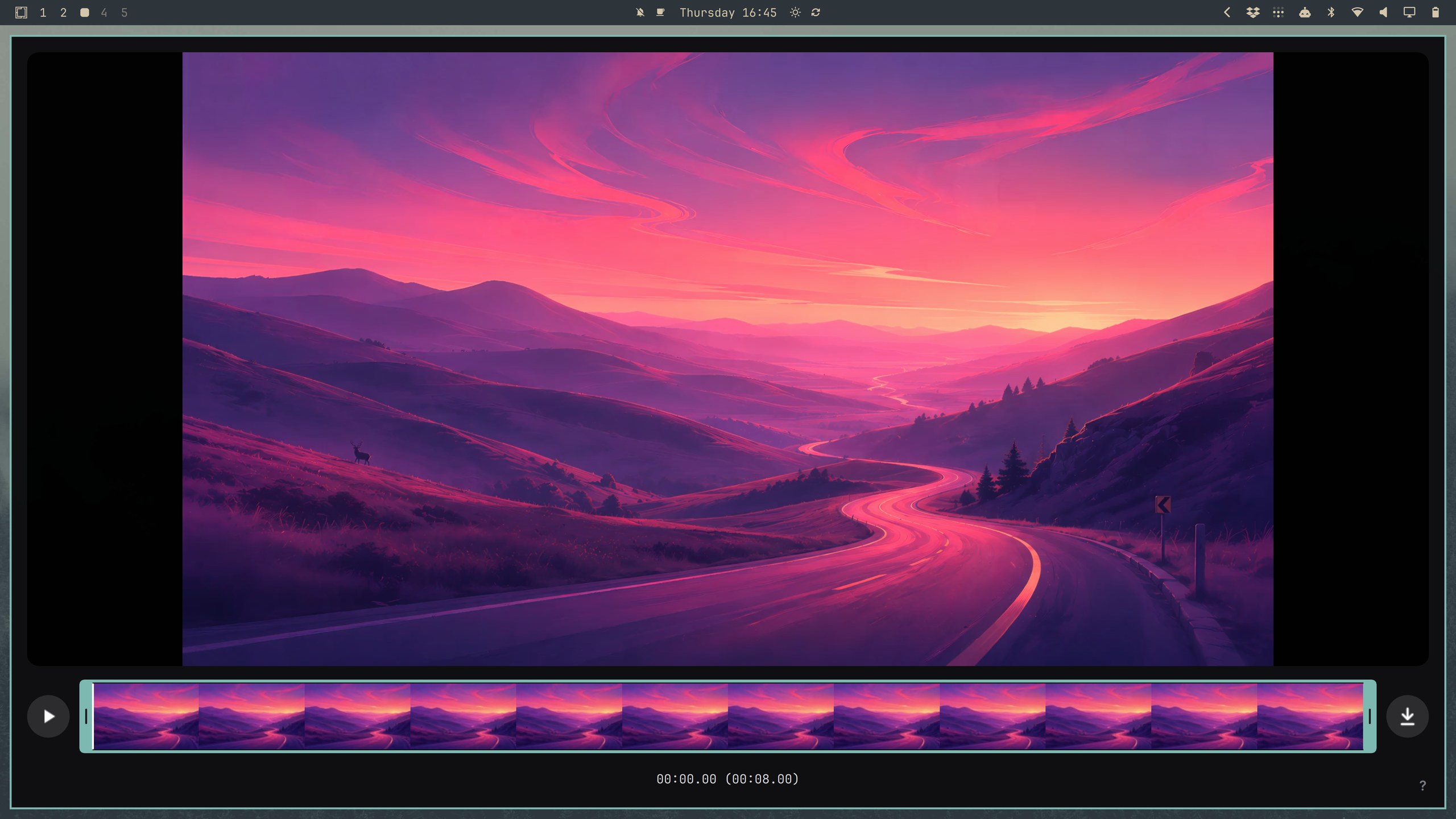
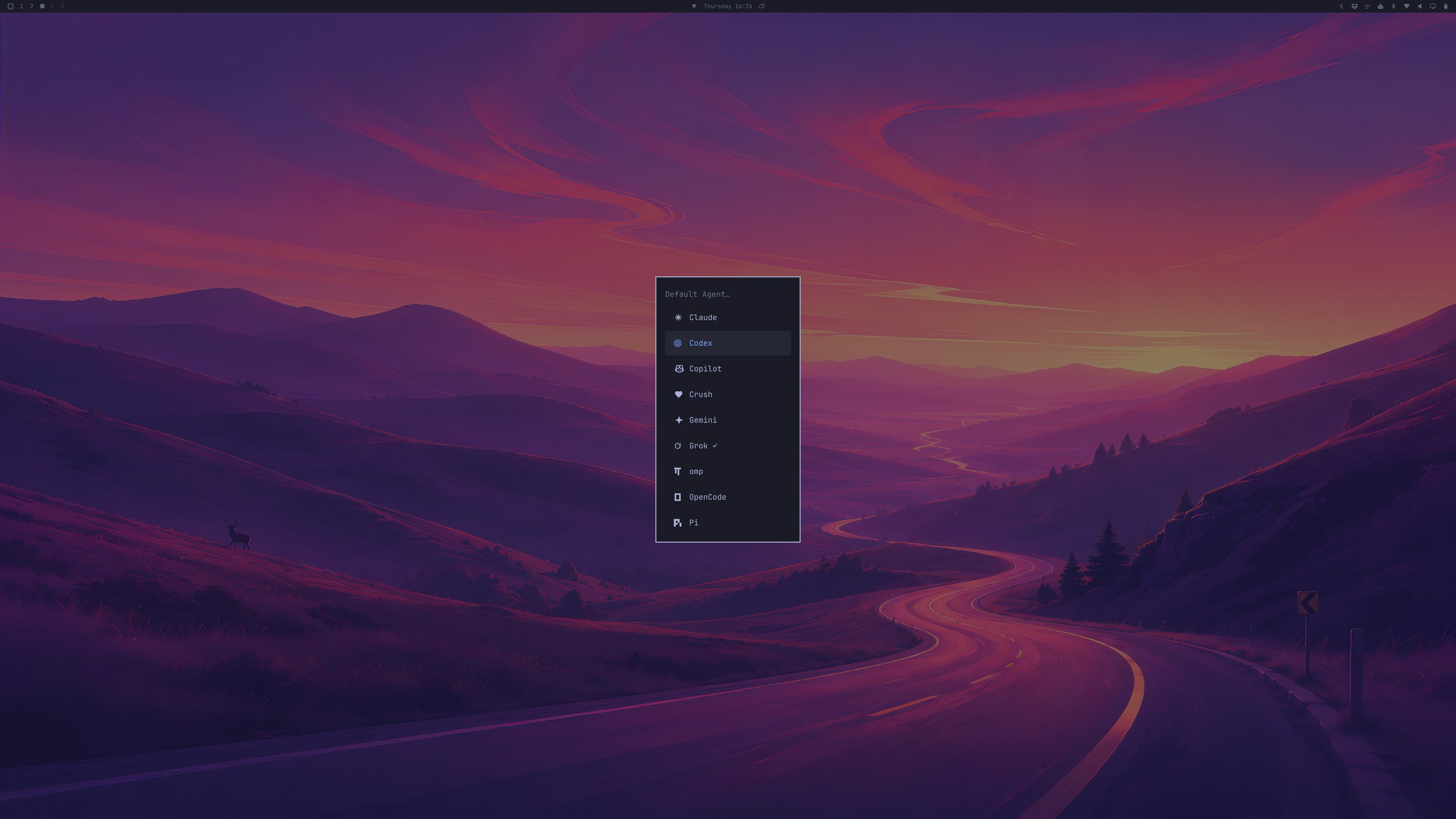
Quattro also bakes AI coding agents into the default workflow. Under Setup > Defaults > Agent, you can choose Claude Code, Codex, OpenCode, Pi, Gemini, Grok, Copilot, and others. The chosen agent is lazy-installed on first use. Then Super + Shift + Ctrl + A — or typing a in a terminal — opens it in its own window, starting in ~/Work so the trust context sticks.
A model-usage widget on the bar tracks Claude Code / Codex usage, and when a process crashes, a toast lets you hand the coredump to your default agent for diagnosis.
Real Pain Points
Quattro is a big release and it shows. GitHub issues are filling up with early problems:
- NVIDIA 50-series cards black-screen on install, requiring a kernel parameter workaround
- Some upgrades run out of disk space mid-migration
- Non-US keyboard layouts occasionally get dropped on fresh installs
- The new menu lacks Walker’s “no match → web search” fallback
- Clipboard history image previews can render oversized and cover the desktop
These look like the normal friction of a major architectural transition, not fundamental design flaws. But if you’re thinking of making this your daily driver today, I’d wait for one or two patch releases — or run it on a secondary machine first.
Who Is It For?
Omarchy Quattro feels like the moment DHH’s Linux desktop became a coherent product rather than a curated dotfiles repo.
It’s not for Linux beginners — you still need to accept tiling window managers, the terminal, and manual config edits. But it’s ideal for a specific group:
- Tired of maintaining their own dotfiles
- Want a good-looking, ready-to-use Hyprland environment
- Work mainly in the terminal, browser, AI agents, and Markdown
- Are willing to let the system make some choices for them
If you’re on the fence between Ubuntu and Arch, or considering leaving macOS for Linux but dreading the setup, Omarchy Quattro is probably the most polished attempt to bridge that gap right now.
Just make sure your hardware isn’t too exotic, and go in expecting the usual early-release rough edges.
Sources