Why Did CUDA End Up Like This?
Imagine being a chef who can only cook on NVIDIA stoves. Not because other stoves can’t make good food, but because all the recipes are written in NVIDIA’s own “dialect.” That’s the current state of GPU programming—cuBLAS, cuDNN, cuFFT, these libraries are like exclusive kitchen equipment that only NVIDIA hardware can use.
The question is: what if you don’t want to use NVIDIA anymore someday?
This sounds like a hypothetical, but more people are seriously considering it these days. Hardware supply uncertainty, the closed ecosystem of performance tuning, and those awkward moments when code runs perfectly “on my machine”—all of these are pushing the industry to find alternatives.
Recently, Oxide Computer—the server company—dropped a project called OxiCUDA. They did something pretty wild: rewrote the entire NVIDIA CUDA software stack in pure Rust.
What is OxiCUDA?
Simply put, it’s a CUDA replacement written in Rust. The goal is to let you run GPU computations without installing NVIDIA’s SDK.
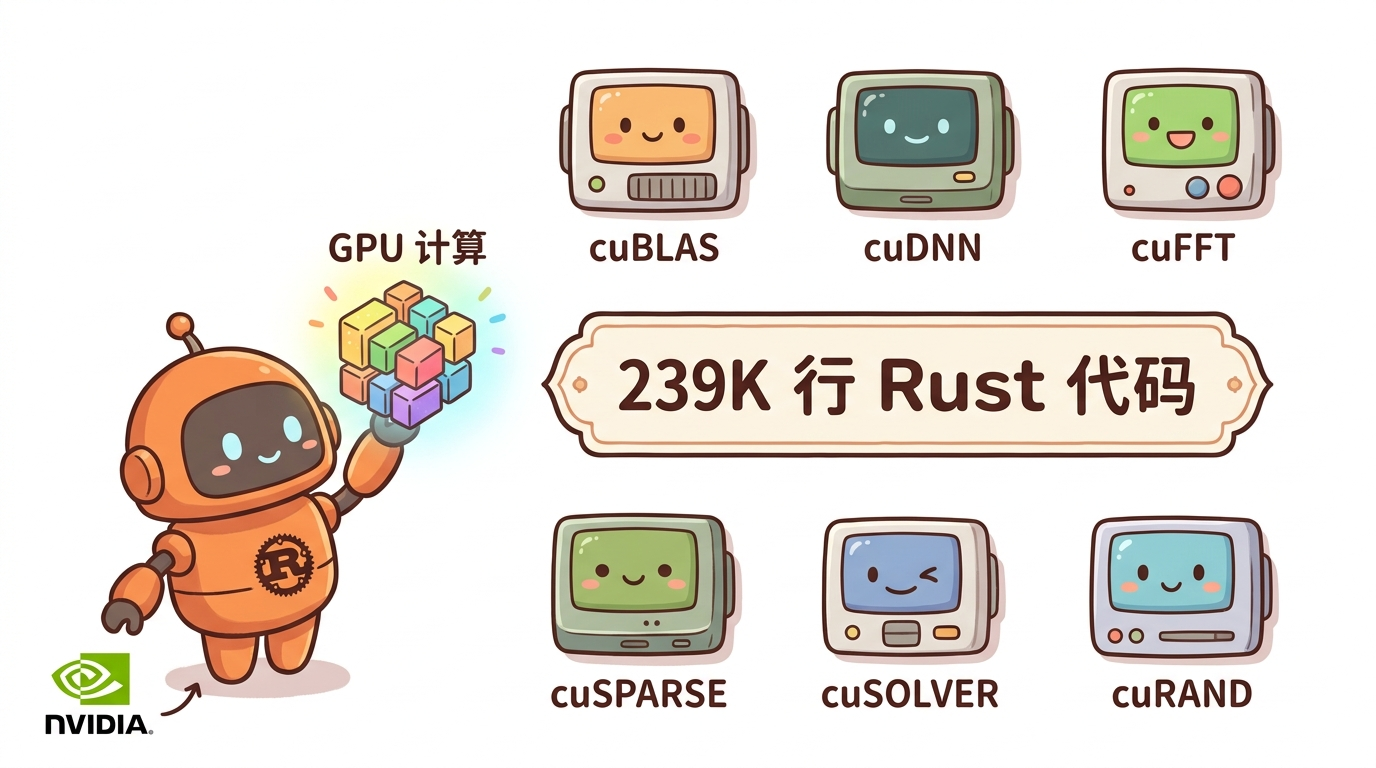
Core numbers: 239K lines of Rust code, 28 crates. Supported libraries include cuBLAS, cuDNN, cuFFT, cuSPARSE, cuSOLVER, cuRAND. Now you can call these computational kernels directly from Rust—no need to touch NVIDIA’s C code anymore.
The interesting part is the implementation. Author KitaSan didn’t choose pre-compiled PTX code. Instead, they generate PTX assembly at runtime from Rust data structures. This means: no CUDA SDK needed, no pre-compilation toolchain needed, just a working Rust environment is enough.
The built-in autotuner is another highlight. It automatically selects optimal kernel configurations for your specific hardware—no manual tuning required.
Why is Rust the Right Fit?
Rust solves a problem CUDA has had for a long time: memory safety.
Use-after-free, data races, device memory leaks—these are everyday occurrences in C/C++. You might have experienced this: your program runs perfectly on your machine, then starts crashing randomly at the user’s end. After hours of debugging, you finally find out some memory handle wasn’t released correctly.
Rust’s ownership model shifts responsibility from the programmer to the compiler. A reference is a reference—if you borrow it, you return it. The compiler watches you, preventing you from hitting these pitfalls at runtime.
Rust’s zero-cost abstractions mean no additional runtime overhead. Generated code runs about as fast as hand-written C, but it’s safer.
There’s also a pragmatic reason: Rust’s toolchain is much simpler than CUDA’s. No need to install GBs of SDK, no need to configure environment variables—just cargo add oxicuda and you’re good.
The Cross-Platform Power Move
OxiCUDA isn’t just a CUDA replacement—it’s a general GPU computing abstraction layer.
Currently supports CUDA, Apple Metal, and Vulkan Compute backends. This means the same code can run on different GPUs—you just change the target at compile time.
This is practical for developers. Debug on macOS with Metal, then switch to NVIDIA for production without changing your business logic.
The design philosophy uses a Device trait as the unified abstraction. Any backend implementing this trait can plug into the project. Very Rust-like—encapsulating differences behind traits, exposing a unified interface outward.
Computational Graphs and Signal Processing
The project also includes a computational graph implementation for describing and executing complex computation flows. Similar to TensorFlow or PyTorch’s graph concepts, except it’s pure Rust here.
For digital signal processing, it already supports Fourier transforms (FFT), wavelets (Daubechies), and IIR/FIR filters. These are fundamental signal processing algorithms—GPU acceleration can significantly improve processing speed.
If you’re working with audio, video, or sensor data, these capabilities will come in handy.
Current State and Limitations
Currently at v0.1.0—production use requires caution.
No public benchmark data on performance—actual results need your own testing. The author mentioned several known limitations, like optimization space not fully explored for certain edge cases.
Also, if you’re using newer GPU architectures, you might need to wait for upstream support to catch up.
Overall, this is a promising project. Before replacing existing production systems, test it on non-critical paths first.
Can Regular Developers Use It?
If you’re currently using CUDA, the rewrite cost isn’t low. But if you’re starting a new GPU project from scratch, or looking for an NVIDIA-independent solution, OxiCUDA is worth watching.
Getting started is simple: check the examples, see if the libraries you need are supported. One of its design goals is lowering the barrier—no need to understand CUDA internals, just know Rust.
For the Rust community, this project signals that Rust’s application in systems programming and HPC is extending to lower levels.
By the way, here’s an AI Content Operations Tool I use regularly—it covers content formatting, material processing, and efficiency boost. Makes managing accounts much easier.
I’ve been playing with Claude Code’s new features lately. They launched a Codex Enhanced Portal that integrates various AI coding capabilities. Worth checking out if you’re into AI programming.
If you want to see more tool reviews and AI coding实战, follow my公众号「梦兽编程交个朋友」—new posts every week.
FAQ
Q: Is OxiCUDA slower than native CUDA? No public benchmark data available. Runtime PTX generation might introduce slight overhead in some scenarios, but Rust’s zero-cost abstractions keep the gap minimal. Test with your specific workload.
Q: Can it fully replace CUDA? No. For scenarios requiring latest GPU features, native CUDA remains the best choice. OxiCUDA works well as an alternative, especially when you need cross-platform support or want to avoid NVIDIA SDK dependency.
Q: Is the project stable? Currently v0.1.0—production use requires caution. Test on non-critical paths first before committing.