Building AI Agents in Rust — The Tool-Calling Loop Explained
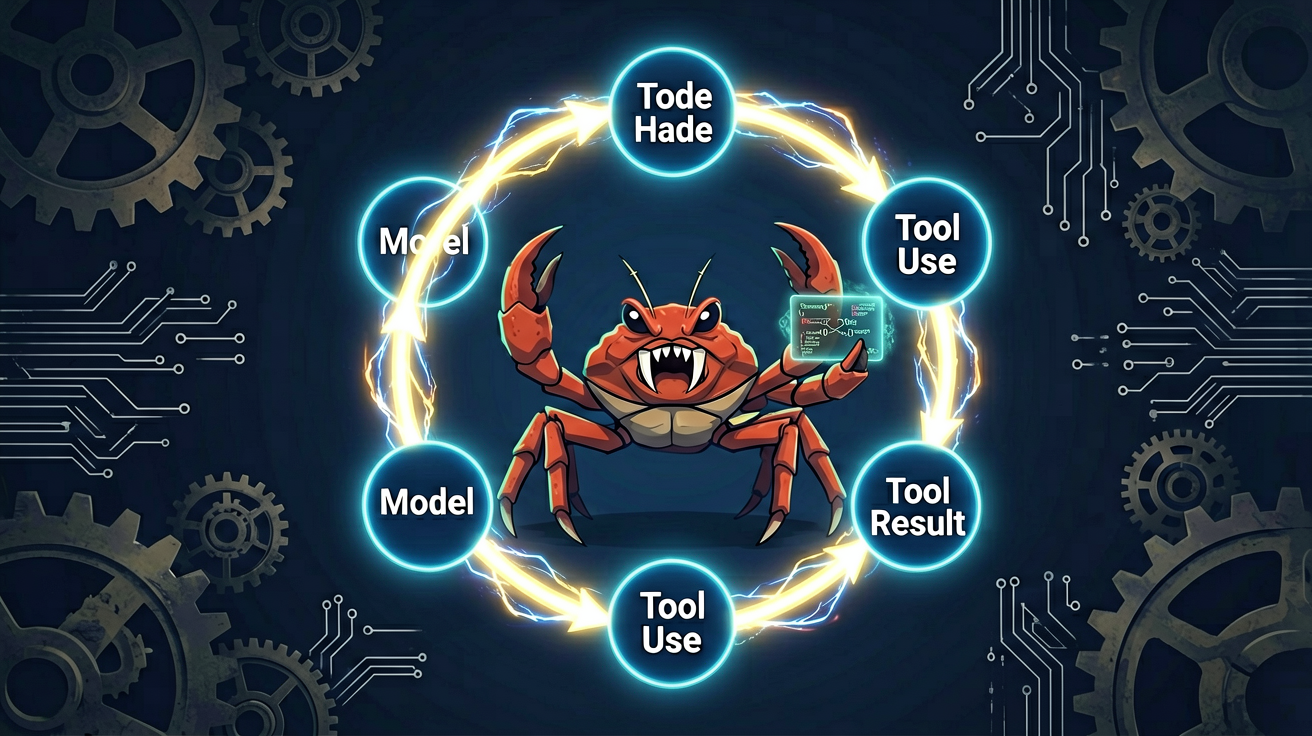
Why the Heart of an Agent Is Just a Loop
The word “agent” is everywhere now, but honestly, its core is surprisingly simple — it’s a loop.
The model gets a question, decides it can’t answer directly, and outputs structured text telling the program “I need to use this tool.” The program runs the tool, feeds the result back to the model, and the model decides whether to call another tool or give the final answer. This back-and-forth repeats until the model says “that’s enough, I can answer now.”
Sounds almost too simple? That’s exactly it. GitHub Copilot, Claude Code, Cursor — every agent you can name — runs on this structure underneath. Reasoning, planning, reflection — these are layers added around the loop, not replacements for it.
If you understand this loop, you can read any complex agent architecture without getting lost.
Tool Use: The Step That Lets Models Move from “Talking” to “Doing”
A plain language model is fundamentally a function: text in, text out. It has no memory, cannot interact with the outside world, and can only keep generating words. Ask it to “read the Cargo.toml in this project” — it can’t. Not because it doesn’t want to, but because it simply has no ability to.
Tool use changes everything. It lets the model output a special kind of structured text — containing the tool name and its parameters. Your program recognizes this text, actually calls the corresponding tool, and feeds the result back. The model then decides what to do next.
That’s what gives the model real agency.
You might wonder: how does the model know how to call a tool it has never seen before?
The answer is generalizable training. Anthropic fine-tuned Claude on massive amounts of tool-use trajectories during post-training — examples where the model receives a set of tool definitions, picks the right one, emits a structured call, gets a result, and continues. This teaches the model not the usage of any specific tool, but the ability to “use whatever tool you give me.” That’s why the same Claude can drive dozens of completely different tools without retraining.
This also means tool definitions are carried with every request — there’s no “pre-register your tools” step. Each API call includes both the full set of tool definitions and the complete conversation history.
A Real Agent Implementation: Eugene
Enzo Lombardi recently wrote an agent called Eugene in roughly 200 lines of Rust, directly connecting to Claude’s Messages API. Its core function is reading project files. The code isn’t long, but every detail is worth examining closely.
Tool: read_file — File Reading Within a Sandbox
fn read_file(args: ReadFileArgs) -> Result<String> {
    let root = sandbox_root()?;
    let resolved = root.join(Path::new(&args.path));
    let canonical = resolved
        .canonicalize()
        .map_err(|e| anyhow!("cannot resolve {}: {e}", args.path))?;
    if !canonical.starts_with(&root) {
        bail!("path {} escapes the sandbox", args.path);
    }
    let bytes = std::fs::read(&canonical)?;
    let text = String::from_utf_lossy(&bytes).into_owned();
    Ok(text.chars().take(MAX_FILE_CHARS).collect())
}
Two critical details:
Sandbox boundary check: canonicalize() first resolves the canonical path (eliminating ., .., symlinks, etc.), then starts_with(&root) confirms the final path is still inside the project root. This is standard practice for preventing directory traversal attacks — if the model tries ../../etc/passwd to escape the sandbox, the code rejects it outright.
Output truncation: Tool results are capped at 4000 characters. Context windows are large but not infinite. If a tool dumps megabytes of binary log into the conversation, all subsequent messages get buried. Tool authors have the responsibility to control their output volume. Think of the model as a per-byte-charged HTTP endpoint — every extra byte costs you.
The parameter struct uses serde for free validation:
#[derive(Debug, Deserialize)]
struct ReadFileArgs {
    path: String,
}
The model sends an extra field that doesn’t exist? serde_json::from_value rejects it. Omits the required path? Same result. The type system does your input validation for free.
Tool Definition: Telling the Model “What You Can Do”
The model doesn’t see your Rust code — it sees a JSON description:
fn read_file_definition() -> Tool {
    Tool {
        name: "read_file",
        description: "Read a UTF-8 text file from the current project.",
        input_schema: serde_json::json!({
            "type": "object",
            "properties": {
                "path": {
                    "type": "string",
                    "description": "File path relative to the project root.",
                }
            },
            "required": ["path"]
        }),
    }
}
This is standard JSON Schema. The model refuses to call the tool without path, formats path as a string, and won’t invent extra fields. The description field is especially important — the model relies entirely on it to understand the tool’s purpose and when to use it. A well-written description helps the model pick the right tool at the right moment; a poorly written one makes it hesitate or choose incorrectly.
API Communication: reqwest + JSON Request Body
Anthropic’s API is a single POST endpoint with two custom headers and a JSON request body:
async fn send(
    http: &reqwest::Client,
    api_key: &str,
    tools: &[Tool],
    messages: &[Message],
) -> Result<Response> {
    let body = Request {
        model: MODEL,
        max_tokens: MAX_TOKENS,
        system: SYSTEM_PROMPT,
        tools,
        messages,
    };
    let response = http
        .post(ANTHROPIC_URL)
        .header("x-api-key", api_key)
        .header("anthropic-version", ANTHROPIC_VERSION)
        .json(&body)
        .send()
        .await?;
    // ...
}
Two parameters worth highlighting:
max_tokens: This is the token budget for the assistant’s single reply, not the total conversation budget. 4000 tokens is comfortable for short back-and-forth — it can produce a medium-length answer without running away and costing you dozens of dollars.
system: The system prompt. In this Eugene implementation it’s a static string, which is fine for single-tool scenarios. When you add more tools, need output formatting control, version management for personas, or regression testing, a single-string system prompt becomes insufficient — that’s what the next article will address.
The Main Loop: The Heart of the Agent
The loop logic is in three steps: send the request, inspect the response, run the tool or stop.
let mut messages: Vec<Message> = vec![Message {
    role: "user",
    content: vec![Block::Text { text: user_question }],
}];
for _ in 0..MAX_TURNS {
    let response = send(&http, &api_key, &tools, &messages).await?;
    messages.push(Message {
        role: "assistant",
        content: response.content.clone(),
    });
}
One thing to be clear about first: the API is stateless. Claude doesn’t remember your previous question, its own previous answer, or which tools it used before. All conversation history lives in your messages array, and you send the complete history with every request.
This is why messages.push is inserted as-is — the next turn needs to see the model’s own prior reasoning and the tool_use_ids it issued, so it can match tool results to the correct calls.
MAX_TURNS is a safety valve. An unbounded loop lets the model get stuck in dead loops — repeatedly calling a broken tool, or calling a tool, ignoring the result, and calling it again. 6 turns is enough for a toy agent, and even a runaway loop only costs a few cents. Production agents set this higher and add token-consumption-based cutoff conditions.
Detecting Tool Calls: Picking Out tool_use from the Response
let tool_uses: Vec<(&str, &str, &serde_json::Value)> = response
    .content
    .iter()
    .filter_map(|block| match block {
        Block::ToolUse { id, name, input } => Some((id.as_str(), name.as_str(), input)),
        _ => None,
    })
    .collect();

if tool_uses.is_empty() || response.stop_reason != "tool_use" {
    for block in &response.content {
        if let Block::Text { text } = block {
            println!("{text}");
        }
    }
    return Ok(());
}
Two exit conditions here: either no tool_use block exists, or the model’s stop_reason isn’t tool_use. Distinguish these two carefully — the model might return a tool_use block but with a different stop_reason, and you shouldn’t exit early in that case because there may be subsequent tool calls coming.
Executing Tools and Returning Results
let results: Vec<Block> = tool_uses
    .iter()
    .map(|(id, name, input)| match run_tool(name, input) {
        Ok(content) => Block::ToolResult {
            tool_use_id: id.to_string(),
            content,
            is_error: false,
        },
        Err(e) => Block::ToolResult {
            tool_use_id: id.to_string(),
            content: format!("ERROR: {e}"),
            is_error: true,
        },
    })
    .collect();

messages.push(Message {
    role: "user",
    content: results,
});
Two critical details:
Tool results returned as user role: This is Anthropic’s conversation format specification — tool results are treated as information provided by the human user. So role is "user", not "assistant". Getting this wrong confuses the model.
is_error flag: When a tool fails, setting is_error: true tells the model “the tool broke, figure out how to handle it yourself.” Without this flag, the model would interpret the error string as normal data and might continue reasoning down the wrong path. It’s a practical error-handling strategy that separates robust loops from fragile ones.
What a Real Run Looks Like
Set ANTHROPIC_API_KEY, run:
cargo run -- "What edition does Cargo.toml use?"
The terminal pauses for about a second, then prints 2024.
Here’s what happened:
- Request sent: system prompt + tool definition + user question
- Claude decides “I can’t answer from memory, I need to read a file” → returns
tool_useblock:read_file(path="Cargo.toml") - Program runs
read_file, gets the first 4000 characters ofCargo.toml - Tool result returned as
usermessage - Claude sees the file content and answers directly: “The project uses Rust edition 2024.”
Two API round trips, one file read, about one second. The model never touched your disk — it only decided “what to read”; your program handled “actually reading it.”
This separation is the whole point. The model is the planner. Your code is the executor. The boundary between them is a JSON Schema and a match statement.
From Loop to Framework: Evolution, Not Replacement
Looking at these 200 lines, you might think “this is too simple, real agents aren’t like this.” They are — but those 200 lines are the real agent foundation. Every later extension in the field (ReAct, Plan-and-Execute, reflection, multi-agent routing) fundamentally doesn’t change the shape of this loop. They add a layer of decision logic around it, not replace the loop itself.
The interesting work isn’t in the loop. The loop is the simplest part — send requests, run tools, pass results. What’s worth investing in is: how tools are designed, how prompts are written, what state to carry between turns, how errors are handled, and when to stop. These are the things that turn an agent from “it works” to “it’s actually useful.”
Try This Next
Add a list_files tool so the model can list directories, pick a file, then read it. You’ll see it happen without changing the loop — the agent just gets more capable hands. The loop remains the same.
Running This in China
The original example uses Anthropic’s Claude API, which faces network restrictions in mainland China. For practical use, consider these approaches:
- Integrate via compatible interfaces: Models like Qwen and GLM-5 from Zhipu AI already support tool-calling capabilities. Simply adjust the endpoint URL, authentication headers, and request body structure in the
sendfunction to match the target model’s API format. - Local inference + tool layer: Deploy open-source models like Qwen locally using tools like Ollama, and implement the same tool-calling loop around the model yourself, completely independent of external networks.
- Proxy forwarding: Forward protocol-compatible requests via an already-established proxy service to accessible backend models.