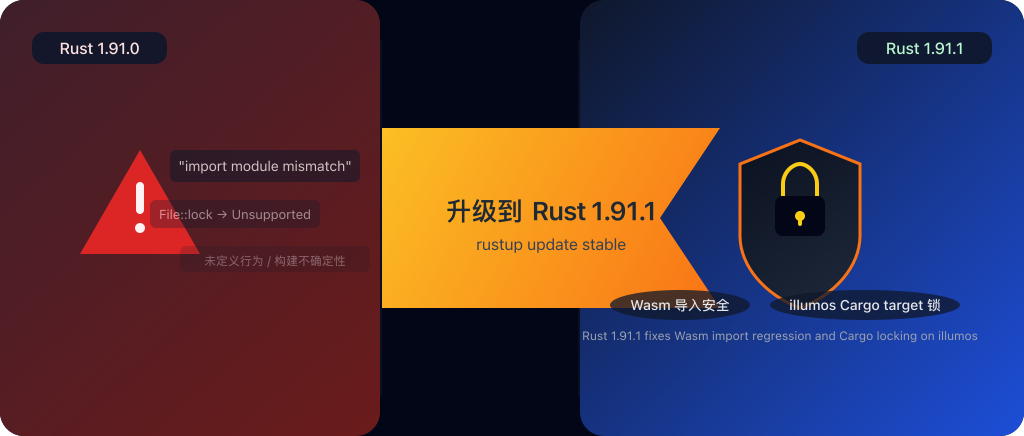
If you’re new to Rust and you see the version jump from 1.91.0 to 1.91.1, it’s tempting to think:
“This is just a tiny point release, probably nothing important.”
But the official Rust blog makes it very clear: 1.91.1 doesn’t add shiny new features – it exists almost entirely to fix two regressions introduced in 1.91.0. Both issues live in places you usually don’t think about (Wasm imports and build directory locking), but when they go wrong, the fallout is very real.
In this post we’ll walk through, in friendly, non‑scary terms:
- What exactly changed in Rust 1.91.1
- How these bugs relate to safety and reliability
- Whether you, as a Rust beginner, should care (and what to do next)
What’s actually in Rust 1.91.1?
From the official announcement Announcing Rust 1.91.1 , there are two main fixes:
A regression in
#[link(wasm_import_module)]on Wasm targets- Could cause linker errors with messages like
"import module mismatch" - Worse, it could cause the wrong function to be called at runtime, leading to undefined behavior, crashes, or silent data corruption
- Could cause linker errors with messages like
Broken Cargo target directory locking on illumos
- Due to an oversight, the standard library’s
File::lockalways returnedUnsupportedon illumos - Cargo assumed “locking isn’t supported here” and simply didn’t lock the
target/directory - That opened the door to concurrent builds stepping on each other’s files
- Due to an oversight, the standard library’s
So yes, this is “just” a patch release, but it’s about fixing regressions that can:
- Break your builds in confusing ways, or
- Make your binaries behave differently from what you tested
1. The Wasm bug: when “same name” doesn’t mean “same function”
How Wasm identifies imports (in simple terms)
On typical targets (Linux, macOS, Windows), a symbol is mostly identified by its name – foo, bar, etc.
In WebAssembly (Wasm), an imported function is identified by:
- A module name, and
- A symbol (function) name
Think of it like:
- Module name = folder name
- Symbol name = file name
Same check function name in different modules (auth vs log) should absolutely not be treated as the same thing.
In Rust, you can tell the compiler which Wasm module an extern block should import from:
#[link(wasm_import_module = "hello")]
extern "C" {
    pub fn world();
}
Here:
#[link(wasm_import_module = "hello")]says:
“The functions in thisexternblock are imported from the Wasm modulehello.”worldis the function name.
So the “real identity” is (module name = “hello”, symbol name = “world”).
What went wrong in 1.91.0?
Rust 1.91.0 introduced a regression around this attribute. The short version:
When the same symbol name was imported from different Wasm modules across multiple crates, Rust could:
- Fail at link time with
"import module mismatch"- Or worse, succeed, but end up calling the wrong function at runtime
A security‑flavored example:
- Module
authexposescheck()for permission checks - Module
logexposescheck()just to record logs - Different crates import
checkfrom these modules using#[link(wasm_import_module = "...")]
With the 1.91.0 bug, under the right conditions Rust could mix these up:
- You think you’re calling
auth::checkto enforce permissions - At runtime, Rust calls
log::check, which only logs but doesn’t enforce anything
The official post calls out that this can lead to:
- Undefined behavior
- Crashes and silent data corruption
- And in security‑sensitive code, potentially skipped checks or bypassed logic
Why this matters for safety
Wasm is often seen as “safe by design” because of its sandbox and memory isolation. That’s true for memory safety, but this bug is about logic safety:
- If your Wasm module handles:
- Authentication / authorization
- Request filtering or risk checks
- Pre‑checks before sensitive operations (payments, password changes)
- And the runtime silently calls the wrong function,
- Validations may not run
- Wrong data may be read or written
- Security assumptions can quietly fall apart
To make it trickier, this kind of bug often:
- Doesn’t show up immediately in simple local tests
- Only appears under certain combinations of crates and module imports
- Might only be triggered in production‑like deployments
What 1.91.1 does about it
Rust 1.91.1 fixes the regression by restoring correct behavior:
- The compiler/linker again distinguish imports by (module name, symbol name)
- You no longer risk two modules with the same function name being confused with each other
- That closes the door on the “call the wrong function” class of issues here
For more details, see the linked issue in the announcement:
2. illumos and Cargo: when builds stop being deterministic
The second bug only affects illumos, but it’s worth understanding because it’s about build correctness.
Why Cargo locks the target/ directory
When you run cargo build, all the intermediate artifacts and final binaries end up under target/.
If two builds write to the same target/ at the same time:
- One process might read a file that’s only half‑written
- One build might overwrite the other’s artifacts
- You can end up with binaries that don’t match any single clean build
To avoid this, Cargo locks the target/ directory:
- If locking succeeds: this build “owns” the directory for now
- If the OS clearly says “this filesystem doesn’t support locking”, Cargo proceeds without locking but assumes the risk
What changed in 1.91.0
Before 1.91.0, Cargo used its own OS‑level locking code.
In 1.91.0, the maintainers refactored things to use the recently stabilized standard library API:
std::fs::File::lockand related methods (stabilized in Rust 1.89.0).
This is a good idea in general – fewer custom code paths, more consistent behavior.
The catch on illumos:
- Due to an oversight,
File::lockon illumos always returnedUnsupported - Cargo saw that and thought:
“OK, the OS doesn’t support locking here, I’ll just skip it.”
The result:
On illumos, Cargo would never lock
target/, even if the filesystem actually could support locks.
What that means in practice
If you’re on illumos and:
- Your editor or IDE runs background builds
- You manually run
cargo buildorcargo testat the same time - Or your CI does multiple jobs sharing the same workspace
Then you risk:
- Builds occasionally failing in strange ways
- Artifacts sometimes being corrupted or inconsistent
- “Ghost bugs” that only happen in CI or production, not locally
Is this a security issue?
It’s not a classic remote exploit, but it is a supply‑chain / reliability issue:
- If your builds aren’t deterministic, you can’t be fully confident in what you’re shipping
- It becomes harder to reason about:
- Which source produced which binary
- Whether the binary you tested is really the one you deployed
Rust 1.91.1 fixes this indirectly by:
- Correctly enabling the
File::lockAPIs on illumos - Making Cargo’s new locking code behave as intended again on that platform
3. So… should you upgrade?
Let’s summarize the two fixes in “decision‑making” terms:
Wasm regression
- Affects: projects using
#[link(wasm_import_module)], especially with the same symbol name imported from different modules across crates - Risk: calling the wrong function at runtime, undefined behavior, and potential security logic failures
- Affects: projects using
illumos + Cargo regression
- Affects: illumos users, especially with concurrent builds sharing
target/ - Risk: non‑deterministic builds, corrupted artifacts, hard‑to‑reproduce CI / production issues
- Affects: illumos users, especially with concurrent builds sharing
Common theme:
Both are regressions introduced in 1.91.0. They’re not ancient bugs finally being fixed; they’re “you were fine before, then upgraded and stepped on a rake” type issues.
This is exactly the kind of patch release you do want to adopt quickly:
- It doesn’t try to push new features
- It focuses on restoring the reliability you had before 1.91.0
- Even if you’re not currently affected, future dependencies or deployment patterns might trigger these edge cases
4. What should a beginner do, concretely?
If you’re just starting out with Rust, here’s a simple checklist.
1. Check your current version
rustc --version
If you see 1.91.0, upgrading is strongly recommended.
If you’re on something older, you might as well jump straight to the latest stable.
2. Upgrade via rustup
The recommended way to stay current on stable Rust is:
rustup update stable
If you don’t have rustup yet, install it from:
3. Even if you don’t use Wasm or illumos… still upgrade
Right now you might only be writing small CLI tools on Linux or Windows, but:
- You could easily end up using Wasm in the future (serverless, edge computing, browser integrations)
- Tooling, CI images, and third‑party crates tend to assume “recent stable Rust”
Starting from a version without these regressions saves you from weird, time‑consuming debugging sessions later.
4. If you maintain anything Wasm/illumos‑related, be extra careful
For Wasm projects using
#[link(wasm_import_module)]:- Look for patterns where the same symbol name is imported from different modules
- After upgrading, re‑run your critical paths and integration tests
For illumos builds:
- Upgrade and watch whether flaky build issues disappear
- Avoid sharing a single
target/directory across many parallel jobs when you can
5. One‑sentence takeaway
If you want the TL;DR in one line:
Rust 1.91.1 is the kind of “small” release that quietly fixes deep issues – you don’t have to understand every detail, but you really don’t want to stay on 1.91.0.
References and further reading
If you’d like to dig into the primary sources and related docs:
- Rust blog: Announcing Rust 1.91.1
- Rust Reference:
#[link(wasm_import_module)] - Rust standard library docs:
File::lock - Rust GitHub issue: Wasm import module regression (issue #148347)
- Rust Security Policies and Disclosure