4000 Pages Per Second: The Rust PDF Library That's Changing the Game
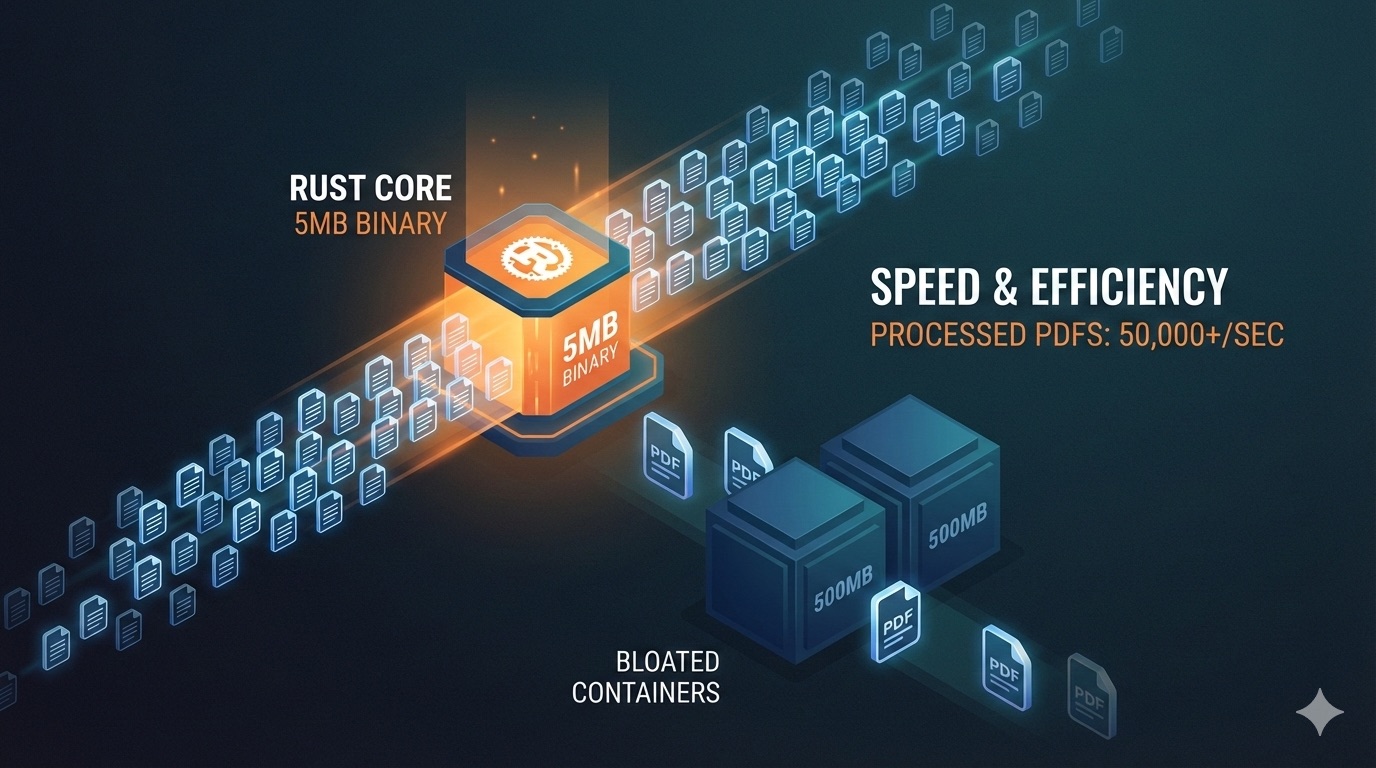
Table of Contents
- Ask Yourself a Question
- Why Are Existing PDF Tools Such a Pain?
- What Can oxidize-pdf Actually Do?
- Just How Fast Are We Talking?
- How Simple Is “Hello, PDF”?
- How It Helps with RAG
- Invoice Processing: Enterprise-Grade Reality
- Before You Ship to Production
- A Production-Ready Architecture Blueprint
- Who Should Pick This Up?
- Quick Start You Can Actually Ship
- The Bottom Line
Ask Yourself a Question
Have you ever been driven crazy by PDF tools?
Picture this: you built an automation pipeline that processes tens of thousands of invoices or contracts every day. What happens?
Either you’re stuck hauling a several-hundred-megabyte Chromium container around on your server, where it takes 5 seconds just to start up, and security updates keep you up at night.
Or you’re stuck with some dusty library whose API design hasn’t changed since 2005, documentation that’s barely intelligible, and it just throws in the towel the moment it encounters a slightly malformed file—without even telling you what went wrong.
Sound familiar?
I once built an automated reporting system that integrated with a PDF generation library. Let me tell you: the environment setup alone took two days. The thing kept crashing on the server. Eventually I gave up and just rolled my own solution with Python’s ReportLab. It was slow, sure, but at least I knew what was going on.
Until recently, when I stumbled upon oxidize-pdf.
Here’s the tl;dr: A pure-Rust PDF engine with zero native C dependencies, a single 5.2MB binary, and performance that hits 3000 to 4000 pages per second.
Today we’re going to dig into this library and see if it can actually solve the pain points we just talked about.
Why Are Existing PDF Tools Such a Pain?
Most PDF libraries fall into two camps, which I like to call: The Bloated Ones and The Dinosaur Ones.
The Bloated Ones?
Think Chromium, Java native libraries, and a tangled mess of dependencies. Container images are hundreds of megabytes. Every deployment feels like moving house—you’re lugging around a whole bunch of baggage. Security updates come at you fast and furious, keeping your ops team on their toes.
The Dinosaur Ones?
Their API design is frozen in 2005. Documentation is sparse, if it exists at all. Code examples are practically nonexistent. And when they encounter a malformed file—which happens all the time in real-world scenarios—they just give up. No error message, no nothing.
The author of oxidize-pdf looked at this mess and said: “You know what? I can do better.”
His approach? Rewrite everything in Rust.
The benefits of Rust don’t need much explanation: memory safety comes baked in, no JNI wizardry or Chromium juggling required. A single 5MB binary that runs on Linux, macOS, Windows, and ARM. Blazing fast performance—thousands of pages in seconds, with minimal memory footprint.
In short, this open source library is the Swiss Army knife of PDF tools: compact, capable, and refreshingly simple to use.
What Can oxidize-pdf Actually Do?
Let’s be clear upfront: this library isn’t a silver bullet—it’s honest about its limitations. But the things it does do? It does them exceptionally well.
PDF Generation: Multi-page documents, vector graphics, RGB/CMYK/grayscale, transparency groups, blend modes, images (JPEG/PNG), custom TTF/OTF fonts, automatic text wrapping, alignment, and spacing—check, check, check.
PDF Parsing: Support for PDF 1.0 through 1.7, XRef streams, object streams. And here’s the kicker: it has a lenient mode that can still make sense of slightly broken files. Text extraction includes CJK support with ToUnicode CMap.
PDF Manipulation: Split, merge, rotate, extract pages, encrypt with RC4/AES and permissions—all supported.
Corruption Recovery: The author tested this on hundreds of real-world PDFs and reports a ~98.8% recovery success rate. That’s a solid number.
AI and RAG Support (v1.3.0+): Semantic chunking with sentence boundary detection, complete with page metadata. 100 pages chunked in just 0.62 milliseconds.
Invoice Extraction (v1.6.2+): This is the feature enterprise teams have been asking for. Multi-language support (EN/DE/ES/IT), 14 field types (invoice number, dates, totals, VAT, etc.), confidence scoring, and locale-aware number parsing (it knows the difference between 1.234,56 and 1,234.56).
OCR (Optional): Need to handle scanned PDFs? Just enable the ocr-tesseract feature and point it at your Tesseract installation.
Of course, it’s also upfront about what it doesn’t do: some edge cases with PNG compression, no PDF-to-image rendering (by design), no digital signatures yet, no tagged PDFs or accessibility structures. All on the roadmap, but not there yet.
Just How Fast Are We Talking?
Numbers tell the story:
Generation Speed: 3000-4000 pages per second for typical business documents, about 670 pages per second for dense dashboards.
Parsing Speed: Roughly 36 PDFs per second across diverse inputs.
Safety: Rust’s type system does the heavy lifting—no null pointer dereferences, no undefined behavior, stack overflow protection, and over 3000 test cases backing it up.
Ops-Friendly: No runtime shenanigans, single-file deployment, fast incremental builds.
But here’s what’s really impressive: its handling of messy inputs. The author emphasizes lenient parsing and multi-strategy recovery: fixing broken XRef tables, salvaging partial content, robust fallbacks for everything.
In plain English: toss it a badly formatted PDF and it won’t just give up— it’ll do its best to extract something useful.
How Simple Is “Hello, PDF”?
Let me show you how clean the API is with a quick Hello World:
use oxidize_pdf::{Document, Page, Font, Color, Result};

fn main() -> Result<()> {
    let mut doc = Document::new();
    doc.set_title("My First PDF").set_author("Rustacean");

    let mut page = Page::a4();

    // Write some text
    page.text()
        .set_font(Font::Helvetica, 24.0)
        .at(50.0, 700.0)
        .write("Hello, PDF!")?;

    // Draw a circle
    page.graphics()
        .set_fill_color(Color::rgb(0.0, 0.5, 1.0))
        .circle(300.0, 400.0, 50.0)
        .fill();

    doc.add_page(page);
    doc.save("hello.pdf")
}
Clean? Absolutely.
Need OCR? Just enable the ocr-tesseract feature and point it at your Tesseract installation.
Need custom fonts? Load TTF/OTF from disk or bytes directly.
Want to stay in memory? Just call to_bytes().
This is what I call boringly correct API design—no clever tricks, just getting things done.
How It Helps with RAG
If you’re building AI and RAG systems, this feature is going to be relevant.
The problem with RAG? Random chunking. Imagine slicing a paragraph right in the middle—semantics get shredded, and your retrieval results become gibberish.
oxidize-pdf’s chunker solves this with three key capabilities:
Sentence-aware boundaries: Keeps your chunks semantically intact.
Page and position metadata: Know exactly which page and location each chunk came from, so you can cite sources in your responses.
Blazing fast: 100 pages chunked in just 0.62 milliseconds.
The result? Higher quality chunks, more accurate retrieval, and the ability for LLMs to cite their sources.
Invoice Processing: Enterprise-Grade Reality
v1.6.2 introduced InvoiceExtractor, a focused tool for invoice processing.
On paper, invoice extraction sounds simple. In practice? It’s full of traps:
Different countries have different formats. Number formats vary wildly—1.234,56 in Europe versus 1,234.56 in the US. Date formats are all over the place.
oxidize-pdf’s invoice extractor handles:
Multi-language support (EN/DE/ES/IT), 14 field types (invoice number, dates, totals, VAT, etc.), confidence scoring, and locale-aware number parsing.
And it’s honest: if the confidence score is too low, you’ll know. That’s your cue to either route it for human review or fall back to OCR and try again.
This is the unglamorous, high-ROI stuff that teams end up building three times over. Now it’s just a crate feature away.
Before You Ship to Production
Good tools deserve a realistic assessment. Before you deploy this to production, here’s what you need to know:
PNG Compression: Some edge cases aren’t handled perfectly yet. If your PDFs have a lot of PNGs, consider JPEG where possible.
No PDF-to-Image Rendering: This is by design, not a bug. If you need this capability, plan for a hybrid approach.
No Digital Signatures: Signature fields exist but can’t be signed yet. On the roadmap.
No Tagged PDFs/Accessibility: Not implemented yet, also on the roadmap.
Forms Are Basic: Interactive JavaScript and calculations aren’t supported.
Bottom line: 80% of the features cover 95% of business use cases. If you need that last 5%, either wait for the roadmap or plan for fallbacks.
A Production-Ready Architecture Blueprint
The author outlines a pragmatic architecture that teams can ship in weeks, not quarters:
Service Shape: A single Rust microservice exposing REST or gRPC endpoints: /generate, /parse, /split, /merge, /rotate, /encrypt, /ocr, /rag/chunk, /invoice/extract.
Container: Scratch or distroless image with the ~5.2MB binary.
OCR Deployment: Tesseract as an optional sidecar, only started where needed, toggled via feature flags and environment variables.
Scaling: Horizontal scale with stateless workers behind an autoscaler (CPU-bound). Use Rayon or scoped threads, capped by CPU quota. Stream I/O in and out—never load whale PDFs fully into RAM. Support presigned URLs.
Storage: Hot path writes directly to object storage (S3/GCS/Azure Blob). Enqueue large/slow jobs to a durable queue. Store minimal audit metadata in a relational database. Use ephemeral presigned reads/writes—never persist raw docs longer than needed.
AI/RAG Lane: Pre-process with /rag/chunk for sentence-aware chunks plus page anchors. Feed into your embedding provider of choice, store in pgvector or a managed vector DB. Keep page spans and confidence scores for citation and highlighting.
Invoice Lane: Run /invoice/extract first. If confidence falls below threshold, fall back to OCR on suspect pages, then re-extract. Validate with schema and locale rules. Flag inconsistencies for human-in-the-loop review. Export as JSON or CSV, optional webhook to your ERP.
Observability: Per-operation latency, pages per second, memory high-water mark, OCR hit rate, failure taxonomy by recovery strategy. Propagate request/tenant IDs in tracing, include page ranges. Security: PDF bomb and zip bomb limits, page caps, timeouts, content sniffing to reject executables.
Licensing Note: The core is AGPL-3.0—fine for internal and batch back-office use. If you’re exposing PDF features as a SaaS or distributing proprietary modifications, get a commercial license. Stay compliant.
Who Should Pick This Up?
Four types of teams will find this particularly valuable:
FinOps Teams: Sick of hauling Chromium around or paying rendering taxes? This is your answer.
LLM Platforms: Need fast, coherent chunking with page-level provenance? It’s built right in.
Back-Office Automation: Invoice, report, and contract processing where throughput, safety, and small images matter.
Security-Sensitive Organizations: Looking to reduce native dependencies and shrink the attack surface? Rust’s memory safety is your friend.
Quick Start You Can Actually Ship
Step 1: Add the dependency:
[dependencies]
oxidize-pdf = "1.6.8"
# For OCR:
# oxidize-pdf = { version = "1.6.8", features = ["ocr-tesseract"] }
Step 2: Start with three endpoints:
/generate: JSON to PDF bytes or presigned URL/rag/chunk: PDF to chunks with page spans/invoice/extract: PDF to fields with confidence
Step 3: Deploy a minimal container. Add the OCR sidecar later if you need it.
Step 4: Measure pages per second and failure reasons. Tune thresholds based on your data.
Step 5: Grow into split/merge/rotate/encrypt as product needs demand.
The mantra: start small, measure early, layer in complexity only when data tells you to.
The Bottom Line
If you’ve been wrestling with heavyweight PDF stacks, oxidize-pdf offers a refreshing tradeoff: speed, safety, and the 80% of features that power 95% of business workflows—plus first-class paths for RAG and invoice extraction.
My advice? Start small with your real data. See how it performs in your specific use case. If it works, layer in more features incrementally. Add OCR and enterprise bits only when your data proves you need them.
Don’t go all-in immediately, but don’t dismiss it either. Get it running, measure the results, and let the data guide your next steps.
GitHub link: https://github.com/bzsanti/oxidizePdf
If this article helped you out, drop a like or share it with someone who might need it. What PDF headaches have you run into? Drop a comment—maybe your experience can help someone else.