
Many people read Claude Code’s Best Practices as a feature manual: how to write CLAUDE.md, how to turn on plan mode, how to run -p. After reading, they think they know every feature; two weeks later, they find that conversations drift, commits feel unsafe, and automation becomes a minefield.
This article records how we reread Anthropic’s public documentation as a set of engineering decisions, not a checklist. The source is the official Best Practices ; we do not invent internal data, and key claims are traceable. The previous post 6 Lazy Tips for Claude Code and Codex CLI explained how to save effort; this one explains why nearly every official recommendation answers the same contradiction.
Lesson one: the scarcest resource for an Agent is not IQ, but effective context bandwidth.
Lesson two: without runnable pass/fail signals, you are the verification loop.
Lesson three: write advice into CLAUDE.md; write zero-exceptions into hooks.
0. Agent Development Mindset: Context Is Not Chat History, It Is RAM
The Meta-Question
In traditional software, adding a colleague or adding a machine scales throughput roughly linearly.
In Claude Code, every turn of conversation, every file read, every block of command output all squeeze into the same piece of memory that gets dumber as it fills up — the context window.
Anthropic places this sentence right at the start of Best Practices:
Most best practices are based on one constraint: Claude’s context window fills up fast, and performance degrades as it fills.
This is not marketing copy. The window contains message history, files read, and tool output. One debugging session or one repo exploration can easily burn tens of thousands of tokens. The fuller the window, the more likely early constraints are squeezed out, and the more the model behaves like an amnesiac contractor.
So the real contradiction is not:
- “Should we use AI?”
- “How beautiful is the prompt?”
It is:
Autonomy requires the Agent to read more, try more, iterate more; limited context requires you to load less, verify faster, and isolate more often.
What happens if you ignore it? The three most common field failures:
- Kitchen-sink session: one window mixes login fixes, docs edits, and architecture questions; noise floods the context.
- Correction spiral: the same bug is corrected 3–5 times; the failure path becomes longer than the correct path, and the model starts to “echo errors”.
- Looks done: without a test or build signal, the Agent stops at “looks finished”, and you become the only acceptance machine.
First principle of Agent development: treat context as a budget, not an infinite chat box.
Every section below answers: where do I spend this budget, who accepts the result, and when must I clear it.

Why This Is Not a “Save Tokens” Trick
Saving tokens sounds stingy. In engineering terms it maps to three things:
- Preserve intelligence: the fuller the window, the worse instruction following — not because the model gets stupid, but because effective constraints are drowned by noise.
- Preserve replayability: once a failure path is written into history, later reasoning inherits the wrong assumptions.
- Preserve collaboration bandwidth: shared CLAUDE.md / hooks are the team agreeing on what should not enter context.
While maintaining a multilingual Hugo site and an Agent toolchain, we verified the same phenomenon repeatedly: the same model passes in one clean session and drifts after three corrections in a dirty session. The difference is almost never “repeat that you should be careful”; it is whether the context is clean and the acceptance signal is runnable.
1. Verification Gates: Human Supervision vs. Runnable Signals
The Traditional Answer
Traditional delivery assumes CI: if tests are red, you cannot merge. A human does not need to watch every step, because the gate lives in the pipeline.
The Agent Illusion
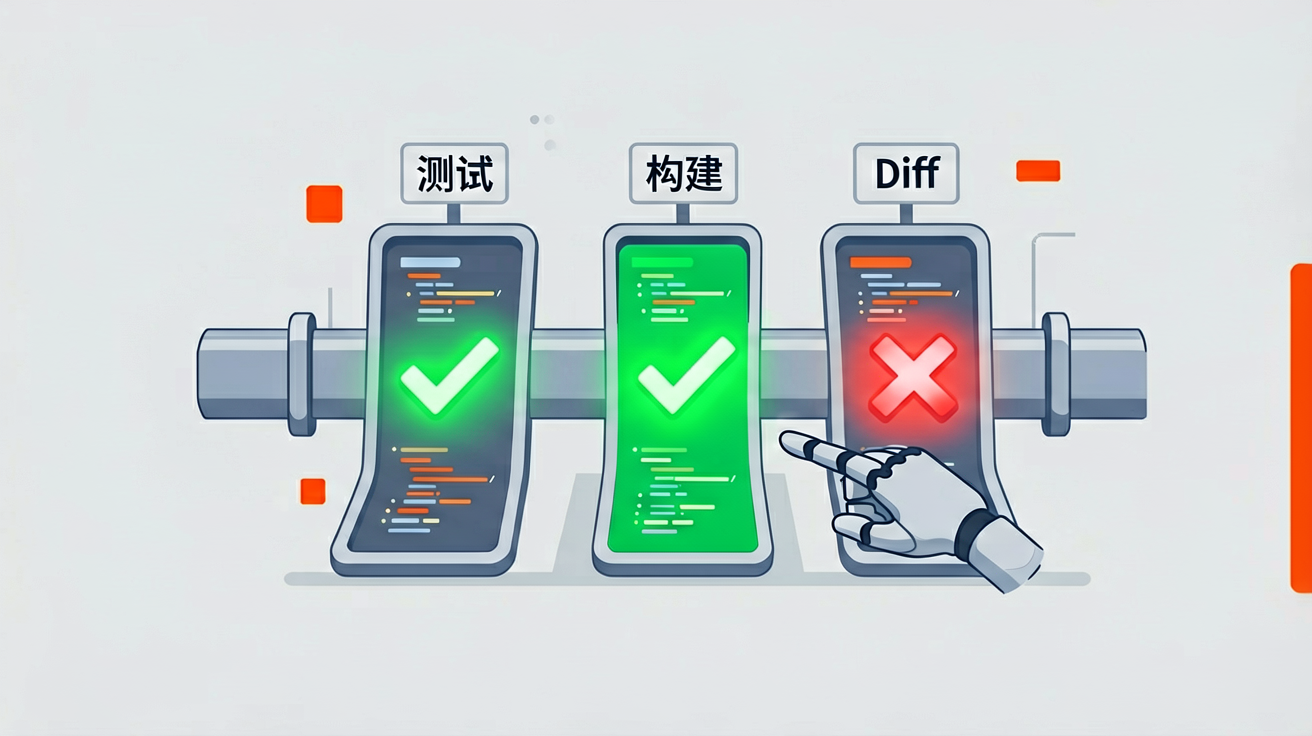
Claude stops when work “looks complete”. Without a check it can run and read itself, the only signal is “looks OK”.
The engineering meaning of the official guidance is:
Without a check, you are the verification loop; every error waits for you to find it.
Option Comparison
| Option A: Human watch | Option B: Runnable signal | |
|---|---|---|
| How | “Tell me when you finish” | Tests / build / lint / screenshot diff / diff fixture |
| Upside | Zero setup | Loop can run unattended |
| Cost | Human must stay online | You must define acceptance |
Why A is rejected: the value of an Agent is that you can walk away; A makes walking away impossible.
Decision: any change that will be merged needs at least an L1 gate.
Four Official Gate Levels (increasing hardness)
| Level | Mechanism | When | Setup cost |
|---|---|---|---|
| L1 | Same prompt: implement + run tests + keep fixing + paste output | Daily | Near zero |
| L2 | /goal condition, re-check every turn | Long sessions | Low |
| L3 | Stop hook script hard-gate (with a cap on repeated blocks) | Zero-exception gate | Medium |
| L4 | Second opinion: verification subagent / adversarial review | Unattended, pre-merge | Medium-high |
Chinese L1 template:
Implement src/auth/validateEmail.ts.
Acceptance: user@example.com→true; invalid→false; user@.com→false.
Write tests and run them; keep fixing until all green.
Finally paste command and full output. Do not say "done" only.
Evidence, not slogans. Test output, exit codes, screenshot diffs — reviewing evidence is faster than rerunning yourself.
→ Implication: all “automation / auto mode / CI -p” without gates is just automated buried mines.
Field Test: Same Task, Two Prompts
Low-efficiency (human-watch mode)
Help me fix the login timeout.
The Agent changes something and says “done”. You run locally; it fails. You paste the error. It changes again. Three rounds later, the context is full of failure patches, and the correct constraints are fuzzier.
High-efficiency (gate mode)
Users report login fails after session timeout.
Scope: src/auth/, focus on token refresh.
First write a failing test that reproduces it, then fix until the test is green.
Paste: test command, the failure→success output, and the list of changed files.
Do not touch files outside scope.
The second version is not “more verbose”. It changes the definition of done from natural-language feeling into a signal the Agent can read. That is the engineering substance of the official before/after table.
2. Plan Mode: Explore First vs. Write First
Traditional Answer
A senior engineer maps call chains before touching multiple files; for a one-line logging change, they edit directly.
Agent Context
Letting Claude write immediately easily produces a perfect implementation of the wrong goal. The official recommendation is Explore → Plan → Implement → Commit.
Option Comparison
| Option A: Always write a long plan | Option B: Switch by uncertainty | |
|---|---|---|
| How | Plan mode for everything | Plan only when files/authors/path are unclear |
| Risk | Process theater, wasted context | Minor over-design for tiny tasks? |
Anthropic itself says: plans have overhead. A one-sentence diff (typo, add log, rename) should be done directly.
Why “always plan” is rejected: plans also consume context; for deterministic small changes they are net negative.
Decision: bill by uncertainty, not by ceremony.
Signals to trigger a plan:
- Touching ≥2 modules
- You cannot name the files to change
- The request contains “while you’re at it” or “refactor”
Signals to skip a plan:
- The diff fits in one sentence
- A failing test already exists; only implementation is missing
→ Implication: the file list and acceptance steps produced during planning should be written into the L1 prompt, not chatted away.
3. CLAUDE.md vs. Hooks: Advice vs. Zero Exceptions
Traditional Answer
Rules go in a Wiki; code review enforces them.
Agent Context
CLAUDE.md is loaded every session, acting as an onboarding handbook; but the official warning is clear: write too much and half of it will be ignored.
The filtering rule is ruthless:
If removing this line would not make Claude make a mistake, delete it.
| ✅ Write | ❌ Do Not Write |
|---|---|
| Bash commands it cannot guess | Structure obvious from reading code |
| Style deviations from default | Standard language conventions |
| Test command and runner | Long API docs |
| Branch / PR conventions | Frequently changing information |
| Environment traps | “Write clean code” |
Option Comparison
| Option A: Stuff everything into CLAUDE.md | Option B: Separate advice, hooks, and skills | |
|---|---|---|
| How | 3000-line encyclopedia | Short CLAUDE.md + hooks + skills |
| Result | Important rules drown | Critical paths execute deterministically |
Why A is rejected: model compliance with overly long instructions collapses; you think writing equals enforcing.
Decision:
- Advice, preference, convention → CLAUDE.md (short)
- Zero-exception action (run eslint after every edit, never write migrations) → hooks
- Occasional domain knowledge / workflow → skills (loaded on demand, not per session)
Minimal CLAUDE.md:
# Commands
- Typecheck: `npm run typecheck`
- Single test: `npm test -- --grep "pattern"`
- Build: `npm run build`

# Workflow
- Prefer single-test while iterating
- Typecheck after a batch of edits
- Don't touch files outside requested scope
Permissions work the same way: clicking approve ten times makes you stop reviewing. Use auto mode / allowlist / sandbox to reduce interruptions without removing boundaries.
CLI beats raw API: gh, aws, etc. wrap authentication and pagination; if you do not know one, run --help first.
→ Implication: skills, subagents, and plugins are capability extensions; if CLAUDE.md is already bloated, subtract before adding extensions.
4. Sessions and Subagents: Main-Context Pollution and Isolation
Traditional Answer
Branch and PR provide workflow isolation.
Agent Context
Sessions are persistent and rollback-capable, but persistence does not mean unlimited stacking.
Official failure modes are almost all context diseases:
| Disease | Field | Prescription |
|---|---|---|
| Kitchen sink | Unrelated tasks in one session | /clear between tasks |
| Repeated correction | Same problem corrected >2 times | clear + better first prompt |
| Endless exploration | “Investigate” reads the whole repo | Narrow scope or subagent |
| Trust-verification gap | Looks right, boundaries fail | Return to Section 1 gates |
Option Comparison
| Option A: Main session reads the whole repo | Option B: Investigation goes to subagent | |
|---|---|---|
| Cost | Main window flooded with file contents | Only summary reports come back |
| Gain | “Everything is in one conversation” | Implementation context stays clean |
Why A is rejected: exploration tokens displace implementation and constraints.
Decision: large investigations default to subagent; implementation stays in the main session.
Correction toolbox:
Esc: stop; context is still there/rewind: return to a checkpoint (note: Bash / external changes are not in checkpoints, cannot replace git)/clear,/compact: clear or summarize/btw: side question does not enter main history/rename+ resume: use long tasks like branches
If the same problem is corrected more than twice: clear the session. A clean window plus a better first prompt almost always beats a long, smelly correction battle.
→ Implication: Writer / Reviewer dual sessions and adversarial review are essentially “fresh context as a second opinion”.
Impact Chain: How One Bad Exploration Ruins an Afternoon
You say “do a comprehensive survey of the auth module” in the main session → 40 files are read → 70% of the window is full → then you implement OAuth and forget “do not touch payment” → you correct → you correct again → now the failure path is longer than the requirement.
If the first step is a subagent survey and the main session only receives the summary, the implementation phase still has room for constraints and test output. Isolation is not process hygiene; it protects the available RAM during implementation.
5. Scale: When to Automate and When Not To
Traditional Answer
If it can go in CI, put it in CI.
Agent Context
claude -p, fan-out, and auto mode can multiply output — and mistakes — by the same factor.
Option Comparison
| Option A: Gateless full automation | Option B: Gates first, then scale | |
|---|---|---|
| How | -p + auto scan the whole repo | First polish prompt on 2–3 samples, add --allowedTools |
| Risk | Batch-mined bugs | Slower start, but controlled |
Why A is rejected: automation without a verification loop is industrial-scale bug replication.
Decision: no fan-out until L1/L3 gates are ready.
Useful forms:
claude -p "List all API endpoints" --output-format json
claude --permission-mode auto -p "Fix all lint errors"
Batch migration:
for file in $(cat files.txt); do
  claude -p "Migrate $file: return only OK or FAIL" \
    --allowedTools "Edit,Bash(git commit *)"
done
Pre-merge adversarial review (fresh context):
Use a subagent to review this diff against PLAN.md:
- Is the requirement implemented?
- Are boundaries tested?
- Are files outside scope touched?
Report only correctness gaps, not style.
Official reminder: reviewers asked to “find gaps” tend to report too many — restrict them to correctness and requirement coverage, otherwise you over-engineer.
→ Implication: scale is a multiplier of Sections 1–4, not a replacement.
Summary
Engineering Decisions
| Design question | Option A (rejected) | Option B (adopted) | Why A fails |
|---|---|---|---|
| How to know it is done | Human “looks OK” | Runnable pass/fail + evidence | Human becomes the loop; cannot walk away |
| Plan first or not | Always long plan | Switch by uncertainty | Small changes waste context |
| Where to put conventions | Encyclopedia CLAUDE.md | Short handbook + hooks + skills | Long docs are ignored |
| Big investigation | Main session reads everything | Subagent returns summary | Main context polluted |
| Automation | Gateless fan-out | Sample polish + gates + allowedTools | Errors replicate in batch |
| Correction strategy | Bang head in same session | Clear and restart after two | Failure path pollutes reasoning |
Agent Development Principles
| Principle | Meaning | Sections |
|---|---|---|
| Context is scarce currency | Reading and trying both cost memory | 0, 4 |
| Gates before autonomy | Walking away requires verifiable acceptance | 1, 5 |
| Separate advice from enforcement | Preferences in md, zero-exceptions in hooks | 3 |
| Isolate exploration from implementation | Investigation should not crowd the main session | 2, 4 |
| Sample before scaling | Automation is a multiplier, not magic | 5 |
5 Things You Can Do Today
- Cut CLAUDE.md to only lines where removing them would cause a mistake.
- Force L1 on the next task: what to run + paste output.
- Plan complex requests; do one-sentence diffs directly.
- Default large investigations to a subagent.
- After two corrections for the same issue:
/clearand rewrite the first prompt.
The official last section is called Develop your intuition: guidelines are a starting point, not dogma. Sometimes context should accumulate; sometimes you should skip plan. Notice when it performs well — that is your own best practice.
Previous post: 6 Lazy Tips for Claude Code and Codex CLI
Source: Anthropic · Best practices for Claude Code
If you are also using Claude Code
What hurts more right now: polluted context or the inability to walk away without gates? Leave a comment and share your field experience.Full-Stack Summit · Dream Beast Coding