Frontend Performance Optimization: I Replaced Axios With 25 Lines of Vanilla JS

Table of Contents
I Replaced Axios With 25 Lines of Vanilla JS
Every time I started a new project, I would instinctively install Axios. It wasn’t that Axios wasn’t good—it was that “everyone uses it” feeling that made me feel like this was the professional way. It’s like getting boba tea without pearls, or drinking coffee without latte art—something just feels incomplete.
Until one day, I happened to look at the Axios source code.
That’s when I discovered I’d been stuffing a 13KB beast into my projects, when all it really did was wrap JavaScript’s built-in fetch() in a fancy coat. It’s like buying an automatic coffee machine, opening it up, and finding a manual grinder with a switch button.
 Figure: Axios is essentially layer after layer of packaging around fetch
To be fair, Axios does provide several handy features: automatic JSON transformation, better error handling, request/response interceptors, request cancellation, timeout support. That’s five features, nothing more.
But the key is that JavaScript’s fetch() can do all of this—you just need to know how to use it. This is actually a pretty typical phenomenon in frontend development—we get so used to using libraries that we overlook the capabilities of native APIs.
Someone might say: “Easier said than done. Writing one thing is easy, writing it well is hard.”
Actually, it’s really not that hard. Let me show you a vanilla JS HTTP class I wrote:
class HTTP {
  constructor(baseURL = '', timeout = 5000) {
    this.baseURL = baseURL;
    this.timeout = timeout;
    this.interceptors = { request: [], response: [] };
  }

  async request(url, options = {}) {
    // Apply request interceptors
    let config = { ...options };
    for (let interceptor of this.interceptors.request) {
      config = await interceptor(config);
    }

    // Create timeout controller
    const controller = new AbortController();
    const timeoutId = setTimeout(() => controller.abort(), this.timeout);

    try {
      const response = await fetch(this.baseURL + url, {
        ...config,
        signal: controller.signal
      });

      clearTimeout(timeoutId);

      // Axios-style error handling
      if (!response.ok) {
        throw new Error(`HTTP Error: ${response.status}`);
      }

      // Auto-parse JSON
      const data = await response.json();

      // Apply response interceptors
      let result = { data, status: response.status, headers: response.headers };
      for (let interceptor of this.interceptors.response) {
        result = await interceptor(result);
      }

      return result;

    } catch (error) {
      if (error.name === 'AbortError') {
        throw new Error('Request timeout');
      }
      throw error;
    }
  }

  // Convenience methods
  get(url, options) {
    return this.request(url, { ...options, method: 'GET' });
  }

  post(url, data, options) {
    return this.request(url, {
      ...options,
      method: 'POST',
      headers: { 'Content-Type': 'application/json', ...options?.headers },
      body: JSON.stringify(data)
    });
  }

  put(url, data, options) {
    return this.request(url, {
      ...options,
      method: 'PUT',
      headers: { 'Content-Type': 'application/json', ...options?.headers },
      body: JSON.stringify(data)
    });
  }

  delete(url, options) {
    return this.request(url, { ...options, method: 'DELETE' });
  }

  // Interceptor support
  addRequestInterceptor(fn) {
    this.interceptors.request.push(fn);
  }

  addResponseInterceptor(fn) {
    this.interceptors.response.push(fn);
  }
}

export default HTTP;
Count them yourself—excluding blank lines and comments, the core code is less than 50 lines. That’s it,实现了Axios的所有核心功能。
The usage is exactly the same as Axios:
const http = new HTTP('https://api.example.com');

// GET request
const { data } = await http.get('/users');

// POST request
const { data } = await http.post('/users', {
  name: 'John Doe',
  email: 'john@example.com'
});
To add a token, use a request interceptor:
http.addRequestInterceptor((config) => {
  const token = localStorage.getItem('token');
  if (token) {
    config.headers = {
      ...config.headers,
      'Authorization': `Bearer ${token}`
    };
  }
  return config;
});
401 auto-redirect to login, timeout settings—these are all simple too. I won’t list them all, you’ll get it at a glance.
People often ask: “Can this be used in React?”
Of course, this is native JavaScript—it works everywhere. React, Vue, Next.js, Node.js backends, use it the same way everywhere.
 Figure: One code, runs everywhere
Let me tell you how much you save.
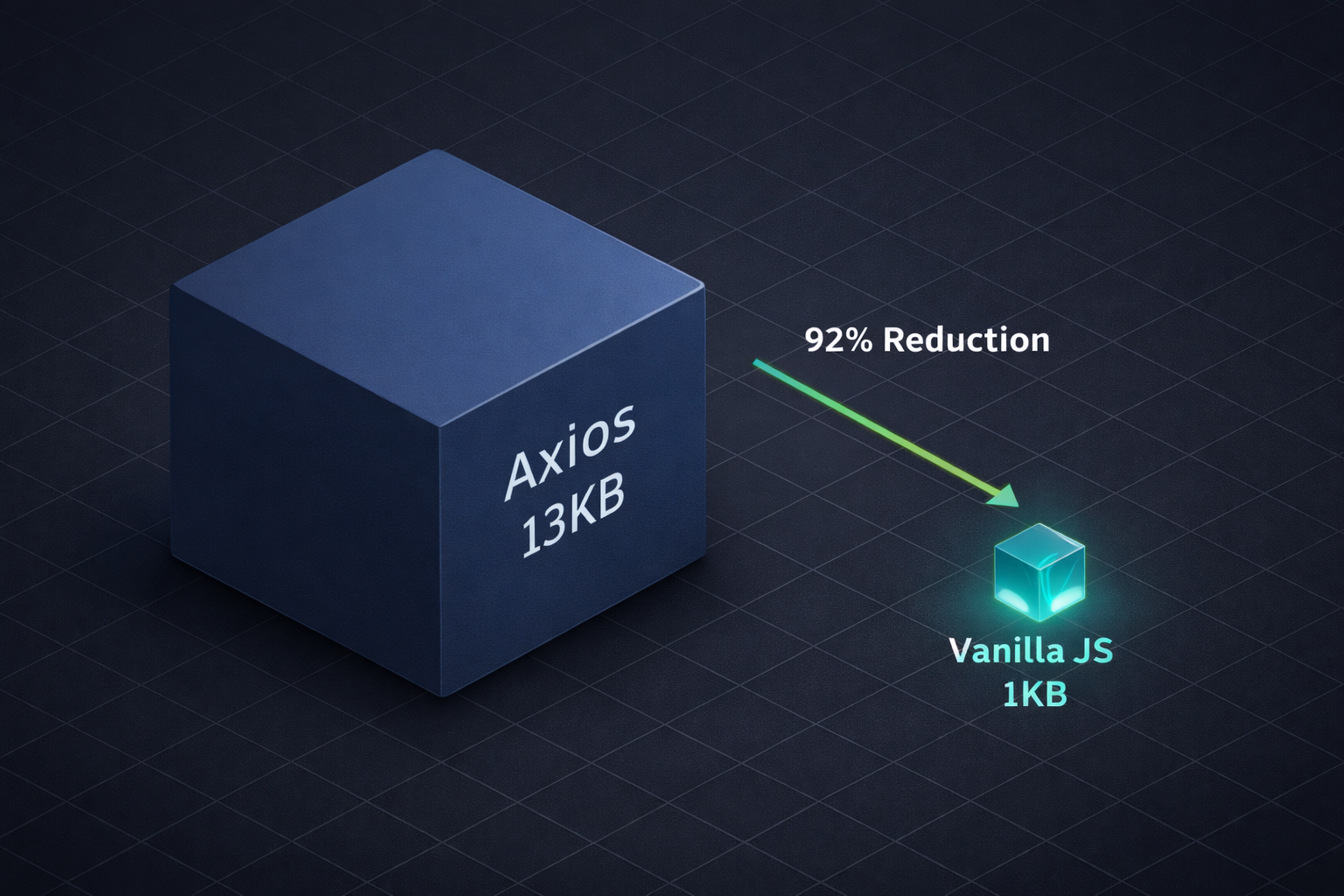 Figure: 13KB vs 1KB, the difference is visible to the naked eye
Bundle size reduced from 13KB to 1KB, saving 92%. That’s not a small amount—in mobile network environments, 13KB can mean an extra few hundred milliseconds of loading time. This kind of performance optimization may seem insignificant, but the cumulative impact on user experience is real. Plus zero dependencies, you decide what features to add, and writing it once means you truly understand how HTTP requests work.
Of course, I’m not saying to eliminate Axios entirely. If you need to support IE browsers, have a large team that needs unified standards, need upload progress tracking, or your project already uses it—then stick with Axios. Refactoring has costs.
But for 90% of new projects, you really don’t need Axios.
This experience made me realize something: many libraries are just wrappers around native functionality. Axios wraps fetch(), Lodash wraps array methods, Moment.js wraps Date, UUID wraps crypto.randomUUID()… It’s not that these libraries are bad—they solve problems and provide convenience. But think about it: if you understand the underlying JavaScript, you might not need them at all. Every library you install is one more dependency, one more potential security vulnerability, and one less opportunity to learn the underlying principles.
Next time you start a new project, don’t just npm install axios by habit. Paste those few dozen lines of code in and give it a try. I bet you won’t miss Axios.
Once you get used to it, you’ll discover something interesting: you never needed Axios, you just needed to understand fetch().
If this article helped you, give it a like! If you have questions or ideas, feel free to discuss in the comments. You can also share it with friends who might need it. Follow me for more interesting programming topics.