
Let me tell you, I almost smashed my computer the other day.
Here’s what happened: I asked AI to write a user login feature. It was fast, I’ll give it that - code appeared in seconds. But the result? Passwords stored in plaintext, no input validation, SQL injection vulnerabilities everywhere - basically a security nightmare gift basket. I fixed one bug, and it created three more. After going back and forth, I realized I would’ve been faster writing it from scratch myself.
Sound familiar? AI coding assistants are fast, sure, but the quality… it’s like having an impatient intern do the work. They get it done, but you spend more time cleaning up their mess.
Then a friend told me: “Try Superpowers. Once you install it, the AI won’t be so reckless.” I thought, great, another fancy gimmick. But I gave it a shot anyway, and hey, it actually works.
First, Let’s Talk About What Problem This Solves
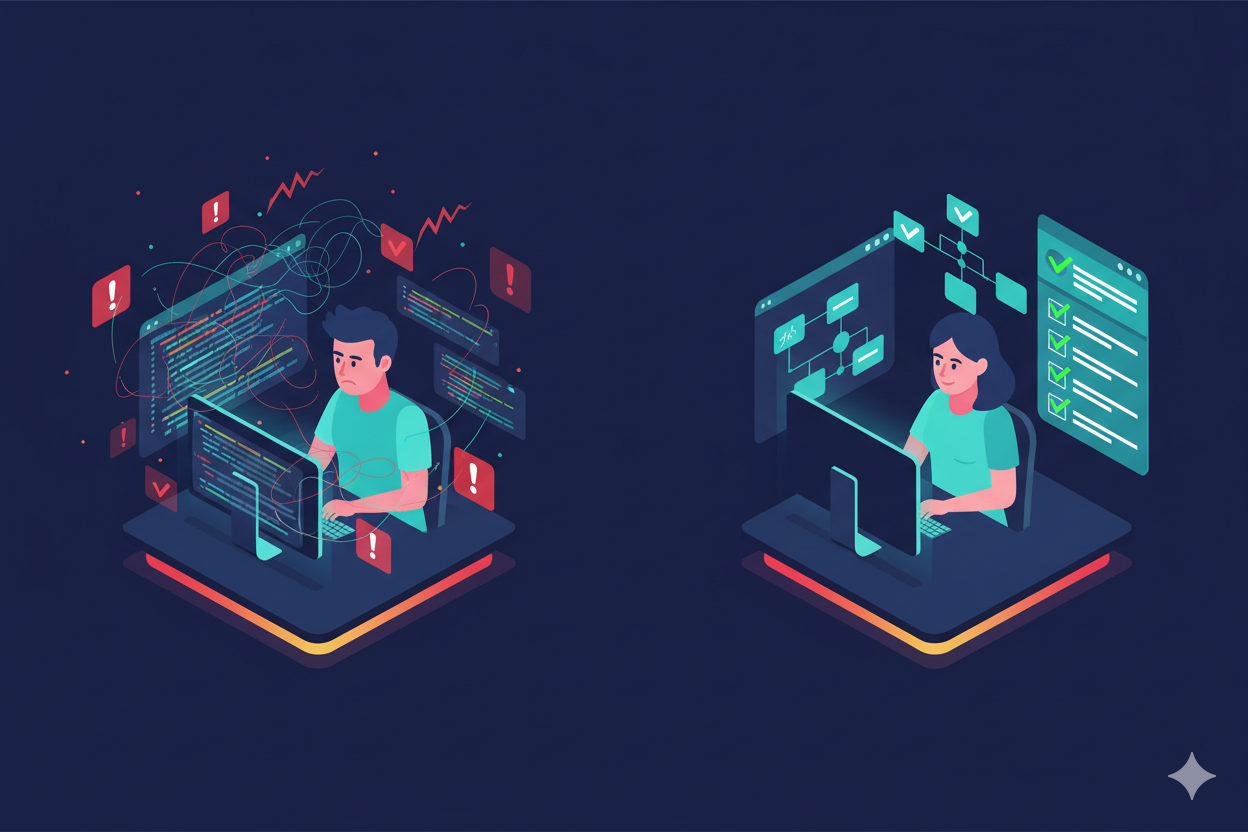
Have you ever wondered why AI keeps messing up code?
I bet you’ve been in this situation: It’s 2 AM, deadline’s tomorrow, you’re hoping AI will help you catch up, and it spits out code that won’t even run. You’re fixing bugs while cursing, thinking this thing is worse than doing it yourself.
I thought about it, and the problem isn’t that AI coding tools are dumb - they’re just too “eager.” You say “write me a login feature,” and it’s thinking “gotta finish fast to impress,” never stopping to ask: What framework? Remember login state? How to encrypt passwords? It’s like giving a fresh grad a project - they hear the requirements and start coding immediately, no questions asked, no thinking about pitfalls. When it’s done, the feature exists, but it’s a minefield.
What Superpowers does is basically install a workflow for this “impatient intern” - ask questions first, plan before coding, write tests before implementation, and self-review when done. Imagine if all your interns worked like this - wouldn’t that be nice?
Wait, I Don’t Use Claude Code
At this point you might ask: I use Codex / OpenCode, will this work for me?
I know what you’re thinking - “Another tool that only supports one platform, and of course it’s not the one I use.” Relax, I worried about that too. Turns out Superpowers supports three major AI coding tools, just with different installation methods: Claude Code has a plugin system, easiest to install; Codex and OpenCode need manual configuration, but it’s not complicated. Whichever you use, you get the same “training” effect.
Here are the installation methods for all three platforms. If you’re like me and get headaches from command lines, don’t panic - it’s literally just copy and paste.
Claude Code users (two commands):
/plugin marketplace add obra/superpowers-marketplace
/plugin install superpowers@superpowers-marketplace
After installation, type /help. If you see /superpowers:brainstorm, /superpowers:write-plan and similar commands, you’re good.
Codex users (tell it to read the config):
Fetch and follow instructions from https://raw.githubusercontent.com/obra/superpowers/refs/heads/main/.codex/INSTALL.md
OpenCode users (same approach):
Fetch and follow instructions from https://raw.githubusercontent.com/obra/superpowers/refs/heads/main/.opencode/INSTALL.md
Once installed, the experience is pretty much the same regardless of platform.
What’s Actually Different After Installing?
Let me share a real story - see if it sounds like your experience.
A few days ago I needed to add user registration to a project. Before, I’d just tell AI “write me a registration feature,” and it would spit out a chunk of code. Does it run? Sure. But look closely - passwords stored in plaintext, SQL statements directly concatenated, zero input validation - basically a hacker’s ATM. If you deployed that code, user data would be exposed in minutes. Good luck crying about it then.
After installing Superpowers? Same request - “write me a registration feature” - but this time it didn’t rush. It first asked me: Any username restrictions? How complex should passwords be? Email verification needed? bcrypt or argon2 for encryption?
I was stunned for a moment - these are exactly the questions I wished my interns would ask! Then it organized my answers into a small proposal and asked “Is this understanding correct?” Only after confirmation did it start breaking down tasks: first username validation, then password strength checking, then encryption logic, finally the registration endpoint. Each step had tests written first, only continuing after tests passed. Throughout the whole process, I barely had to worry, and the final code was more standardized than what I’d write myself.
You might ask: Isn’t this just asking a few more questions? Is it really that magical?
It really is. Think about the bugs you’ve encountered - weren’t most of them not created while coding, but planted when requirements weren’t clear? AI being willing to stop and ask questions is more important than how fast it writes code. It’s like renovating a house - if you don’t tell the workers what style you want upfront, and wait until they’ve painted the walls to say “I wanted Scandinavian,” well, too late.
A Few Features I Can’t Live Without
After using it for a while, there are features I genuinely can’t do without. See if any hit your pain points - I bet at least one will remind you of a painful experience.
First is subagent mode. You know what’s the best part? It assigns tasks to independent “subagents,” and each subagent’s work goes through two rounds of review. I once let it run for two hours on its own, came back, and a dozen tasks were completed perfectly. Before, I had to watch it work. Now I can actually slack off.
Seriously, do you have that “can’t relax unless I’m watching” anxiety? Like leaving your kid with a babysitter - you say “don’t worry,” but you’re constantly thinking “are they watching TV again?” “eating snacks?” Using AI is the same - you feel like it’ll definitely mess up if left alone, so you’d rather tire yourself out watching. This feature cures that anxiety - it checks its own work, you can really let go.
Second is test-driven development. Before, when I asked AI to write tests, it either wouldn’t, or wrote useless ones. After Superpowers, it strictly follows the “red-green-refactor” cycle: first write a failing test, then write minimal code to pass it, finally optimize the code structure. Code written this way has no chance for bugs to accumulate.
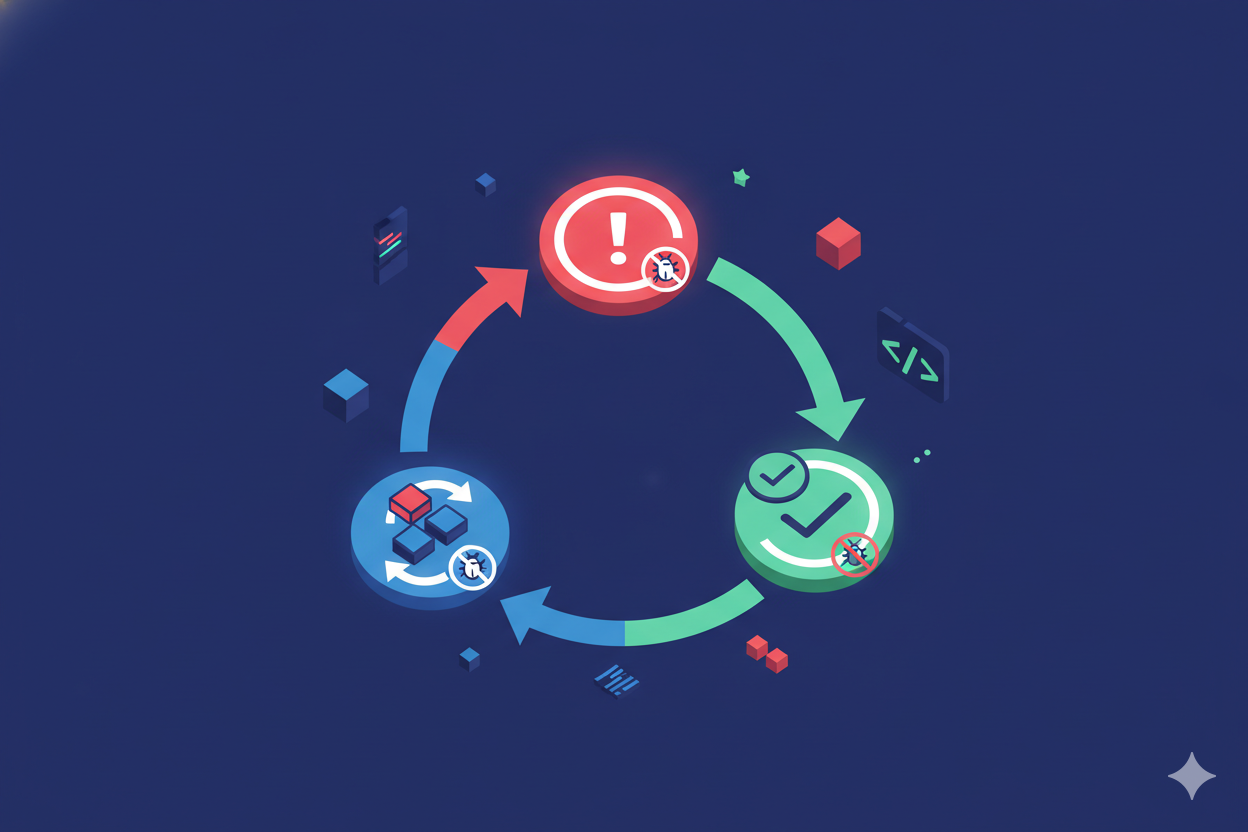
Ever experienced “whack-a-mole” debugging? Fix one bug, test, another pops up; fix that one, two more appear. Eventually you don’t even know what you’re fixing anymore, just want to flip the table and leave. TDD cures this - bugs get killed by tests before they’re even born. That’s why the AI coding field increasingly values test-driven development.
Third is Git workflow management. It automatically creates Git worktrees, developing on isolated branches. When done, it asks: merge directly to main? Create a Pull Request? Or leave it for now? Never worry about messing up the main branch again.
I know some people (yes, including past me) like to code directly on main, then realize something’s wrong and want to rollback, only to find they never committed… that despair, if you know, you know. With this feature, even if you slip up, you’re safe.
Wait, Superpowers, OpenSpec, Spec-Kit - What’s the Difference?
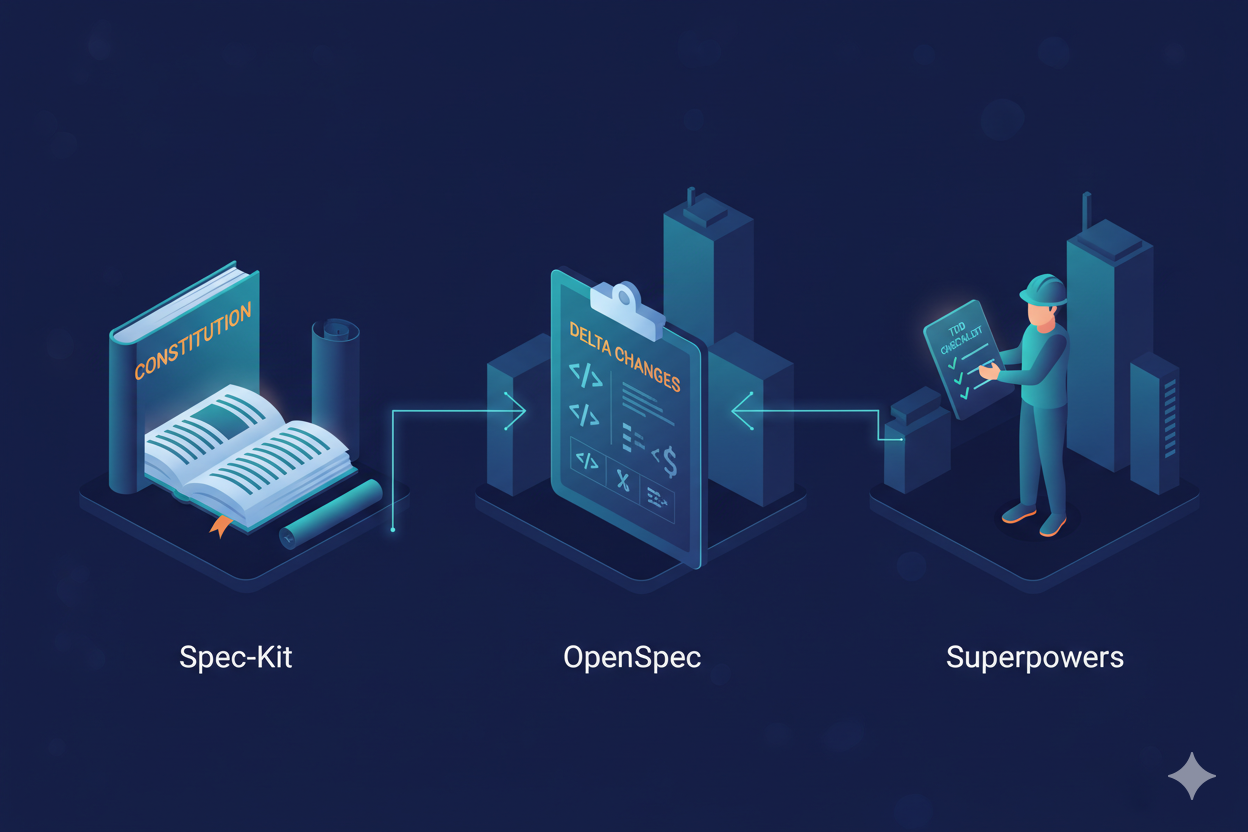
You might have seen OpenSpec and Spec-Kit mentioned online too. What’s their relationship with Superpowers? Are they competitors? Can they work together?
I was confused at first too, but after some research I figured it out - they solve completely different problems.
Here’s an analogy: You’re building a house.
- Spec-Kit is like a “building code manual” - it tells you what materials the building must use, how to design load-bearing walls, how wide fire exits should be. It’s from GitHub official, centered around something called a “Constitution” that defines tech stack, coding standards, architectural principles - global constraints. Whoever does the construction must follow these rules.
- OpenSpec is like “construction change orders” - every time you want to modify the design (like making the balcony bigger), it generates a clear change summary telling reviewers “what changed, why, and what’s affected.” Its killer feature is “Spec Deltas” - reviewers don’t need to read the entire blueprint, just the delta to know what changed.
- Superpowers is like the “construction crew’s work manual” - it doesn’t care what your blueprint looks like, it cares about how workers execute tasks - dig foundation first or build walls? Check after each layer? How to rollback if something goes wrong? It “teaches” AI best practices like TDD, code review, and small iterations.
So you see, each handles different things:
| Tool | What Problem It Solves | Core Capability |
|---|---|---|
| Spec-Kit | “What rules to follow” | Project Constitution, defines global constraints |
| OpenSpec | “What changed” | Spec Deltas, simplifies change review |
| Superpowers | “How to execute” | TDD + subagents, ensures execution quality |
Can they work together? Absolutely, and it might be best practice:
- Use Spec-Kit’s “Constitution” to define project-wide constraints
- Use OpenSpec to manage specific feature specs and change proposals
- Use Superpowers to drive AI execution of actual coding tasks
Spec-Kit handles “legislation,” OpenSpec handles “project approval,” Superpowers handles “construction.” Each does its job, no conflicts.
Of course, for small projects or solo developers, you don’t need all three. My suggestions:
- Want automation and code quality → Start with Superpowers
- Team collaboration, need standardized processes → Consider Spec-Kit
- Frequent changes, review is a pain point → Try OpenSpec
Should I Use It for Everything?
Not really. Honestly, if you’re just fixing a typo, adding a log line, or tweaking some styles, Superpowers is overkill. It’ll ask you a bunch of questions, create a proposal, break down tasks… and you’re thinking, I’m just changing one character, is this necessary?
So my advice: Use it for tasks that need “think before you act” - developing new features, refactoring code, fixing complex bugs. For simple tasks, just do them directly. You wouldn’t write a cooking plan just to make instant noodles.
Final Thoughts
Superpowers isn’t some black magic - it just packages software engineering best practices into rules that AI coding assistants can understand. But this simple thing works surprisingly well. Because AI is capable enough, it just lacks a “methodology.”
If you’ve been tortured by AI’s crappy code, I really suggest giving it a try. Installation takes two minutes anyway - if it doesn’t work, just uninstall it.
# Claude Code users
/plugin marketplace add obra/superpowers-marketplace
/plugin install superpowers@superpowers-marketplace

# Codex users
Fetch and follow instructions from https://raw.githubusercontent.com/obra/superpowers/refs/heads/main/.codex/INSTALL.md

# OpenCode users
Fetch and follow instructions from https://raw.githubusercontent.com/obra/superpowers/refs/heads/main/.opencode/INSTALL.md
What drives you crazy when coding with AI? Is it rushing without asking questions, code full of holes, or something else? Share in the comments - let’s see if we all have the same pain points.
Next article I’m planning to write about customizing Superpowers skills to fit your own development habits. Follow if you’re interested.
If you found this useful:
- Like: Help more AI-tortured friends see this
- Share: Maybe your coworker is pulling their hair out right now
- Follow Rex: More practical AI coding tips coming
This took me an afternoon to write. Your support keeps me going. Thanks!