
Ask AI for the “2024 Olympics medal count” and it might just make one up. Ask for “a company’s quarterly financial data” and you’ll likely get a fake number that looks real.
AI isn’t trying to deceive you, it just doesn’t know. Its training data has a cutoff date, and it’s never seen your company’s internal documents. What you need isn’t a smarter AI, but one that knows how to look things up.
This article covers how to teach Claude to research. No complex RAG architecture, just the basics: searching Wikipedia, scraping web pages, and retrieving your own documents.
Why AI Needs “Research” Capabilities
Large language models have two fundamental limitations.
Knowledge has an expiration date. Claude’s training data cuts off in early 2025, so anything from 2026 is just a guess. Like asking a 2020 graduate to comment on 2026 current events, what they come up with might sound more convincing than real news.
The other issue is it doesn’t know your stuff. Your company’s product manuals, technical docs, customer records, the model has never seen any of this. Ask “what’s our refund process” and you’ll get a professional-sounding answer that has nothing to do with your actual workflow.
The solution is simple: let it look things up. Not from memory, but through retrieval.
It’s the same logic as humans. When you face a question you don’t know on a test, two strategies: guess blindly, or look it up. The first is fast but unreliable, the second is slower but accurate. Same with AI, having it retrieve before answering beats relying on memory.
Method 1: Let Claude Search Wikipedia
Wikipedia is the essence of human knowledge, and it’s frequently updated. Giving AI the ability to search Wikipedia is like equipping it with a living encyclopedia.
The Anthropic Cookbook has a complete Wikipedia search tool implementation. The core code isn’t complex:
import wikipedia
import anthropic

class WikipediaSearchTool:
    def __init__(self, n_results=3):
        self.n_results = n_results

    def search(self, query: str) -> str:
        """Search Wikipedia and return summary"""
        try:
            # Search for relevant entries
            results = wikipedia.search(query, results=self.n_results)

            if not results:
                return "No relevant entries found"

            # Get the first entry's content
            page = wikipedia.page(results[0], auto_suggest=False)
            summary = page.summary[:2000]  # Truncate to first 2000 chars

            return f"Entry: {page.title}\n\n{summary}"

        except wikipedia.exceptions.DisambiguationError as e:
            # Disambiguation, take first option
            return f"Multiple matches found: {e.options[:5]}"
        except Exception as e:
            return f"Search error: {str(e)}"

# Usage example
tool = WikipediaSearchTool()
result = tool.search("quantum computing")
print(result)
What this tool does is simple: call the Wikipedia API to search entries, get the summary, return it to Claude.
Now you can let Claude use this tool:
client = anthropic.Anthropic()

def ask_with_wiki(question: str) -> str:
    # First search Wikipedia
    wiki_result = tool.search(question)

    # Feed the search results to Claude
    response = client.messages.create(
        model="claude-sonnet-4-5-20250514",
        max_tokens=1024,
        messages=[{
            "role": "user",
            "content": f"""Answer the question based on the following Wikipedia information. If the information is insufficient, please say so.

Wikipedia search result:
{wiki_result}

Question: {question}"""
        }]
    )
    return response.content[0].text

answer = ask_with_wiki("What is quantum entanglement")
How’s the effect? Ask “who won the 2024 Nobel Prize in Physics” and it won’t make up a 2019 winner anymore. Instead, it checks Wikipedia first, then gives you the correct answer.
Method 2: Claude Web Scraping
Wikipedia covers a lot, but not everything. Company product pages, tech blogs, news sites, these require different methods to access.
The Claude Sonnet 4.6 version released in February 2026 directly provides web_search and web_fetch tools in the API. No need to write your own crawler, just call the API.
# Using Claude's built-in web_search tool
response = client.messages.create(
    model="claude-sonnet-4-6-20260215",
    max_tokens=1024,
    tools=[{
        "type": "web_search",
        "name": "web_search"
    }],
    messages=[{
        "role": "user",
        "content": "Look up PostgreSQL 18 new features"
    }]
)
Claude automatically invokes the web_search tool, and search results are returned as context. You don’t need to handle search logic, the API takes care of it.
If you’re using an older API version, or want to control the scraping logic yourself, you can use Python’s requests library:
import requests
from bs4 import BeautifulSoup

def fetch_page(url: str) -> str:
    """Scrape web page body content"""
    try:
        headers = {
            'User-Agent': 'Mozilla/5.0 (compatible; ClaudeBot/1.0)'
        }
        response = requests.get(url, headers=headers, timeout=10)
        soup = BeautifulSoup(response.content, 'html.parser')

        # Remove scripts and styles
        for script in soup(["script", "style"]):
            script.decompose()

        # Get body text
        text = soup.get_text()
        # Clean up extra whitespace
        lines = (line.strip() for line in text.splitlines())
        chunks = (phrase.strip() for line in lines for phrase in line.split("  "))
        text = '\n'.join(chunk for chunk in chunks if chunk)

        return text[:5000]  # Truncate to first 5000 chars

    except Exception as e:
        return f"Scraping failed: {str(e)}"
This function requests the page, parses HTML, extracts body text, cleans formatting. The scraped content can be fed to Claude for analysis.
Method 3: RAG Document Retrieval
The first two methods search public information. If you need Claude to answer internal company questions like “what’s our deployment process,” you need to search your own documents.
This is RAG, short for Retrieval-Augmented Generation. I covered this in detail in another article, so here’s a quick overview.
First, chop your documents into chunks. Feeding an entire technical manual to AI isn’t realistic, it’s too long. Cut it into chunks of a few hundred words each, retrieve each chunk separately.
Then generate vectors for each chunk. Use an Embedding service like Voyage AI to convert text into a string of numeric coordinates. Similar meaning text ends up with coordinates close together.
When a user asks a question, convert the question to a vector too, then find the nearest few chunks among all document chunks. Finally, feed the relevant documents found to Claude and let it answer based on this content.
# Minimal document search example
import voyageai
import numpy as np

vo = voyageai.Client()

def simple_search(query: str, documents: list, top_k: int = 3):
    """Simple vector search"""
    # Generate query vector
    query_emb = vo.embed([query], model="voyage-3.5", input_type="query").embeddings[0]

    # Generate document vectors
    doc_embs = vo.embed(documents, model="voyage-3.5", input_type="document").embeddings

    # Calculate similarity
    similarities = np.dot(doc_embs, query_emb)

    # Return most relevant few
    top_indices = np.argsort(similarities)[-top_k:][::-1]
    return [documents[i] for i in top_indices]
Once this pipeline is set up, you can ask questions like “what features were released in the last version.” Claude will first search relevant content in your documents, then give you a well-grounded answer.
Claude Search & Retrieval Methods Comparison
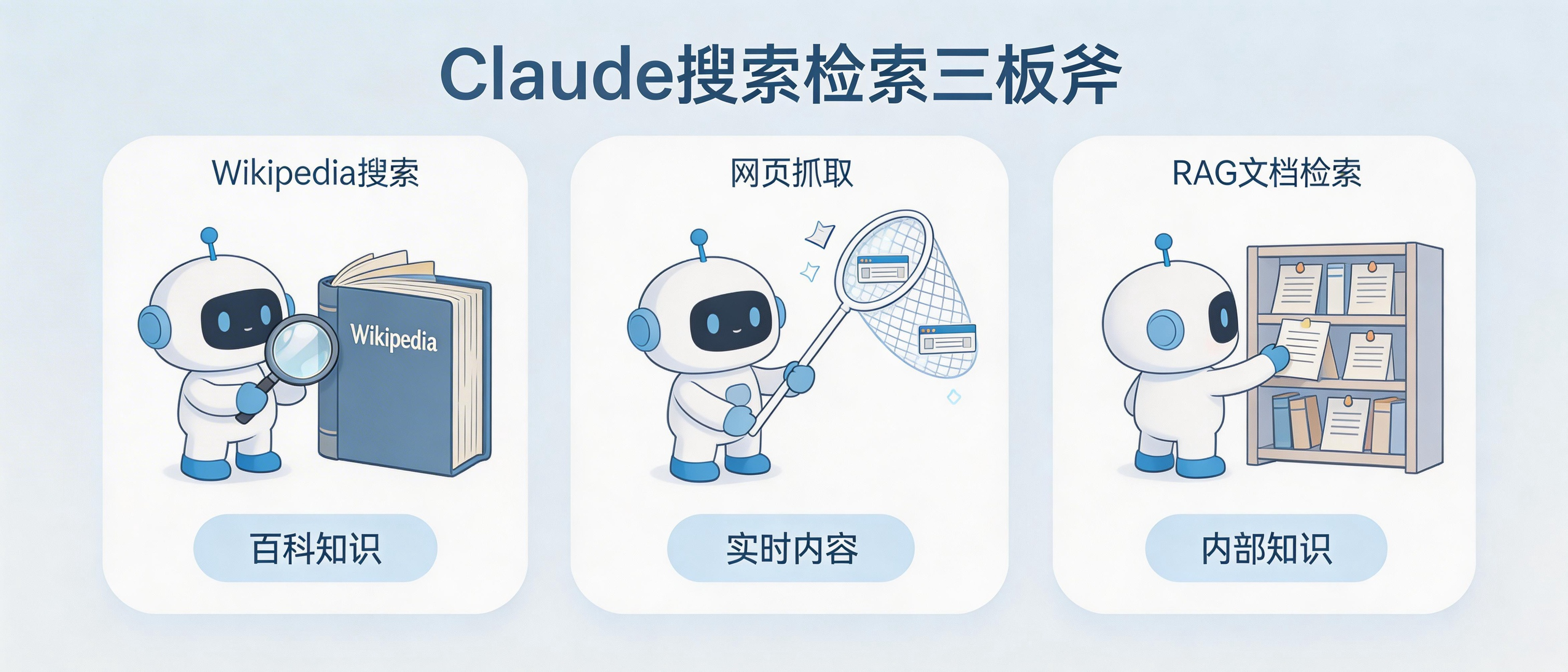
Each method has its use case:
Wikipedia search works for public encyclopedia knowledge. Historical events, scientific concepts, celebrity info, it’s mostly there. The downside is timeliness can be average.
When you need content from specific websites, use web scraping. A company’s product info, a tech blog’s tutorial, go straight to the source for accuracy. But you have to handle various page formats, and some sites have anti-scraping measures.
Company internal wikis, product docs, customer Q&A records, things that aren’t on the public internet, require RAG document retrieval. Build your own index, maintain it yourself.
In practice, these three methods are often combined. An enterprise Q&A system might simultaneously support searching internal knowledge bases, querying Wikipedia, and scraping specified external web pages.
Complete Claude Search Assistant Example
Putting the code above together, let’s build a Q&A assistant that can search Wikipedia and scrape web pages:
import anthropic
import wikipedia
import requests
from bs4 import BeautifulSoup

class SearchAssistant:
    def __init__(self):
        self.client = anthropic.Anthropic()

    def search_wiki(self, query: str) -> str:
        try:
            results = wikipedia.search(query, results=3)
            if not results:
                return ""
            page = wikipedia.page(results[0], auto_suggest=False)
            return f"[Wikipedia: {page.title}]\n{page.summary[:1500]}"
        except:
            return ""

    def fetch_url(self, url: str) -> str:
        try:
            headers = {'User-Agent': 'Mozilla/5.0'}
            resp = requests.get(url, headers=headers, timeout=10)
            soup = BeautifulSoup(resp.content, 'html.parser')
            for s in soup(["script", "style"]):
                s.decompose()
            text = soup.get_text()[:3000]
            return f"[Web Content]\n{text}"
        except:
            return ""

    def ask(self, question: str, wiki: bool = True, urls: list = None) -> str:
        context = ""

        # Search Wikipedia
        if wiki:
            wiki_result = self.search_wiki(question)
            if wiki_result:
                context += wiki_result + "\n\n"

        # Scrape specified URLs
        if urls:
            for url in urls:
                page_content = self.fetch_url(url)
                if page_content:
                    context += page_content + "\n\n"

        # Call Claude
        prompt = f"Answer based on the following materials. If the materials don't contain relevant info, please say so.\n\n{context}\nQuestion: {question}"

        response = self.client.messages.create(
            model="claude-sonnet-4-5-20250514",
            max_tokens=1024,
            messages=[{"role": "user", "content": prompt}]
        )
        return response.content[0].text

# Usage
assistant = SearchAssistant()

# Wikipedia only
answer1 = assistant.ask("What is the Turing test")

# Both Wikipedia and web pages
answer2 = assistant.ask(
    "What's new in PostgreSQL 18",
    wiki=True,
    urls=["https://www.postgresql.org/about/news/"]
)
Less than 100 lines of code, and you have an AI assistant that can look things up.
Search & Retrieval Boundaries
A few things to keep in mind.
Retrieval isn’t magic. The quality of content you retrieve determines answer quality. Poorly written docs mean poor AI answers. This is “garbage in, garbage out.”
Sometimes search returns irrelevant content, and AI forces itself to answer with it, resulting in confident-sounding nonsense. Set a similarity threshold and discard results that are too low.
When documents update, vector indexes need to update too. Otherwise AI is still answering with old info, and you won’t even know.
Also calculate costs clearly. Every search calls the Embedding API, every answer calls the Claude API. With high user volume, the bill won’t look pretty.
What You Can Do Today
Don’t just read, try it out.
Go to the Anthropic Cookbook GitHub repo and run the Wikipedia search example. A few dozen lines of code, 5 minutes.
Then think of a problem you often encounter at work: looking up API docs, finding product specs, searching technical solutions. Try using this approach to build a small auto-retrieval Q&A tool.
Simplest starting point: index the documents in a folder on your computer, write a CLI tool to search these docs. After this, your understanding of “AI looking things up” will level up.
What materials do you most want AI to look up for you in your work? A tech documentation site, or your company’s internal knowledge base? Share in the comments, your need might be someone else’s pain point too.
FAQ
Does the Wikipedia search API have rate limits?
Yes. Wikipedia’s public API has rate limits for unauthenticated requests, roughly once per second. If you need high-frequency calls, consider applying for an API key, or setting up your own Wikipedia mirror database.
Can Claude’s built-in web_search tool be used in China?
Claude’s web_search tool calls overseas search engines, so access in China may be unstable. If stability is critical, implement your own search logic, call domestic search APIs, or directly scrape target websites.
What’s the difference between RAG and putting documents directly in the prompt?
When document volume is small (under 100k words), putting them directly in the prompt is simpler. When volume is large, the prompt can’t fit, RAG becomes necessary. Another difference is cost: RAG only retrieves relevant segments, consuming fewer tokens; putting everything in consumes massive tokens each time.
Which is better, vector search or keyword search?
Each has strengths. Vector search excels at understanding semantics, “how to optimize database” can find “performance tuning guide.” Keyword search excels at exact matching, searching “ERR_CONNECTION_REFUSED” precisely finds that error code. A good approach uses both, then merges results.