Zorin OS 18 Review: I Switched, and I Never Missed Windows
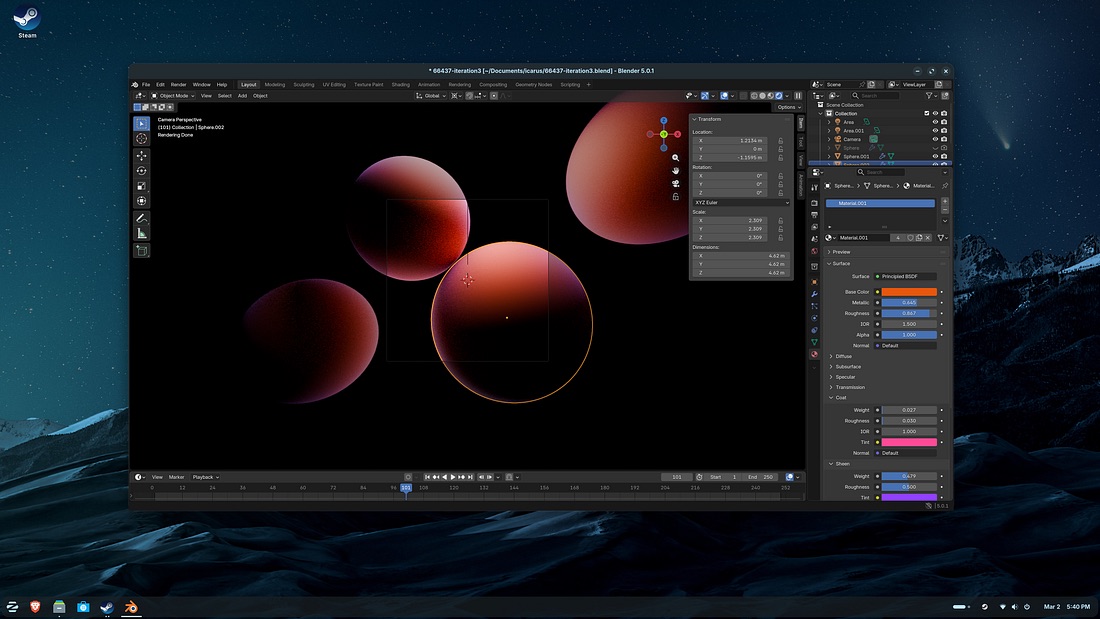
The pain of switching operating systems isn’t installing the new system itself—it’s that disorienting feeling afterward, like you don’t know who you are or where you are.
When I moved from Windows 7 to macOS years ago, it took me a full week to get used to the Dock and Finder logic. Not to mention the incompatible software, the features I couldn’t find, and the frustration of instinctively pressing Ctrl+C only to realize the shortcut doesn’t work the same way.
So when I came across Zorin OS 18, my first thought was: finally, someone takes this problem seriously.
It Knows You Don’t Want to Learn a Whole New Interface
Zorin OS 18 is built on Ubuntu, which means a rock-solid foundation and a solid software ecosystem. But its real selling point is this: the interface layout can mimic Windows almost seamlessly.
Right out of the box, there’s a classic “Start menu” button in the bottom-left corner, opening to a familiar program list. The taskbar sits at the bottom-left with an icon style that closely resembles Windows 10 and earlier.
You don’t need to change a single setting. It just works.
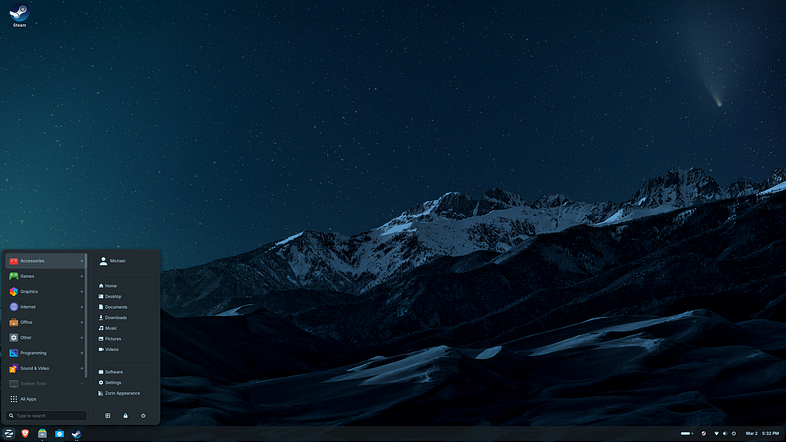
If you prefer the centered style of Windows 11, a few clicks in the system settings will get you there. The whole process takes less than thirty seconds.
Think of it like moving into a new house where the furniture is arranged exactly like your old one—you won’t get lost, your mug is still on the right side of the counter, but the house itself has been upgraded.
It Even Helps You Run Windows Software
One of the biggest fears people have when switching from Windows is: what about my software?
Zorin OS 18 includes a feature called “Windows App Support.” Under the hood, it uses Bottles technology to run Windows .exe and .msi installers. Many Windows applications can be installed and run with zero configuration—just double-click and go.
Notepad++, for example, runs almost perfectly inside Zorin OS:
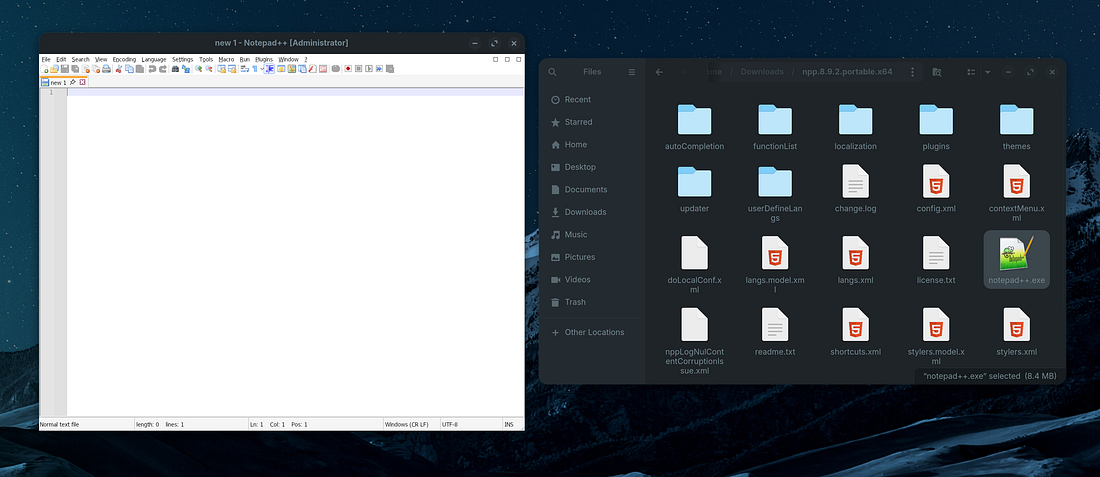
Of course, not every app is perfectly compatible. RingCentral, during testing, launched but had some text rendering issues. And some software simply won’t run at all. But honestly, this is already surprisingly good.
I call this feature “transition insurance.” You shouldn’t expect it to replace all your Windows software, but when you find an app that genuinely has no Linux equivalent, it can save you a lot of hassle.
Ready to Go With the Things You Actually Need
In a standard Ubuntu installation, Flatpak isn’t included, which means the thousands of apps available through Flathub aren’t accessible by default. By default, Ubuntu leans heavily on Snap and .deb packages.
Zorin OS 18 saves you that setup step. Flatpak is already configured out of the box. You can browse the software center and install a wide range of apps without touching the command line.
Another interesting choice: Zorin OS 18 replaces Firefox with the Chromium-based Brave browser.
Brave comes with built-in ad and tracker blocking. For average users, having privacy protection ready from the start is much friendlier than Firefox’s manual configuration options. And if Firefox is non-negotiable for you, putting it back takes one button click.
It Even Keeps the Fun Desktop Effects—Useless Romance and All
Back in the day, I loved tinkering with Compiz effects on Ubuntu 7.10—the desktop cube, wobbly windows, elastic dragging. These effects don’t improve your productivity in any way, but seeing them always made me smile.
Zorin OS 18 turns these desktop effects into a few toggles in the system settings. If you miss that feeling of “the desktop can actually be fun,” you can get it back in seconds.
Free vs. Paid—What’s the Actual Difference?
Zorin OS comes in two editions:
- Core (free): includes all the core features
- Pro (~$48 USD): additional desktop layouts, professional creative apps, more wallpapers, and installation support
The extra desktop layouts in Pro are nice-looking, but if you’re willing to tinker, the Core edition with GNOME customization can get you similar results. The pre-installed apps like Blender, Krita, and Audacity are all free anyway—you can install the exact same versions yourself.
Honestly, for most people, Core is plenty. The paid version is more like “you think this project is great and want to support it”—not a must-have feature upgrade.
Why Not Just Use Ubuntu?
Ubuntu is excellent. I use it myself regularly, and it’s hard not to recommend.
But Zorin OS occupies a more specific niche: it’s built for people who don’t want to tinker. Windows-style default interface, built-in Windows app compatibility layer, Flatpak ready out of the box—Ubuntu either lacks these or requires manual configuration.
Ubuntu suits people who enjoy tweaking. Zorin OS suits people who just want to switch systems without turning the switch into “learning Linux from scratch.”
Both are great. They just solve different problems.
The Bottom Line
The scariest part of switching systems is never the new things you learn—it’s the fear of starting over from zero. Zorin OS 18 lowers that barrier with a Windows-like interface and a built-in Windows app compatibility layer. It’s not perfect, but it does one critical thing right: it lets you switch operating systems, not lifestyles.