open-coreui: Turning Open WebUI into a Rust food truck

Table of Contents
- open-coreui: Turning Open WebUI into a Rust food truck
- What open-coreui actually is (no marketing)
- “Lightweight” where exactly? 5 things that matter
- Hands-on: get it running in ~10 minutes (Desktop or CLI)
- Make it talk to a model: OpenAI-compatible API (minimal env vars)
- Gotchas (don’t drive the truck into a ditch)
- 3-line wrap-up + a practical next checklist
- If this helped, do one “technical action”
open-coreui: Turning Open WebUI into a Rust food truck
I’ve watched a lot of people open the Open WebUI setup guide with one innocent goal:
“I just want a webui to chat with my model on my own machine.”
Then the guide hits them like a surprise business license exam: Docker, Python, a database, maybe a cache… and suddenly you’re not “trying a tool” anymore, you’re “opening a restaurant chain.”
That’s where open-coreui makes sense. It’s the lightweight “food truck” version of that experience: smaller, lighter, and much easier to start serving something warm right now.
What open-coreui actually is (no marketing)
Here’s the straight definition:
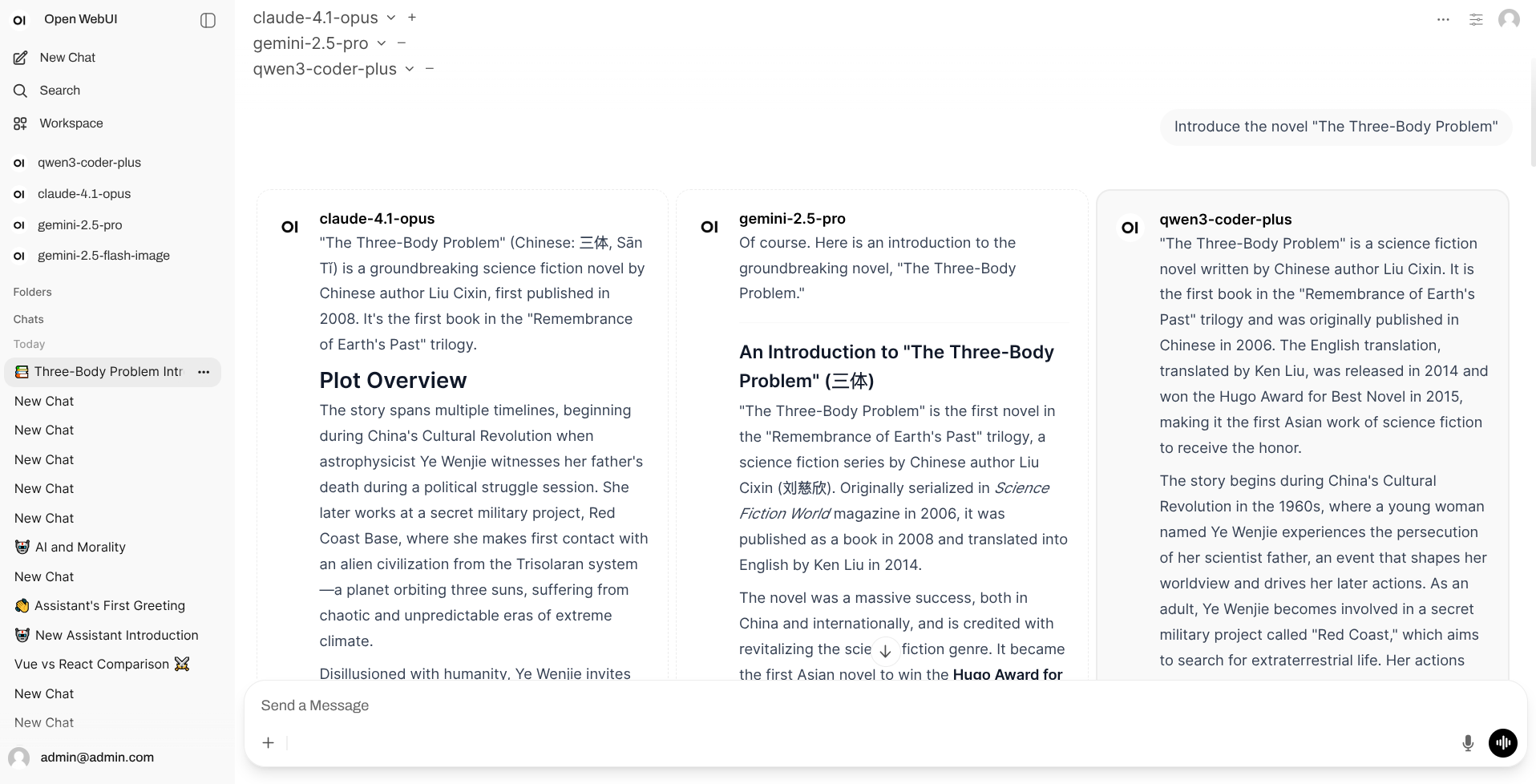
- open-coreui is a lite rewrite (a fork) of Open WebUI v0.6.32, not an official release.
- It tries to keep the original frontend, while moving the backend to rust (actix-web).
- It’s explicitly in an early development stage: the project states that only basic chat is implemented right now, with other features coming gradually.
Think of it like keeping the same menu board, but swapping the kitchen for a tighter, faster stove. The first dish to perfect is the house fried rice: chat. The rest comes later.
It also ships as two completely separate “ways to run the truck”:
| Client type | Best for | What you get |
|---|---|---|
| Desktop app | Personal machine, zero fuss | Install and run a native app |
| Backend server (CLI) | A server for a team | Run a binary, access via browser |
Pick one. You don’t need both.
“Lightweight” where exactly? 5 things that matter
When I say lightweight, I mostly mean “fewer moving parts between you and the first successful chat.”
Original frontend, low re-learning cost
The goal isn’t a brand-new UI. It’s “feel like Open WebUI, but easier to deploy.”Rust backend with actix-web
The backend is built onactix-web, which usually means good throughput and sane resource usage when you have concurrent requests.Default data store is SQLite
The CLI docs describe a defaultCONFIG_DIRand a defaultDATABASE_URLthat points to SQLite. In food-truck terms: the pantry lives under the counter.No forced dependency buffet
The README highlights “no Docker, Python, PostgreSQL, Redis” requirements for the server. If you just want chat, you don’t have to build a whole kitchen.A lot of switches, but don’t flip them all at once
The CLI exposes many env vars (auth, websockets, web search, code execution, image generation…). Treat them as optional toppings, not “must enable everything.”
Hands-on: get it running in ~10 minutes (Desktop or CLI)
Official entry points:
- Releases:
https://github.com/xxnuo/open-coreui/releases/latest - CLI docs (env vars):
https://github.com/xxnuo/open-coreui/blob/main/CLI.md
Option A: Desktop (for “just let me use it”)
- Download the Desktop app from Releases
- Install and open it
macOS gotcha: if you see an “app is damaged” warning, the quarantine attribute is usually the culprit:
sudo xattr -d com.apple.quarantine "/Applications/Open CoreUI Desktop.app"
Option B: Backend server / CLI (for “put it on a box and share it”)
- Download the backend binary from Releases
- On Linux/macOS, make it executable and run it:
chmod +x open-coreui-*
./open-coreui-*
- Open the printed URL in your browser (commonly
http://localhost:8168)
If you only want local access (no LAN visitors), bind it to loopback:
HOST=127.0.0.1 PORT=8168 ./open-coreui-*
Make it talk to a model: OpenAI-compatible API (minimal env vars)
open-coreui is built around OpenAI-compatible endpoints. The two env vars you’ll touch most often:
OPENAI_API_BASE_URL(default ishttps://api.openai.com/v1)OPENAI_API_KEY
Example with a local OpenAI-compatible server (replace the URL with yours):
OPENAI_API_BASE_URL="http://127.0.0.1:11434/v1" \\
OPENAI_API_KEY="local-dev" \\
./open-coreui-*
The mental model is simple: open-coreui is the webui; your model server is the stove. They talk over an OpenAI-compatible wire.
Gotchas (don’t drive the truck into a ditch)
1) “I assumed it supports everything Open WebUI does”
Reality check: the project states it’s early-stage, with basic chat first. So if a switch exists in the CLI docs, it doesn’t automatically mean the full feature is production-ready.
2) “I put it on a server and accidentally exposed it”
The CLI docs show HOST defaults to 0.0.0.0. At minimum:
- Bind to the right interface (
HOST=127.0.0.1or an internal IP) - Disable open registration if you don’t want it (
ENABLE_SIGNUP=false) - Set a stable secret (
WEBUI_SECRET_KEY) instead of relying on a fresh auto-generated value
3) “I reinstalled and my data vanished”
Check the config/data directory. The default is:
~/.config/open-coreui
If you want data to live somewhere you already back up, set:
CONFIG_DIR="/path/to/open-coreui" ./open-coreui-*
4) “Port is already in use”
Two easy outs:
- Change
PORT - Enable random port assignment:
ENABLE_RANDOM_PORT=true
3-line wrap-up + a practical next checklist
Three lines:
- open-coreui is a practical bet: make Open WebUI-style chat easier to deploy, using rust for the backend.
- It’s a food truck: fast to start, easy to move, but it won’t serve the full banquet on day one.
- “High performance” only matters if it feels smooth on the machines you actually own.
Next checklist:
- Personal use: try the Desktop app first, confirm chat works end-to-end
- Team use: run the CLI server, bind correctly, lock down signups
- Backup-friendly: move
CONFIG_DIRto a place you already back up - Tweak responsibly: enable one feature switch at a time and test it
References:
- Repo:
https://github.com/xxnuo/open-coreui - Releases:
https://github.com/xxnuo/open-coreui/releases/latest - CLI env vars:
https://github.com/xxnuo/open-coreui/blob/main/CLI.md
If this helped, do one “technical action”
I’m not great at shouting “smash that button,” so here’s a checklist that actually maps to real actions:
- Like: click the like button so this doesn’t disappear into the content void
- Share: send the link to the friend currently stuck “opening a restaurant” just to get a webui running
- Bookmark: browser bookmark is the most reliable (macOS:
Command+D, Windows/Linux:Ctrl+D) - Follow: subscribe via RSS (usually
/index.xml) and drop it into your reader, so you don’t have to rely on algorithms
If you did any of those, I’ll assume this food-truck guide earned its parking spot.