 梦兽编程™AI_SUITE
You just upgraded to macOS 26, open Safari with excitement, and freeze.
Why does the corner radius of Safari’s window differ from Notes? And why does Notes differ from Finder? It’s like buying a new pair of shoes and realizing the left shoe has two extra lace holes than the right. Not a big deal on paper, but it bothers you all day.
That’s macOS 26 right now. Apple’s designers clearly fell in love with the word “rounded,” but lost control during implementation. Every app does its own thing with corner radius. The whole system looks like different designers working against different deadlines.
How Is Everyone Fixing This?
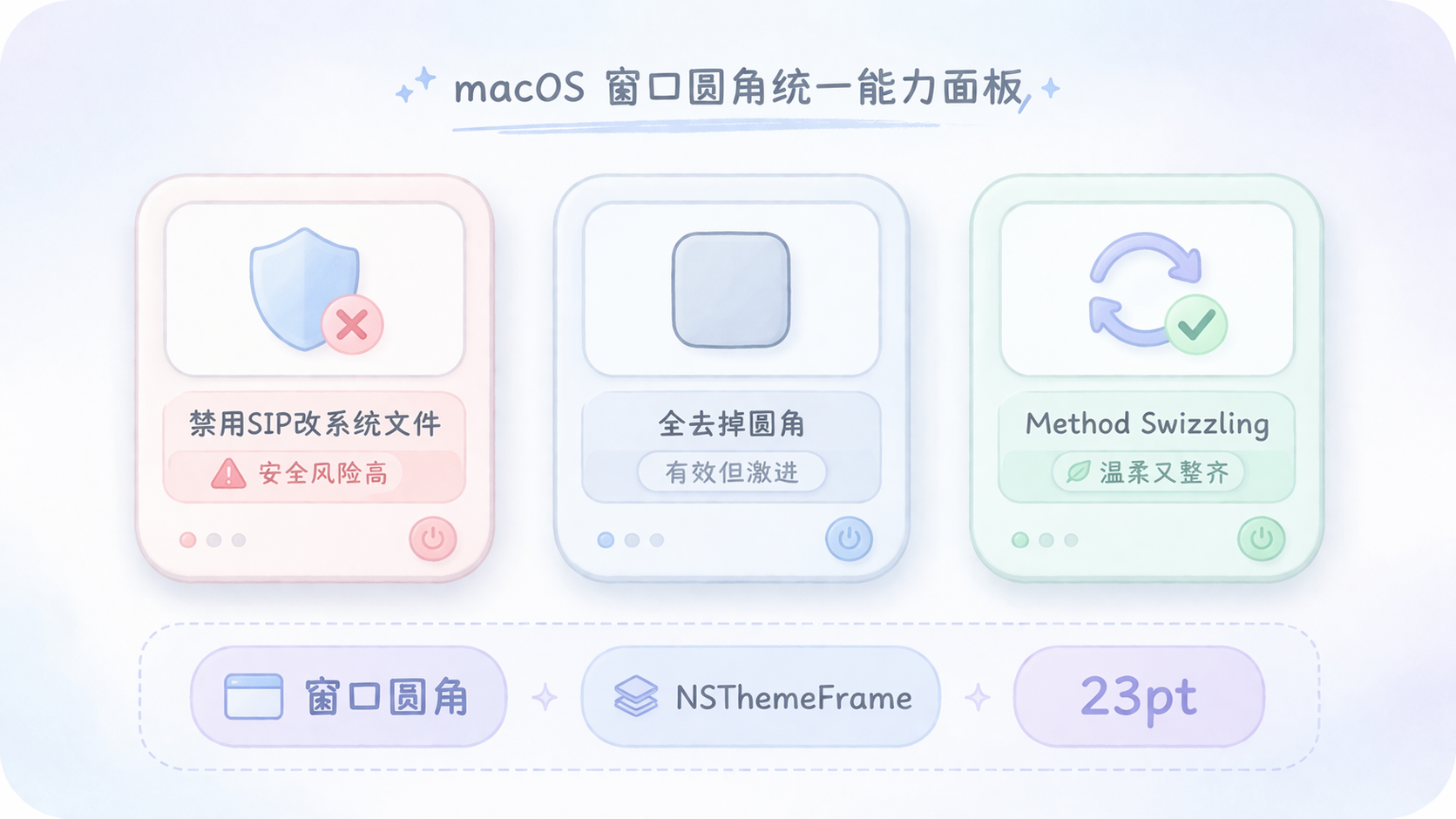
The most common fix online: disable SIP and patch system dynamic libraries.
SIP is System Integrity Protection—think of it as macOS’s immune system. Disable it and you can edit files under /System/Library/, but the cost is a completely compromised security posture. Honestly, if someone already has physical access to your machine, SIP won’t stop them either. Still, this approach feels like using a cannon to kill a mosquito.
More importantly, patching system files means doing it all over again after every macOS update. Apple’s next security patch rolls out, and your corner fix disappears. Tedious.
A Different Approach: Don’t Remove the Curtains, Standardize Them
The original author had a more interesting idea: instead of removing all corners, make them consistently ugly.
This sounds like a quip, but there’s solid product logic behind it. Consistently imperfect looks better than chaotically mismatched. Like a room where curtains hang at different heights on each window—annoying. But standardize them all to the same ugly height, and somehow it looks fine.
How does he pull it off? Method Swizzling.
What Is Method Swizzling
Method Swizzling is a clever trick that Objective-C Runtime provides.
Normally when your code calls a method, the runtime locates that method’s implementation and executes it. What Swizzling does is: swap the positions of method name A and method implementation B. In plain terms, calling A from now on actually runs B.
Think of it like this: you order takeout, and the system assigns delivery guy A by default. Swizzling is swapping the name tags on guy A and guy B. So even though you ordered meal A, you get what guy B prepared. No business logic changes, the runtime handles it.
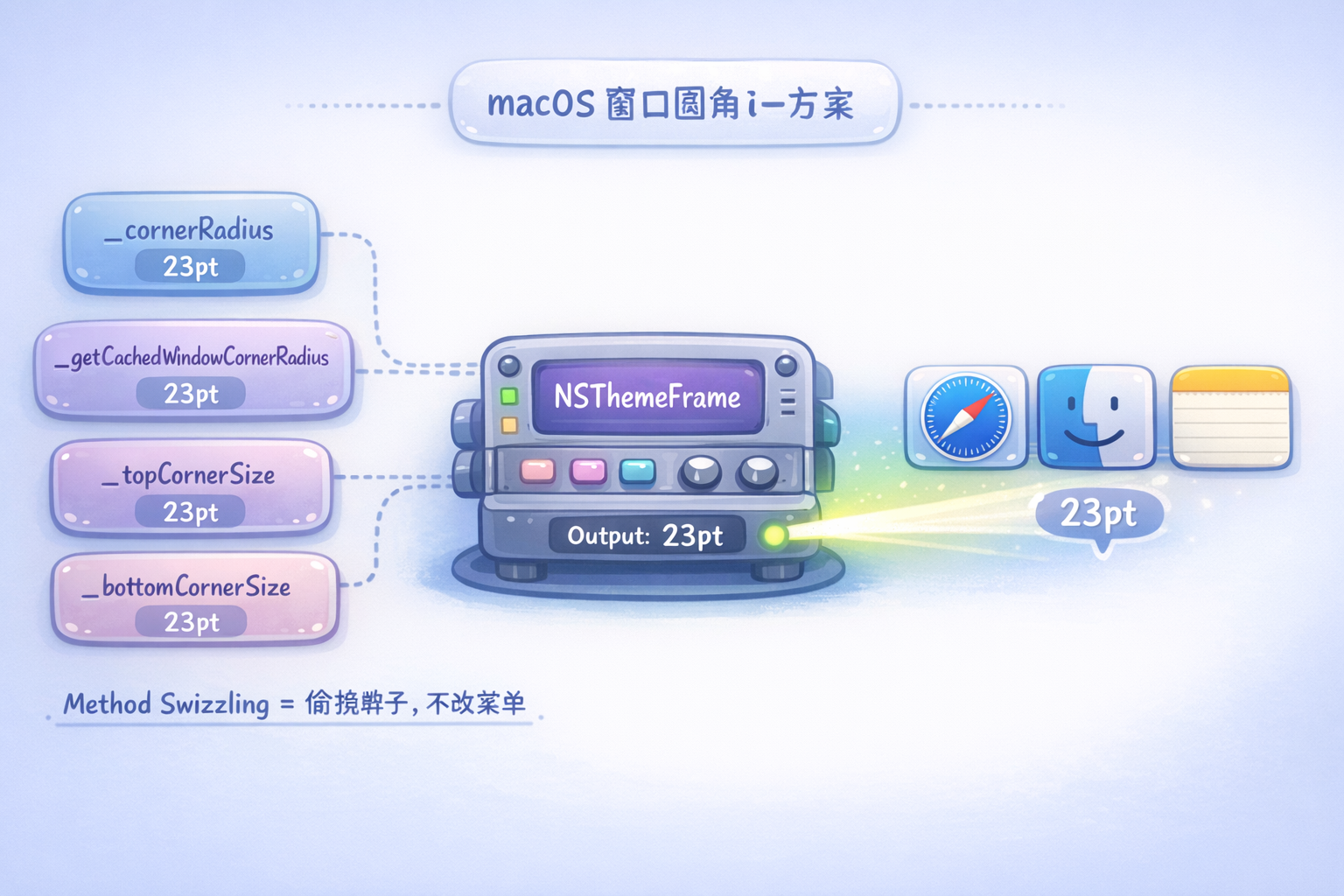
On macOS, window corner rendering logic lives in NSThemeFrame, a private Apple class. This class decides how rounded each window’s corners should be. What the original author did was hook the corner calculation methods and force them to return 23pt regardless of what the system originally wanted.
Now Safari, Finder, Notes—they all get the same corner radius. Visually consistent right away.
The Core Code
#import <AppKit/AppKit.h>
#import <objc/runtime.h>

static CGFloat kDesiredCornerRadius = 23.0;

// Replace the corner radius getter
static double swizzled_cornerRadius(id self, SEL _cmd) {
    return kDesiredCornerRadius;
}

// Replace the cached corner radius getter
static double swizzled_getCachedCornerRadius(id self, SEL _cmd) {
    return kDesiredCornerRadius;
}

// Replace top corner size
static CGSize swizzled_topCornerSize(id self, SEL _cmd) {
    return CGSizeMake(kDesiredCornerRadius, kDesiredCornerRadius);
}

// Replace bottom corner size
static CGSize swizzled_bottomCornerSize(id self, SEL _cmd) {
    return CGSizeMake(kDesiredCornerRadius, kDesiredCornerRadius);
}

// Runs automatically on program startup
__attribute__((constructor))
static void init(void) {
    // Only modify third-party GUI apps, leave Apple's system apps alone
    NSString *bid = [[NSBundle mainBundle] bundleIdentifier];
    if (!bid || [bid hasPrefix:@"com.apple."]) return;

    Class cls = NSClassFromString(@"NSThemeFrame");
    if (!cls) return;

    Method m1 = class_getInstanceMethod(cls, @selector(_cornerRadius));
    if (m1) method_setImplementation(m1, (IMP)swizzled_cornerRadius);

    Method m2 = class_getInstanceMethod(cls, @selector(_getCachedWindowCornerRadius));
    if (m2) method_setImplementation(m2, (IMP)swizzled_getCachedCornerRadius);

    Method m3 = class_getInstanceMethod(cls, @selector(_topCornerSize));
    if (m3) method_setImplementation(m3, (IMP)swizzled_topCornerSize);

    Method m4 = class_getInstanceMethod(cls, @selector(_bottomCornerSize));
    if (m4) method_setImplementation(m4, (IMP)swizzled_bottomCornerSize);
}
Compile into a dynamic library:
clang -arch arm64e -arch x86_64 -dynamiclib -framework AppKit \
  -o SafariCornerTweak.dylib \
  SafariCornerTweak.m

sudo mkdir -p /usr/local/lib/
sudo cp SafariCornerTweak.dylib /usr/local/lib/
sudo codesign -f -s - /usr/local/lib/SafariCornerTweak.dylib
Load automatically at boot with launchd:
launchctl load ~/Library/LaunchAgents/com.local.dyld-inject.plist
Why This Approach Is Better
First, no SIP modification needed. The DYLD_INSERT_LIBRARIES environment variable lets you inject a dynamic library into any process without touching system files. It works fine for personal use, and system updates won’t clobber it.
Second, the scope is controllable. The code explicitly excludes bundle IDs with the com.apple. prefix, so Apple’s own apps are left alone and only third-party apps get modified. The original author reasoned that at least Apple’s designers have some aesthetic standards—third-party apps are where the inconsistency really runs wild.
Third, this approach aligns with the “design system” philosophy in product design. A design system doesn’t aim for every component to be flawless; it sets rules first, then makes all components follow the same constraints. Once the rules are unified, order emerges naturally. It’s far less exhausting than individually polishing every corner.
Want a Different Corner Value?
The most obvious line in the code:
static CGFloat kDesiredCornerRadius = 23.0;
Set it to 0.0 and windows become sharp rectangles. Set it to 50.0 and your screen looks like it’s wrapped in bubble wrap. Adjust to taste.
One caveat: this solution is essentially a hack. NSThemeFrame is Apple’s private class, and method names like _cornerRadius with their underscore prefix signal they’re not meant for external use. Apple could rename or restructure the entire class in the next macOS update, breaking the patch. Just recompile when that happens—it’s not a big deal.
There’s never only one way to solve a technical problem. Disabling SIP is one way—direct but blunt. Removing all corners is another—it works but may overcorrect. Method Swizzling is the third option: it doesn’t change the system’s data structures, only the execution order. Gentle, yet effective.
Next time something in your system bothers you, ask: is there a way to make it tidy itself without touching the root?