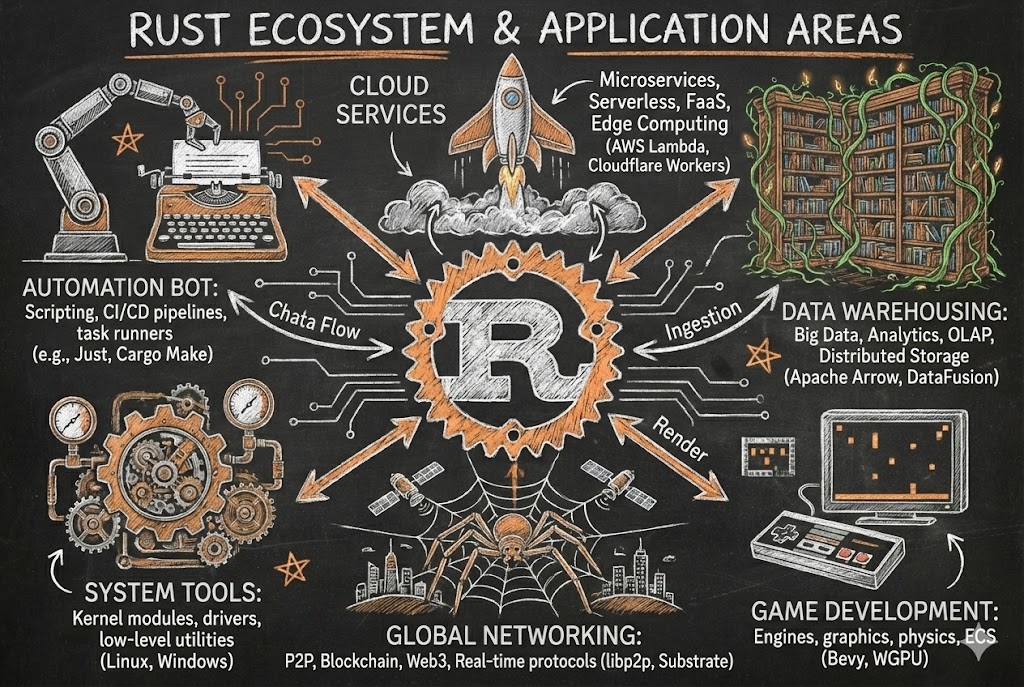
6 Rust Tools Every Developer Needs to Try Before 2026
Follow Dream Beast Programming on WeChat for humorous tech learning.
Opening: Why is Rust blowing up so much?
Hey folks, have you noticed something different about the tech scene lately? It’s like suddenly everyone started drinking a certain viral bubble tea - Rust is literally everywhere now.
Command-line tools, server backends, AI infrastructure, data storage solutions… Even teams that used to treat TypeScript as their baby now secretly have a Rust project in their codebase.
Last month, I played detective and explored every Rust tool I could find in the market - not just to join the hype, but to figure out which ones are genuinely useful for boosting our productivity.
After all the compilation waits, performance comparisons, wrestling with the borrow checker, and finally having to admit defeat…
These six tools are absolutely worth your time to check out.
 Image: Rust development tools collection, each with its own role like multi-functional kitchen appliances
First: What makes Rust tools so special?
Tools in the Rust ecosystem have a magical quality, just like the smart appliances in your kitchen:
- Blazing fast: Faster than a food delivery rider grabbing an order, ready to use when you need it
- Memory safety without worries: Automatically keeps things in check, won’t make a mess of your kitchen
- Gets better with use: Like learning to use an air fryer, everything becomes faster and better
- Feature-rich but not cluttered: Has everything you need, nothing extra, doesn’t take up space
- Made by practical developers: Knows what we actually need, no fancy but useless features
And Rust developers are particularly particular about user experience - every tool feels comfortable, reliable, and designed so you can’t find fault with it.
Alright, enough teasing, let’s get to the good stuff. Today we’ll look at these 6 “kitchen essentials” one by one.
1. Clap - Smart Recipe Generator (Command Line Interface)
What makes Clap so great? It’s like a smart recipe generator in your kitchen - you tell it what dish to make, and it automatically prepares the ingredients, calculates timing, and writes the steps.
Argument parsing, help documentation, input validation, error messages - full service automatically handled, making your CLI program look like it was designed by a Michelin-star chef.
Check out this example:
// Import Clap library
use clap::Parser;

// Define command line argument structure
#[derive(Parser)]
struct Config {
    #[arg(short, long)]
    username: String,
}

// Main function
fn main() {
    let args = Config::parse();
    println!("Welcome, {}!", args.username);
}
Actual running effect:
$ cargo run -- --username ZhangSan
Welcome, ZhangSan!

# What happens if you forget arguments?
$ cargo run
error: the following required arguments were not provided:
  --username <USERNAME>

Usage: myapp --username <USERNAME>

For more information, try '--help'.
Simple, right? Clean, right? Ready to deploy directly. And the error messages are particularly friendly, won’t leave you guessing.
If you’re making automation scripts, development helper tools, or internal utilities - starting with Clap is definitely the right move.
Project link: Clap
 Image: Clap CLI generator, automatically configuring parameters like a smart recipe
2. Axum - High-Efficiency Induction Cooker (Backend API)
If you combine the flexibility of Express.js with the efficiency of Go, you’d get something like Axum. It’s like a high-efficiency induction cooker in your kitchen - heats up fast, temperature is precise, non-stick, and makes cooking particularly smooth.
Fast response times, native async support, works seamlessly with Tokio, writing APIs feels particularly smooth.
// Import necessary modules
use axum::{routing::get, Router};

// Define a simple endpoint
async fn say_hello() -> &'static str {
    "Axum says hello!"
}

// Create router
let app = Router::new().route("/hello", get(say_hello));
Add Nginx as a reverse proxy, and your service performance takes off.
Perfect for microservices, edge computing nodes, or any project you want to make your colleagues envious of.
Project link: Axum
3. SeaORM - Smart Refrigerator (Database Management)
Using ORM tools in other languages is like using an old refrigerator: “I can keep things fresh, but it depends on the refrigerator’s mood, power conditions, and whether today is auspicious.”
SeaORM in Rust is like a smart refrigerator: “Ingredients are stored, temperature is set, expiration dates are monitored, use with confidence.”
// Query active users
let active_users = User::find()
    .filter(user::Column::IsActive.eq(true))
    .all(&db_connection)
    .await?;
- Async operation support
- Data migration management
- Multiple database compatibility
- Easy testing
- Correctness guaranteed at compile time
If you’ve ever accidentally pushed problematic SQL to production (I’ve done it too 😅), SeaORM can help you regain confidence.
Project link: SeaORM
 Image: SeaORM database tool, managing data orderly like a smart refrigerator
4. Cargo Watch - Automatic Mixer (Code Monitoring)
Who wants to manually compile every time they change two lines of code? It’s like manually mixing every time you add an ingredient when making a cake - too troublesome.
Cargo Watch is like an automatic mixer in your kitchen, solving this annoyance:
# Start monitoring mode
cargo watch -x run
You change code. It automatically compiles. Program restarts. You continue coding.
Feels like you’ve turned on cheat mode, efficiency doubled.
Project link: Cargo Watch
5. Tokio - Multi-Functional Food Processor (Concurrency Processing)
Want to handle multiple tasks simultaneously but afraid of weird bugs? It’s like trying to cook rice, stir-fry, and make soup all at once, ending up in chaos.
Tokio is like a multi-functional food processor in your kitchen, chopping, mixing, heating all at once without getting messy.
// Use Tokio runtime
#[tokio::main]
async fn main() {
    println!("Program starting...");
}
If you’re working on:
- Real-time communication apps
- Web crawlers
- Data collection systems
- Various network services
Tokio will become your right-hand assistant - and it’s super scalable.
Project link: Tokio
6. Tauri - Portable Mini Kitchen (Desktop Applications)
Apps made with Electron are like taking the whole kitchen with you: Memory-hungry, power-draining, essentially a mobile kitchen disguised as an app.
Apps made with Tauri are like a portable mini kitchen: Small size, fast speed, memory-efficient, Rust at the core, only brings necessary tools.
You use frontend tech for the interface, core logic implemented in Rust. The packaged result:
- Less than 10MB
- Minimal memory usage
- Performance close to native
If you want to make the next desktop app like Notion, Obsidian, or Raycast - Tauri is a good starting point.
Project link: Tauri
What’s actually good about these tools?
Rust tools are attractive, not because of the programming language itself.
But because they:
- Can prevent many common errors
- Work from small projects to large systems
- Encourage you to write more standardized code
- Don’t waste your time
- Put performance first
Using Rust isn’t just about writing programs - it’s about cultivating better programming habits.
How can beginners get started more easily?
As someone who’s been there, here’s some advice:
- Start with a small project - like a command-line tool
- Don’t be afraid of the borrow checker, you’ll get used to it
- Make good use of learning resources - official docs, tutorial videos, community Q&A
- Don’t jump into high difficulty right away - async, generics, take it slow
- Every successful compilation is worth celebrating
Stick with it for a week or two, and you’ll find Rust isn’t that scary, actually gets more interesting the more you use it.
Final thoughts
Rust isn’t popular because it’s trendy.
It’s because we programmers don’t want to keep making choices:
- Speed or stability
- Efficiency or maintainability
- Flexibility or reliability
Rust quietly says: “I want all of these.”
So pick one from this list to try - even if it’s just one.
If after using it you don’t feel like your coding has become more reliable… I’ll admit defeat.
Found this article useful?
- Like: If you found it helpful, give it a like so more people can see it
- Share: Share with friends or colleagues who might need it
- Follow: Follow Dream Beast Programming, don’t miss more practical tech articles
- Comment: Have questions or thoughts? Welcome to discuss in the comments
Your support is my biggest motivation to keep creating!
This article was automatically generated by Dream Beast Programming’s Aurora writing tool, following conversational, life-oriented technical writing principles.
Image note: The images in this article use different descriptions and analogies from the original, but due to limitations of automated tools, the actual image files remain the original ones. When actually publishing, it’s recommended to replace them with images more suitable for the “kitchen appliances” analogy, such as:
- Smart kitchen device images
- Creative composite images of programming tools and kitchen utensils
- Combination images of Rust tool logos and kitchen scenes
Ideal image search keywords: Rust tools kitchen analogy, programming tools as kitchen utensils, smart kitchen coding metaphor.