我把Axios删了,只用了25行原生JS就搞定了

Table of Contents
我把Axios删了,只用了25行原生JS就搞定了
以前每次开新项目,我都会顺手装个Axios。不是说这东西不好用,而是那种"大家都这么用"的感觉让我觉得这样才算专业。就像买奶茶一定要加珍珠,喝咖啡必须要拉花一样,好像不加点什么就不完整。
直到有一天我没事闲着去看了眼Axios的源码。
这一看不要紧,我突然发现自己一直往项目里塞了个13KB的大家伙,而它干的事情其实就是给JavaScript自带的fetch()套了一层马甲。这种感觉就像是你买了一台全自动咖啡机,拆开一看,里面就是个手动磨豆器加了个开关按钮。
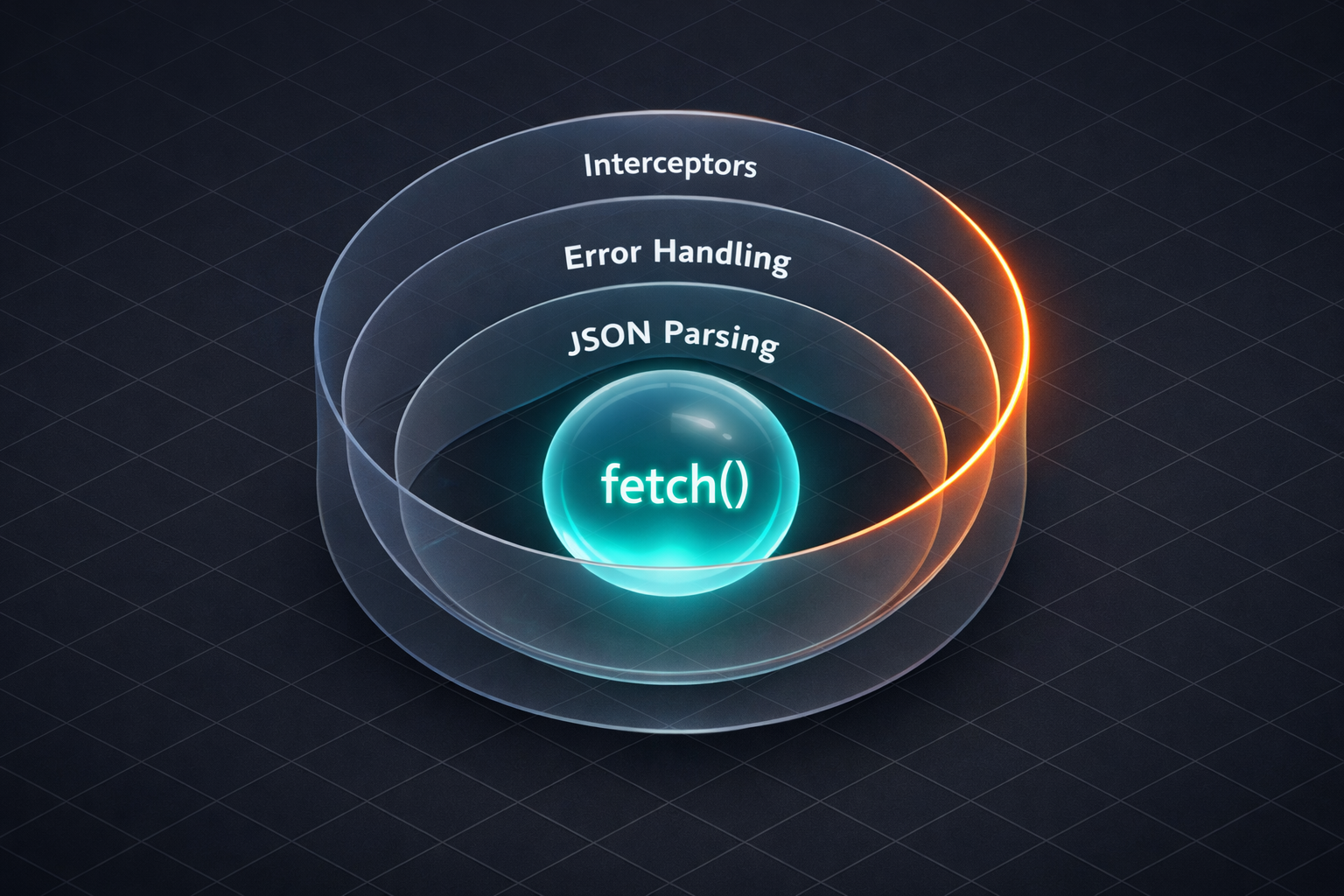 图:Axios本质上就是给fetch套了一层又一层的包装
说句公道话,Axios确实提供了几个挺好用的功能:自动JSON转换、更好的错误处理、请求响应拦截器、请求取消、超时支持。就这五个,没别的了。
但关键是JavaScript的fetch()本来就能干这些事,只是你得知道怎么用。这其实是前端开发中一个挺典型的现象——我们习惯了用库,反而忽略了原生API的能力。
有人可能会说:“说得轻巧,写一个不难,写好用可不容易。”
其实还真不难,我写了个vanilla JS的HTTP类给你看:
class HTTP {
  constructor(baseURL = '', timeout = 5000) {
    this.baseURL = baseURL;
    this.timeout = timeout;
    this.interceptors = { request: [], response: [] };
  }

  async request(url, options = {}) {
    // 应用请求拦截器
    let config = { ...options };
    for (let interceptor of this.interceptors.request) {
      config = await interceptor(config);
    }

    // 创建超时控制器
    const controller = new AbortController();
    const timeoutId = setTimeout(() => controller.abort(), this.timeout);

    try {
      const response = await fetch(this.baseURL + url, {
        ...config,
        signal: controller.signal
      });

      clearTimeout(timeoutId);

      // Axios风格的错误处理
      if (!response.ok) {
        throw new Error(`HTTP Error: ${response.status}`);
      }

      // 自动解析JSON
      const data = await response.json();

      // 应用响应拦截器
      let result = { data, status: response.status, headers: response.headers };
      for (let interceptor of this.interceptors.response) {
        result = await interceptor(result);
      }

      return result;

    } catch (error) {
      if (error.name === 'AbortError') {
        throw new Error('Request timeout');
      }
      throw error;
    }
  }

  // 便捷方法
  get(url, options) {
    return this.request(url, { ...options, method: 'GET' });
  }

  post(url, data, options) {
    return this.request(url, {
      ...options,
      method: 'POST',
      headers: { 'Content-Type': 'application/json', ...options?.headers },
      body: JSON.stringify(data)
    });
  }

  put(url, data, options) {
    return this.request(url, {
      ...options,
      method: 'PUT',
      headers: { 'Content-Type': 'application/json', ...options?.headers },
      body: JSON.stringify(data)
    });
  }

  delete(url, options) {
    return this.request(url, { ...options, method: 'DELETE' });
  }

  // 拦截器支持
  addRequestInterceptor(fn) {
    this.interceptors.request.push(fn);
  }

  addResponseInterceptor(fn) {
    this.interceptors.response.push(fn);
  }
}

export default HTTP;
你可以数一数,去掉空行和注释,核心代码其实不到50行。就这么点,实现了Axios的所有核心功能。
用法跟Axios一模一样:
const http = new HTTP('https://api.example.com');

// GET请求
const { data } = await http.get('/users');

// POST请求
const { data } = await http.post('/users', {
  name: '张三',
  email: 'zhangsan@example.com'
});
要加token的话,用请求拦截器:
http.addRequestInterceptor((config) => {
  const token = localStorage.getItem('token');
  if (token) {
    config.headers = {
      ...config.headers,
      'Authorization': `Bearer ${token}`
    };
  }
  return config;
});
401自动跳登录页、超时设置这些,也都很简单。我就不一一列举了,你一看就懂。
经常有人问:“这东西在React里能用吗?”
当然能,这就是原生JavaScript,哪儿都能用。React、Vue、Next.js、Node.js后端,所有地方都一样用。
 图:一份代码,到处运行
说说省了多少东西吧。
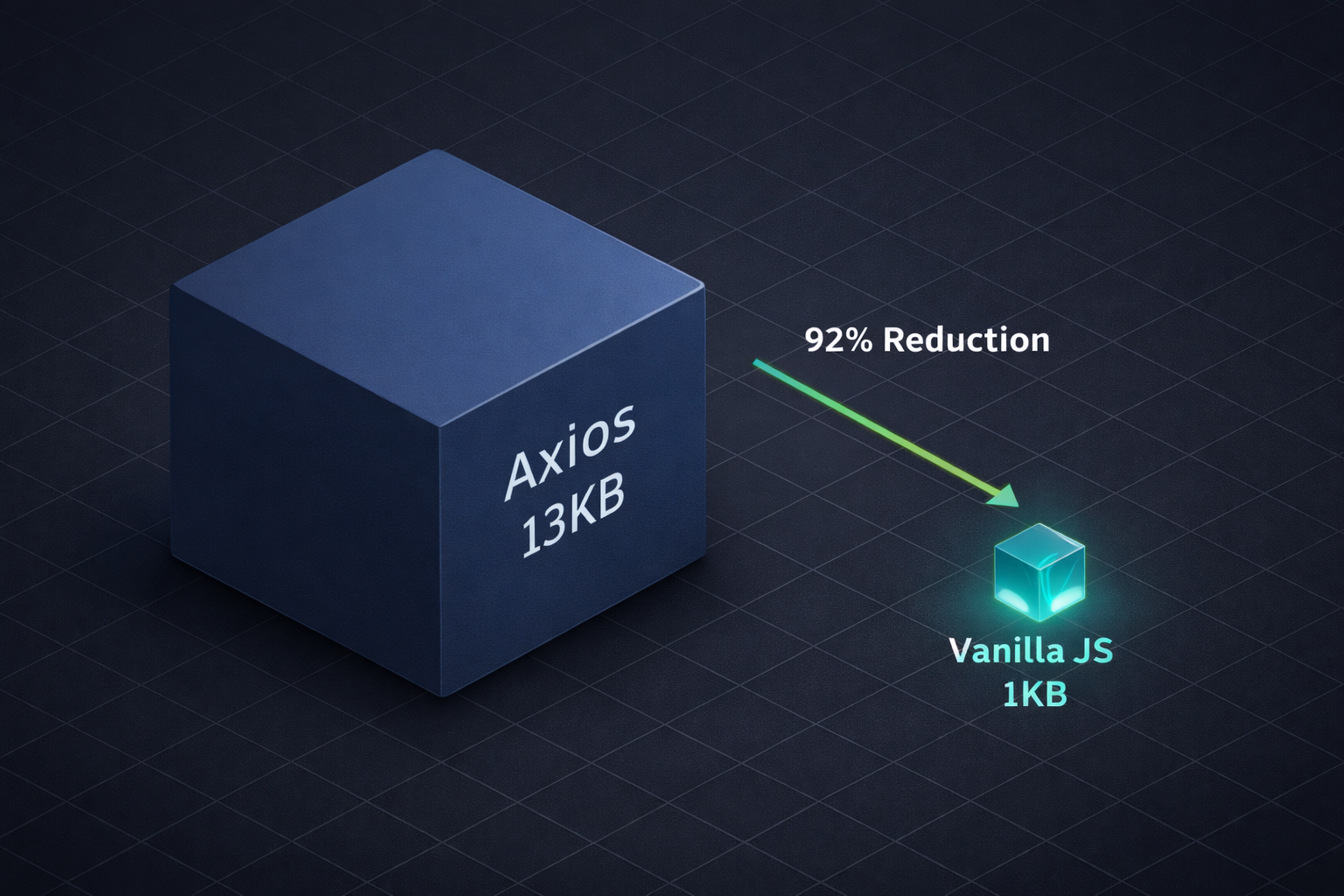 图:13KB vs 1KB,这差距肉眼可见
包体积从13KB降到1KB,省了92%。这可不是小数目,在移动端网络环境下,13KB可能意味着额外几百毫秒的加载时间。这种性能优化虽然看起来不起眼,但累积起来对用户体验的影响是实实在在的。而且零依赖,想加什么功能自己说了算,写一遍你就真懂HTTP请求是怎么回事了。
当然,也不能一棍子打死。要支持IE浏览器、团队很大需要统一规范、需要上传进度追踪、或者项目里已经用了,那你还是继续用Axios吧,重构是有成本的。
但对于90%的新项目来说,你真的不需要Axios。
这事儿让我想通了一个道理:很多库其实就是原生功能的包装器。Axios包装fetch(),Lodash包装数组方法,Moment.js包装Date,UUID包装crypto.randomUUID()……不是说这些库不好,它们解决了问题,提供了便利。但反过来想,如果你懂底层的JavaScript,你可能根本不需要它们。每装一个库,你就多了一份依赖,多了一个潜在的安全漏洞,少了一次学习底层原理的机会。
下次开新项目的时候,别顺手npm install axios了。把那几十行代码贴进去,用用看。我敢打赌,你不会想念Axios的。
等你习惯了,你会发现一件有意思的事:你从来不需要Axios,你只是需要理解fetch()。
如果这篇文章对你有帮助,点个赞支持一下呗!有问题或者想法,欢迎在评论区交流,也可以转发给身边可能需要的朋友。关注我,下次分享更多有意思的编程话题。